| Section | Link/Reference |
|---|---|
| Problem Statement chosen | Overview of the chosen problem statement |
| Demo Video | Video demonstration link and explanation |
| Implementation UI | UI snapshots, features, and navigation details |
| Introduction | Project context, background, and scope |
| Objectives | Project goals and deliverables |
| USPs | Unique Selling Propositions overview |
| Impact | Impact assessment and benefits |
| Market Analysis | Comparative analysis and market positioning |
| Methodology Details | In-depth methodology and technical approaches |
| Architecture | Architecture diagram and detailed link |
| User Flow | User flow diagram and reference link |
| Understanding the Flow | Visual representation of process flow |
| Design Considerations | Key design decisions and reasoning |
| Tech Stack | Technologies and tools used (Frontend, Backend, Cloud, etc.) |
| Security Aspects | Security strategy and encryption methods |
| Scalability | Scalability approaches and cloud infrastructure details |
| Closing Remarks | Final thoughts, acknowledgments, and feedback links |

- It is a request to go through the readme first before going through the video for better understanding.
- There is also our frontend implementation , which shows the flow , which you can go through.
- Please also do see our architecture and user flow diagrams for clarity.
-
It is a request to go through the readme first before going through the video for better understanding
-
(For demo purposes we have only used the most accessible technology we had)


In today's fast-paced software development landscape, traditional methods for requirement gathering, documentation, and test case generation are labor-intensive, error-prone, and time-consuming. These challenges demand a transformative solution, where precision and compliance are critical.
Project ATLAS automates the intial lifecycle of software development and documentation using advanced Generative AI.
Moreover, Project ATLAS streamlines the extraction of requirements from both textual and graphical inputs, generates structured SRS/BRD or any type of requirement documents, and seamlessly integrates with JIRA for automated backlog updates and efficient workflow management.
-
Automate Requirement Extraction
AI-driven analysis of documents and graphics to generate structured requirements, significantly reducing manual effort. -
Streamline Documentation
Automatically generate standardized SRS, SOW, BRD documents, and JIRA user stories to accelerate the documentation process based on user input, speeding up the documentation process by 90 percent. -
Enhance Security
Leverage MFA, and RBAC(Role-based Access Control) to ensure that all sensitive data remains secure and compliant. -
Integrate with JIRA & Workplace Automation
Seamlessly push updates to JIRA and automate workflow processes to ensure efficient backlog management. -
Accelerate Testing
AI-powered test case generation and code documentation reduce manual efforts by 70 percent. -
Enable Multi-User Collaboration
Supports scalable, concurrent usage with role-based access control and versioned document management, where each team (sde/dev ops/analyst) can edit/version the document based on the client's requirement on dashboard.
The following are the Unique Selling Propositions our Platform offers

Project ATLAS delivers a robust, AI-powered solution that accelerates documentation, reduces manual intervention, and accelerates software development cycles. By ensuring data security and compliance through locally deployed models and secure cloud infrastructure, the platform significantly enhances operational efficiency and quality.


Project Atlas is superior by combining features of both Requirements Management Software (RMS) and Agile Project Management & Documentation Tools. Rather than competing directly, we provide an end-to-end solution for Requirement Engineering with:
- AI-Powered Requirement Gathering
- JIRA Integration
- Automated User Story Generation
- Traceability & Compliance
- Collaboration & Documentation

Architecture Link: https://drive.google.com/file/d/1ucTztsu5L4DT479pYkpMUvZxqiQtP89q/view?usp=sharing
 User Flow Link: https://drive.google.com/file/d/1n4Zuw9-QC7NzIxbbDbrtynsAy_VaDjm9/view?usp=sharing

-
Why Azure Functions?
- We use Azure Functions for serverless, event-driven automation in our tool. This approach helps:
- Handle diverse type of inputs and for processing them.
- Secure APIs with scalability and cost-efficiency
- Integrate seamlessly with other Azure services
- We use Azure Functions for serverless, event-driven automation in our tool. This approach helps:
-
Choice of LLMs/LVMs?(PLEASE DO SEE THE TERMS AND CONDITIONS IN ARCHITECTURE)
- Using Gemini/Grok APIs would risk exposing enterprise data to third-party companies.
- Project Atlas deals with sensitive data, so we use Ollama and Azure VMs to privately host open-source LLMs/LVMs like LLama (3B, 7B) and LLAVA 7B parameter models to handle document inputs appropriately OR
- Azure OpenAI is also a choice where we have enterprise grade security and cost effectiveness with ease of integration with company infra.(Microsoft azure gurantees that the customer info wont be used for open ai to train its outputs on...so its a choice which would depend on company.)
- AzureOpenAI Security Clause: https://learn.microsoft.com/en-us/legal/cognitive-services/openai/data-privacy?utm_source=chatgpt.com&tabs=azure-portal.
-
Why Use RAG (Retrieval Augmented Generation)?
- RAG systems help us quickly find and use only the most relevant information from a large database.
- By using vector search with Cosmos DB and limiting the amount of data given to the language model, RAG systems create more accurate and insightful outputs.
-
Why Internal Context and AI Agent for External Context?
- Requirement gathering needs data from within the company (Business Team, DevOps Team, etc.) as well as from external markets, social trends, newer regulations, study groups, clients, and service providers.
- Both sources need to be accounted for, and thus we maintain internal and external contexts, and an AI agent helps search for the information missing from the internal contexts with the tool of web search.
-
Why and How Versioning with Blob Storage?
- Project management involves drafting documents multiple times before approval.
- We use Azure Blob Storage for automatic version control.
- Users from each team can track, manage, and restore versions, ensuring integrity, transparency, and accountability.

- React JS: For building a dynamic and responsive user interface.
- Tailwind CSS: For a clean, modern, and customizable design.
- Flask & Python: For developing RESTful APIs, handling backend logic, and integrating with Azure services and AI models.
- Azure Function Apps: For event-driven, serverless automation that processes inputs and triggers workflows.
- Azure Blob Storage: For storing uploaded documents with built-in versioning.
- Azure Cosmos DB: For scalable, low-latency storage of embeddings, which could be accessed through vector search.
- LLAVA (Open Source Vision Model) , OLLAMA LLMs (7B,16B) Parameters (Open Source Text Models), Azure OpenAI: For processing diverse input types, including text and images.
- Whisper (Open Source Speech To Text): For collecting inputs through speech in various English dialects.
- Azure Cognitive Services: For input document processing and NLP.
- Docker: For containerizing applications to ensure consistency across development, testing, and production.
- Azure VMs: For hosting containerized services and scaling as required.
- Jira REST API: For seamless integration with project management tools, enabling automated user story creation and backlog management.
- Azure Logic Apps: For automating workflows and integrating with external systems.
- Azure Multi-Factor Authentication (MFA): For secure user access.
- Role-Based Access Control (RBAC): For managing permissions and ensuring data security.
- Industry-standard Encryption: AES-256, TLS 1.2/1.3, RSA-2048, and SHA-256 to protect data in transit and at rest.

Security and data protection are paramount for Project ATLAS, especially when handling sensitive enterprise requirements and documentation. Our comprehensive security approach includes:
-
Local Open-Source LLMs Deployed on Azure VMs (Terms and conditions applied, do see the architecture diagram)
- Deploying Ollama Local LLMs on Azure VMs (GPU/CPU) ensures that in-house data is not leaked and ensures integrity.
- Such a setup makes an LLM fully customizable; however, scaling needs to be taken care of.
- So current choice is of Azure OpenAI as Microsoft ensures security and the cost of vms(for testing is very high) but in future if Company is concerned about security we would use the approach of privately deployed llms.
- Microsoft Azure OpenAI Data privacy clause
- https://learn.microsoft.com/en-us/legal/cognitive-services/openai/data-privacy?utm_source=chatgpt.com&tabs=azure-portal
-
MFA (Multi-Factor Authentication) and RBAC (Role-Based Access Control)
- Azure Multi-Factor Authentication (MFA) for secure logins.
- Role-Based Access Control (RBAC) to restrict access based on job functions.
- Conditional Access Policies to enforce security.
- Least privilege principles ensure users only access what they need.
-
Industry Level Data Encryption Standards
- AES-256 for data encryption at rest.
- TLS 1.2/1.3 for secure communication between components.
- RSA-2048 for key exchange mechanisms.
- SHA-256 for hashing and data integrity verification.

-
Azure Cloud - Enterprise-grade cloud platform that seamlessly integrates with Company's existing tech infrastructure, providing compliance controls and unified security policies across all Project Atlas components.
-
Azure Functions - Provides serverless compute resources that automatically scale based on demand, allowing us to efficiently process document inputs, LLM requests, and user story generation without managing infrastructure.
-
Blob Storage - Highly scalable cloud storage solution that securely manages document versioning with automatic redundancy, allowing teams to track changes and restore previous versions of requirement documents.
-
Containerized Services - Docker-based deployment approach that packages application components with their dependencies, ensuring consistent operation across development, testing, and production environments.
-
Azure VMs - Customizable virtual machines with flexible compute options that host the web application and LLMs, allowing for rapid vertical scaling during peak usage periods without compromising data integrity.
-
Azure Cosmos DB - Globally distributed, multi-model database service that efficiently stores and queries vector embeddings with low latency, enabling fast semantic search capabilities for requirement extraction.

- Homepage of Project Atlas.

- Business Analysts, SCRUM Managers, DevOps Team Members, SDE Team Members, log in here

- Project page that shows all integrations, stakeholders.
- Along with that, a graphical summary is shown.
- This is where the LLM gets its internal context from all stakeholders to generate documents.
- (For SRS we will consider SDE team, for BRD we will consider the customer request and the Business Analyst documents, etc.)

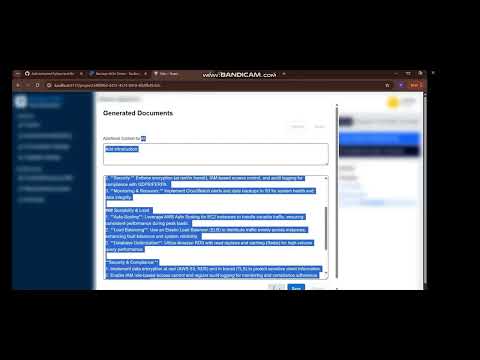
- Generating Standard Documents from requirements extracted from stakeholders.

- BRD Document generated after gathering internal context from stakeholders, as well as external missing context through the websearch AI agent.

- BRD is editable as shown to account for multiple iterations.
- All drafts are versioned and saved.
- Users can edit with AI, manually, or with added context.

- All documents generated before and uploaded are versioned and stored using Azure Blob Storage.

- User stories generated from standard documents built before.

- User Stories generated based on all the requirements and standard documents. Each story is tagged as per the MoSCoW schematic.

- Product User Stories pushed directly to Backlog on JIRA from ATLAS.
- All user stories are generated with the assistance of AI models made in Project Atlas.

- User stories are pulled directly from JIRA, and test cases, along with code, are generated using an AI model here.

- Generated Boilerplate code along with test case modules built based on the User Stories generated previously.
- Users can easily download the code and push to GitHub
- Future integrations include adding a bot that pushes all the code to GitHub.
Thank you very much for allowing us to show our idea. We have tried to show as much implementation and documentation as we can, and we hope you like our idea.
- We are working on a microsoft teams integration , which would directly send all the meeting documents, transcripts etc directly to Project Atlas dashboard, so that requirement documents can be formed directly from your meets.
- We are also working on fine tuning the large language models so that the document output is precise.
- Along with this we are also working towards github bot integration so that you can push your codes directly from project Atlas to github.
~~Team Cyber Wardens