- https://github.com/informalsystems/ibc-rs
- https://hermes.informal.systems/
- Hermes IBC Workshop
- An Overview of The Interblockchain Communication Protocol
As we could see, Hermes is a an open-source Rust implementation of a relayer for the Inter-Blockchain Communication protocol (IBC).
Hermes is a relayer CLI (i.e., a binary). It is not the same as the relayer core library (that is the crate called ibc-relayer).
An IBC relayer is an off-chain process responsible for relaying IBC datagrams between any two Cosmos chains.
There is a YouTube instruction in which Andy Nogueira explains all the intricacies of Hermes work.
- scanning chain states
- building transactions based on these states
- submitting the transactions to the chains involved in the network.
- Configure opend RPC nodes (or use already configured by other people) of the chains you want to relay between.
- Fund keys of the chains you want to relay between for paying relayer fees.
- Configure Hermes.
We will configure Hermes to operate between StaFiHub and SEI Network in testnets.
Now (29 july 2022) current testnet chain for SEI Network is:
atlantic-1
- Run your own SEI RPC node [Instructions]
You should wait until the synchronization status becomes false. No need to create a validator!
- Configure node for using it by Hermes:
sed -i.bak -e "s/^indexer *=.*/indexer = \""kv"\"/" $HOME/.sei/config/config.toml
sed -i.bak -E "s|^(pex[[:space:]]+=[[:space:]]+).*$|\1true|" $HOME/.sei/config/config.toml
sed -i '/\[grpc\]/{:a;n;/enabled/s/false/true/;Ta};/\[api\]/{:a;n;/enable/s/false/true/;Ta;}' $HOME/.sei/config/app.toml
sed -i.bak -e "s%^laddr = \"tcp://127.0.0.1:26657\"%laddr = \"tcp://0.0.0.0:26657\"%" $HOME/.sei/config/config.toml
sudo systemctl restart seid
Open in nano$HOME/.sei/config/config.toml and make shure that config.toml contens lines:
#######################################################
###       RPC Server Configuration Options          ###
#######################################################
[rpc]
...
laddr = "tcp://0.0.0.0:26657"
...
...

#######################################################
###           P2P Configuration Options             ###
#######################################################
[p2p]
...
# Set true to enable the peer-exchange reactor
pex = true
...
...
Open in nano$HOME/.sei/config/app.toml and make shure that app.toml contens the lines:
###############################################################################
###                           gRPC Configuration                            ###
###############################################################################

[grpc]

# Enable defines if the gRPC server should be enabled.
enable = true

# Address defines the gRPC server address to bind to.
address = "0.0.0.0:9090"
Use SEI testnet faucet for funding your wallet that you will use for Hermes. It will be needed for paying relayer fees.
Now (29 july 2022) current testnet chain for StaFiHub is:
stafihub-public-testnet-3
- Run your own StaFiHub RPC node [Instructions]
You should wait until the synchronization status becomes false. No need to create a validator!
- Configure node for using it by Hermes:
sed -i.bak -e "s/^indexer *=.*/indexer = \""kv"\"/" $HOME/.stafihub/config/config.toml
sed -i.bak -E "s|^(pex[[:space:]]+=[[:space:]]+).*$|\1true|" $HOME/.stafihub/config/config.toml
sed -i '/\[grpc\]/{:a;n;/enabled/s/false/true/;Ta};/\[api\]/{:a;n;/enable/s/false/true/;Ta;}' $HOME/.stafihub/config/app.toml
sed -i.bak -e "s%^laddr = \"tcp://127.0.0.1:26657\"%laddr = \"tcp://0.0.0.0:26657\"%" $HOME/.stafihub/config/config.toml
sudo systemctl restart stafihubd
Open in nano$HOME/.stafihub/config/config.toml and make shure that config.toml contens lines:
#######################################################
###       RPC Server Configuration Options          ###
#######################################################
[rpc]
...
laddr = "tcp://0.0.0.0:26657"
...
...

#######################################################
###           P2P Configuration Options             ###
#######################################################
[p2p]
...
# Set true to enable the peer-exchange reactor
pex = true
...
...
Open in nano$HOME/.stafihub/config/app.toml and make shure that app.toml contens the lines:
###############################################################################
###                           gRPC Configuration                            ###
###############################################################################

[grpc]

# Enable defines if the gRPC server should be enabled.
enable = true

# Address defines the gRPC server address to bind to.
address = "0.0.0.0:9090"
Use SEI testnet faucet for funding your wallet that you will use for Hermes. It will be needed for paying relayer fees.
This step could be done on the separate server, or on the server that you already installed one of the chains.
Official instruction is here
sudo apt install unzip -y
mkdir $HOME/.hermes
wget https://github.com/informalsystems/ibc-rs/releases/download/v1.0.0-rc.1/hermes-v1.0.0-rc.1-x86_64-unknown-linux-gnu.tar.gz
mkdir -p $HOME/.hermes/bin
tar -C $HOME/.hermes/bin/ -vxzf hermes-v1.0.0-rc.1-x86_64-unknown-linux-gnu.tar.gz
echo 'export PATH="$HOME/.hermes/bin:$PATH"' >> $HOME/.bash_profile
source $HOME/.bash_profile
Run hermes (without any additional parameters) and you should see the usage and help information:
hermes 1.0.0-rc.0+b80bcea
Informal Systems <hello@informal.systems>
  Hermes is an IBC Relayer written in Rust

USAGE:
    hermes [OPTIONS] [SUBCOMMAND]

OPTIONS:
        --config <CONFIG>    Path to configuration file
    -h, --help               Print help information
        --json               Enable JSON output
    -V, --version            Print version information

SUBCOMMANDS:
    clear           Clear objects, such as outstanding packets on a channel
    config          Validate Hermes configuration file
    create          Create objects (client, connection, or channel) on chains
    health-check    Performs a health check of all chains in the the config
    help            Print this message or the help of the given subcommand(s)
    keys            Manage keys in the relayer for each chain
    listen          Listen to and display IBC events emitted by a chain
    misbehaviour    Listen to client update IBC events and handles misbehaviour
    query           Query objects from the chain
    start           Start the relayer in multi-chain mode
    tx              Create and send IBC transactions
    update          Update objects (clients) on chains
    upgrade         Upgrade objects (clients) after chain upgrade
    completions     Generate auto-complete scripts for different shells
First of all let's set the variables that will be needed to create the Hermes config file.
For each chains we need the parameters below:
chain_id- current chain ID for the networkrpc_addr- the RPCaddressandportwhere the chain RPC server listens on.grpc_addr- the GRPCaddressandportwhere the chain GRPC server listens on.websocket_addr- the WebSocket address and port where the chain WebSocket serveraccount_prefix- the prefix used by the chain.trusting_period-trusting_period=2/3*(unbonding period). It is the amount of time to be used as the light client trusting period.denommax_tx_size- the maximum size, in bytes, of each transaction that Hermes will submit.
Example Configuration File fo Hermes https://hermes.informal.systems/example-config.html About config. TLS connection https://hermes.informal.systems/config.html#connecting-via-tls
There we will set the variables that we need to conveniently create a config file for Hermes.
Please insert your values for:
<sei_node_ip><sei_rpc_port><sei_grpc_port>
chain_id_SEI="atlantic-1"
rpc_addr_SEI="http://<sei_node_ip>:<sei_rpc_port>"
grpc_addr_SEI="http://<sei_node_ip>:<sei_grpc_port>"
websocket_addr_SEI="ws://<sei_node_ip>:<sei_rpc_port>/websocket"
account_prefix_SEI="sei"
trusting_period_SEI="7h"
denom_SEI="usei"
max_tx_size_SEI="2097152"
gas_price_SEI="0.001"
Example with standard ports:
chain_id_SEI="atlantic-1"
rpc_addr_SEI="http://23.54.11.07:26657"
grpc_addr_SEI="http://23.54.11.07:9090"
websocket_addr_SEI="ws://23.54.11.07:26657/websocket"
account_prefix_SEI="sei"
trusting_period_SEI="7h"
denom_SEI="usei"
max_tx_size_SEI="2097152"
gas_price_SEI="0.001"
Now let's set the variables for Stafi chain.
Please insert your values for:
<stafi_node_ip><stafi_rpc_port><stafi_grpc_port>
chain_id_Stafihub="stafihub-public-testnet-3"
rpc_addr_Stafihub="http://<stafi_node_ip>:<stafi_rpc_port>"
grpc_addr_Stafihub="http://<stafi_node_ip>:<stafi_grpc_port>"
websocket_addr_Stafihub="ws://<stafi_node_ip>:<stafi_rpc_port>/websocket"
account_prefix_Stafihub="stafi"
trusting_period_Stafihub="16h"
denom_Stafihub="ufis"
max_tx_size_Stafihub="180000"
gas_price_Stafihub="0.01"
Example with standard ports:
chain_id_Stafihub="stafihub-public-testnet-3"
rpc_addr_Stafihub="http://32.45.11.70:26657"
grpc_addr_Stafihub="http://32.45.11.70:9090"
websocket_addr_Stafihub="ws://32.45.11.70:26657/websocket"
account_prefix_Stafihub="stafi"
trusting_period_Stafihub="16h"
denom_Stafihub="ufis"
max_tx_size_Stafihub="180000"
gas_price_Stafihub="0.01"
Please insert your values for:
<your_relayer_name>
relayer_name="<your_relayer_name>"
- Example of config - https://hermes.informal.systems/example-config.html
- Abling to handle channel handshake and packet events - https://hermes.informal.systems/commands/relaying/handshakes.html
Let's create our own config. We will configure our Hermes to be able handles channel and packet messages
Just run the command:
sudo tee $HOME/.hermes/config.toml > /dev/null <<EOF
[global]
log_level = 'info'

[mode]

[mode.clients]
enabled = true
refresh = true
misbehaviour = true

[mode.connections]
enabled = true

[mode.channels]
enabled = true

[mode.packets]
enabled = true
clear_interval = 100
clear_on_start = true
tx_confirmation = true

[rest]
enabled = true
host = '127.0.0.1'
port = 3000

[telemetry]
enabled = true
host = '127.0.0.1'
port = 3001

[[chains]]
### CHAIN_SEI ###
id = '${chain_id_SEI}'
rpc_addr = '${rpc_addr_SEI}'
grpc_addr = '${grpc_addr_SEI}'
websocket_addr = '${websocket_addr_SEI}'
rpc_timeout = '10s'
account_prefix = '${account_prefix_SEI}'
key_name = 'wallet'
address_type = { derivation = 'cosmos' }
store_prefix = 'ibc'
default_gas = 100000
max_gas = 600000
gas_price = { price = '${gas_price_SEI}', denom = '${denom_SEI}' }
gas_multiplier = 1.1
max_msg_num = 30
max_tx_size = '${max_tx_size_SEI}'
clock_drift = '5s'
max_block_time = '30s'
trusting_period = '${trusting_period_SEI}'
trust_threshold = { numerator = '1', denominator = '3' }
memo_prefix = '${relayer_name} Relayer'

[[chains]]
### CHAIN_StaFiHub ###
id = '${chain_id_Stafihub}'
rpc_addr = '${rpc_addr_Stafihub}'
grpc_addr = '${grpc_addr_Stafihub}'
websocket_addr = '${websocket_addr_Stafihub}'
rpc_timeout = '10s'
account_prefix = '${account_prefix_Stafihub}'
key_name = 'wallet'
address_type = { derivation = 'cosmos' }
store_prefix = 'ibc'
default_gas = 100000
max_gas = 600000
gas_price = { price = '${gas_price_Stafihub}', denom = '${denom_Stafihub}' }
gas_multiplier = 1.1
max_msg_num = 30
max_tx_size = '${max_tx_size_Stafihub}'
clock_drift = '5s'
max_block_time = '30s'
trusting_period = '${trusting_period_Stafihub}'
trust_threshold = { numerator = '1', denominator = '3' }
memo_prefix = '${relayer_name} Relayer'
EOF
After you create a config, checking is required:
hermes health-check
At this stage, problems may arise, and it is very important for us to solve them. After that, let's move on to the next steps.
sudo tee /etc/systemd/system/hermesd.service > /dev/null <<EOF
[Unit]
Description=hermes
After=network-online.target
[Service]
User=$USER
ExecStart=$(which hermes) start
Restart=on-failure
RestartSec=3
LimitNOFILE=65535
[Install]
WantedBy=multi-user.target
EOF
Start hermes and see logs
sudo systemctl daemon-reload
sudo systemctl enable hermesd
sudo systemctl restart hermesd
journalctl -u hermesd -f -o cat
- Official instruction of Adding private keys - https://hermes.informal.systems/commands/keys/index.html
- Transactions - https://hermes.informal.systems/commands/tx/index.html
You need to add a private key for each chain. After that Hermes will be enabled to submit transactions.
In our example you should add SEI and StafiHub keys. The key_name parameter from Hermes config.toml, is the name of the key that will be added after restoring Keys.
MNEMONIC_SEI="speed rival market sure decade call silly flush derive story state menu inflict catalog habit swallow anxiety lumber siege fuel engage kite dad harsh"

MNEMONIC_STAFIHUB="speed rival market sure decade call silly flush derive story state menu inflict catalog habit swallow anxiety lumber siege fuel engage kite dad harsh"

sudo tee $HOME/.hermes/${chain_id_SEI}.mnemonic > /dev/null <<EOF
${MNEMONIC_SEI}
EOF
sudo tee $HOME/.hermes/${chain_id_Stafihub}.mnemonic > /dev/null <<EOF
${MNEMONIC_STAFIHUB}
EOF
hermes keys add --chain ${chain_id_SEI} --mnemonic-file $HOME/.hermes/${chain_id_SEI}.mnemonic
hermes keys add --chain ${chain_id_Stafihub} --mnemonic-file $HOME/.hermes/${chain_id_Stafihub}.mnemonic
Source:
- https://github.com/informalsystems/hermes-ibc-workshop/blob/main/docs/clients.md
- https://hermes.informal.systems/tutorials/local-chains/raw/client.html
The identifiers that will be in the commands below are given as an example. You will have your value.
hermes tx raw create-client --host-chain atlantic-1 --reference-chain stafihub-public-testnet-3
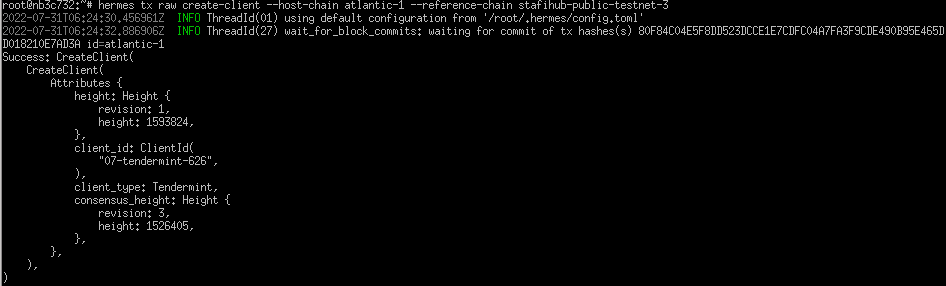 Here we get
 07-tendermint-626
hermes tx raw create-client --host-chain stafihub-public-testnet-3 --reference-chain atlantic-1
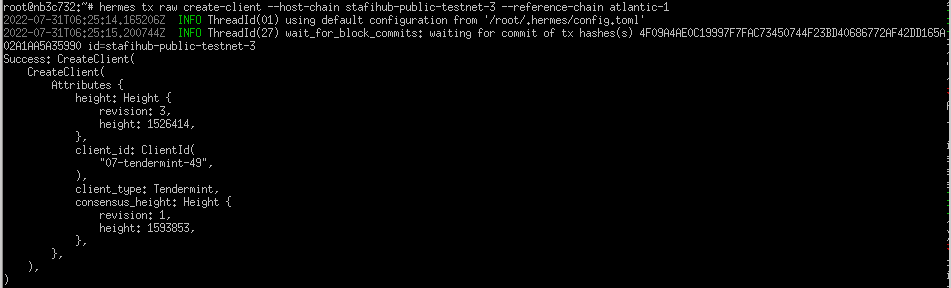 We get
 07-tendermint-49
a stafihub client on sei
hermes query client state --chain atlantic-1 --client 07-tendermint-626
a sei client on stafihub
hermes query client state --chain stafihub-public-testnet-3 --client 07-tendermint-49
hermes tx raw update-client --host-chain atlantic-1 --client 07-tendermint-626

hermes tx raw update-client --host-chain stafihub-public-testnet-3 --client 07-tendermint-49

Source:
- https://github.com/informalsystems/hermes-ibc-workshop/blob/main/docs/connection.md
- https://hermes.informal.systems/tutorials/local-chains/raw/connection.html
hermes tx raw conn-init --dst-chain atlantic-1 --src-chain stafihub-public-testnet-3 --dst-client 07-tendermint-626 --src-client 07-tendermint-49
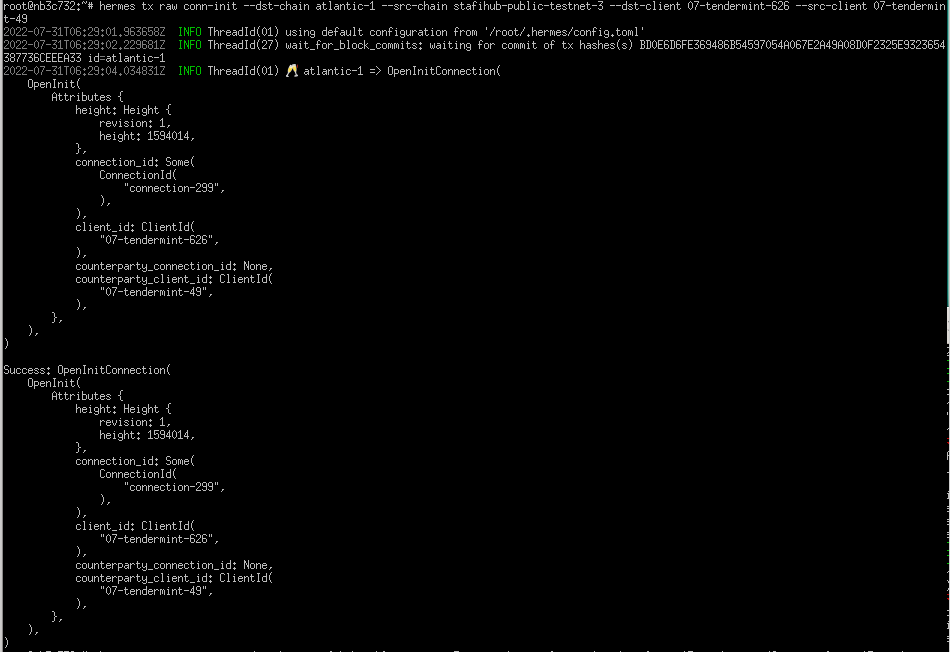
We get connection-299
hermes tx raw conn-try --dst-chain stafihub-public-testnet-3 --src-chain atlantic-1 --dst-client 07-tendermint-49 --src-client 07-tendermint-626 --src-conn connection-299
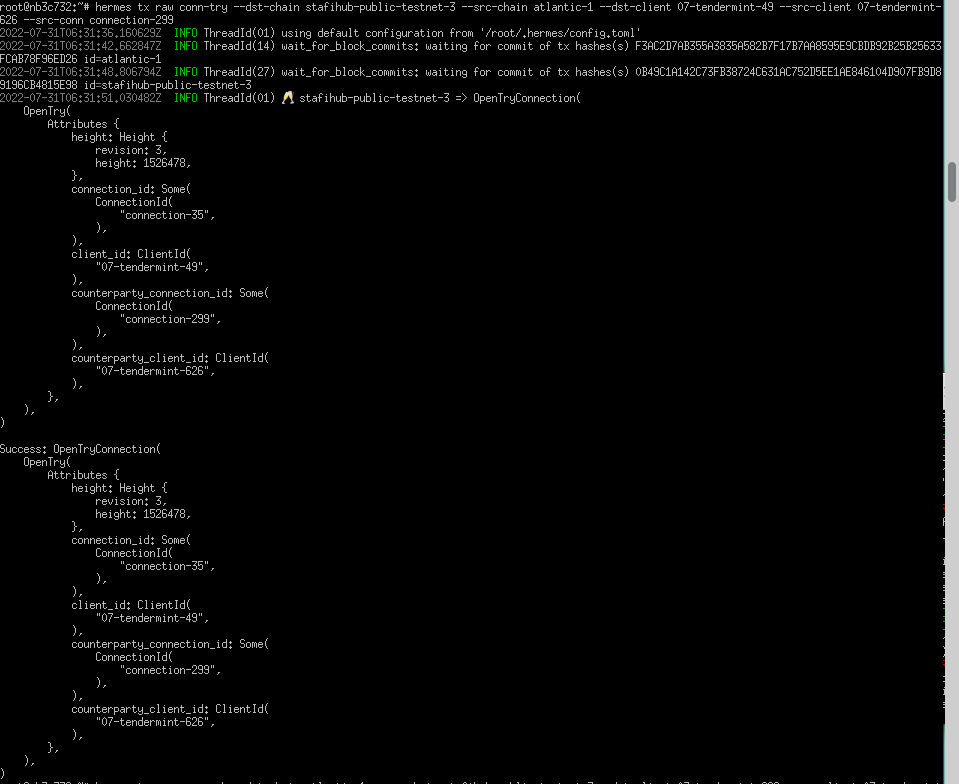
We get connection-35
hermes tx raw conn-ack --dst-chain atlantic-1 --src-chain stafihub-public-testnet-3 --dst-client 07-tendermint-626 --src-client 07-tendermint-49 --dst-conn connection-299 --src-conn connection-35

hermes tx raw conn-confirm --dst-chain stafihub-public-testnet-3 --src-chain atlantic-1 --dst-client 07-tendermint-49 --src-client 07-tendermint-626 --dst-conn connection-35 --src-conn connection-299
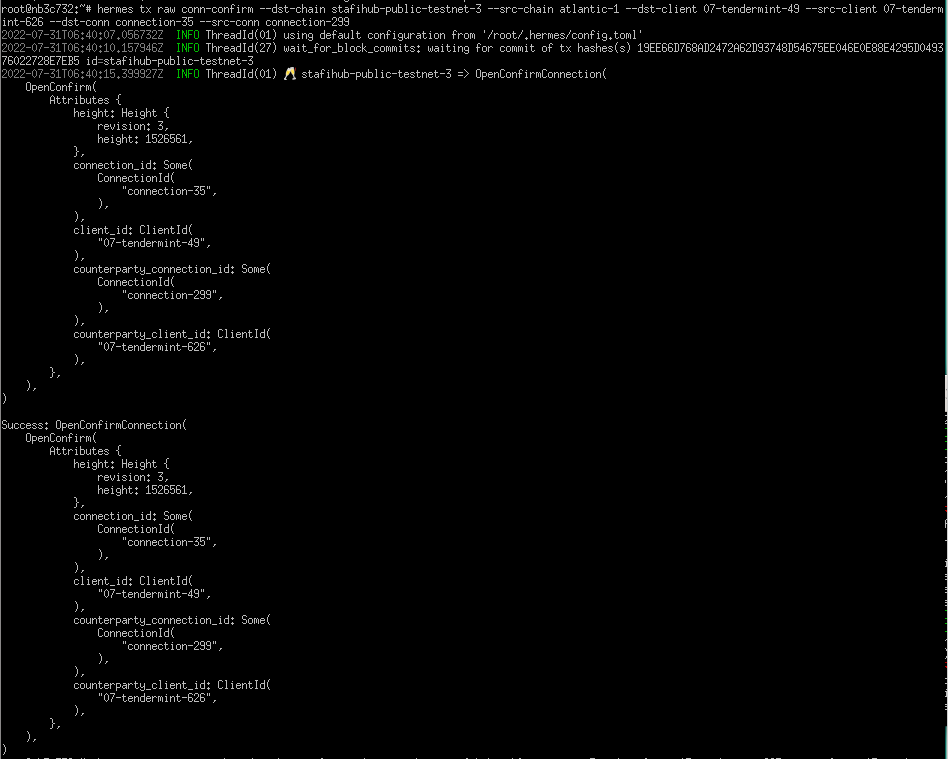
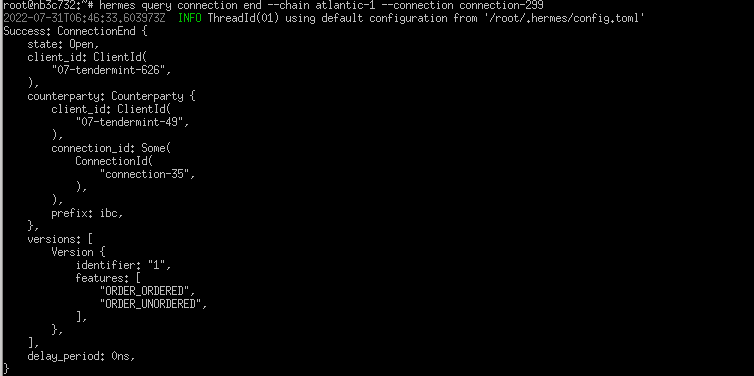
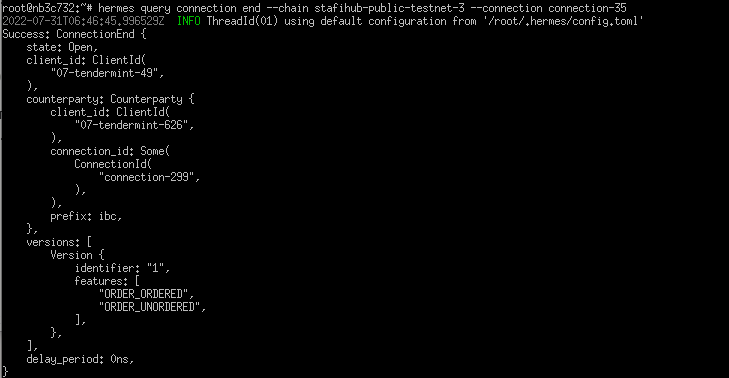
Now we should have both connection states Open
first
hermes query connection end --chain atlantic-1 --connection connection-299
second
hermes query connection end --chain stafihub-public-testnet-3 --connection connection-35
Source:
- https://github.com/informalsystems/hermes-ibc-workshop/blob/main/docs/channel.md
- https://hermes.informal.systems/tutorials/local-chains/raw/channel.html
hermes tx raw chan-open-init --dst-chain atlantic-1 --src-chain stafihub-public-testnet-3 --dst-conn connection-299 --dst-port transfer --src-port transfer --order UNORDERED
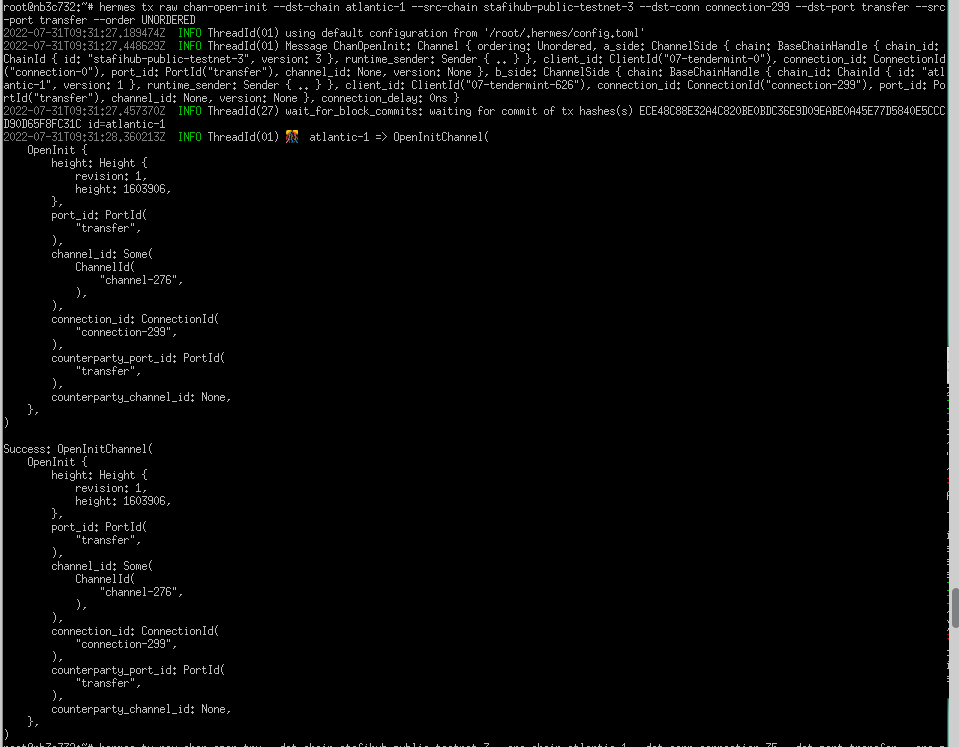 We get
 channel-276
hermes tx raw chan-open-try --dst-chain stafihub-public-testnet-3 --src-chain atlantic-1 --dst-conn connection-35 --dst-port transfer --src-port transfer --src-chan channel-276
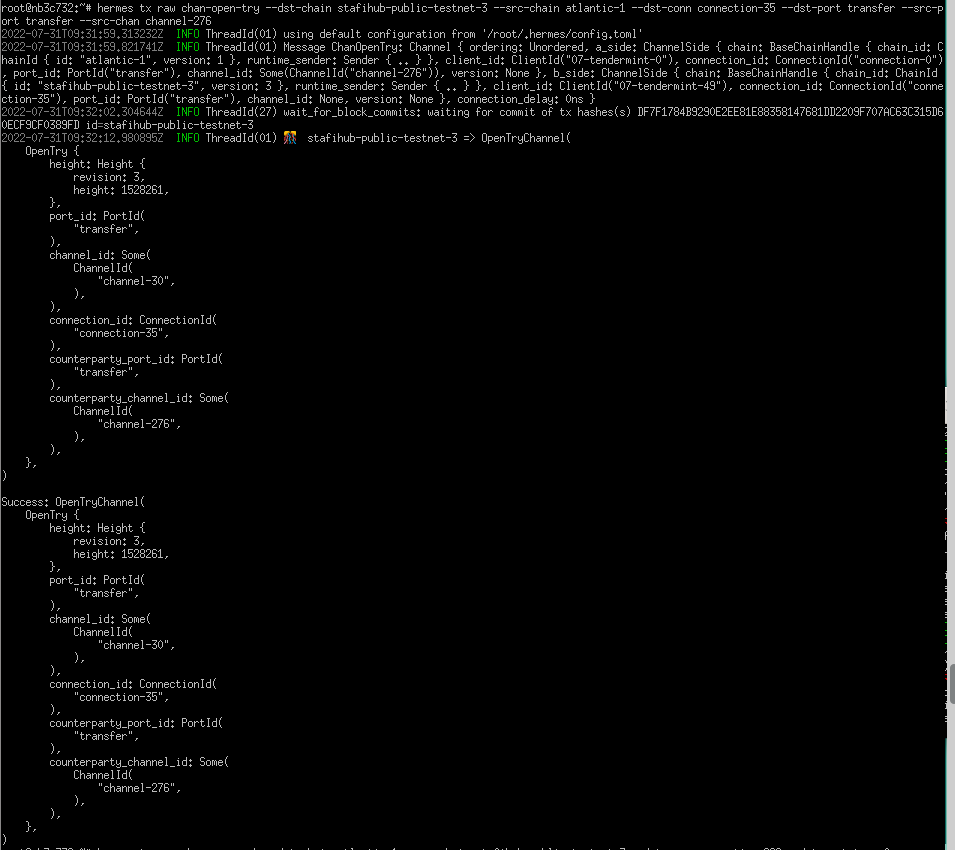 We get
 channel-30
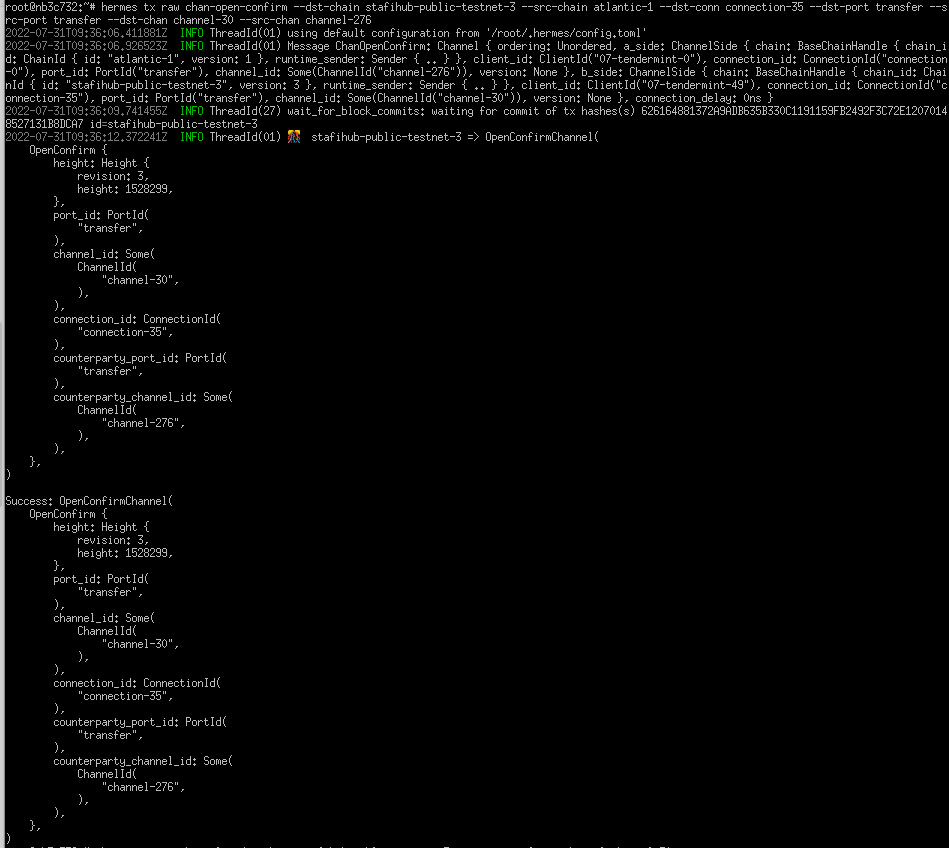
hermes tx raw chan-open-ack --dst-chain atlantic-1 --src-chain stafihub-public-testnet-3 --dst-conn connection-299 --dst-port transfer --src-port transfer --dst-chan channel-276 --src-chan channel-30

hermes tx raw chan-open-confirm --dst-chain stafihub-public-testnet-3 --src-chain atlantic-1 --dst-conn connection-35 --dst-port transfer --src-port transfer --dst-chan channel-30 --src-chan channel-276
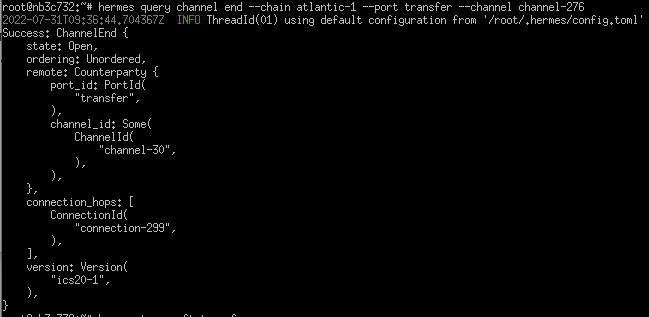
hermes query channel end --chain atlantic-1 --port transfer --channel channel-276
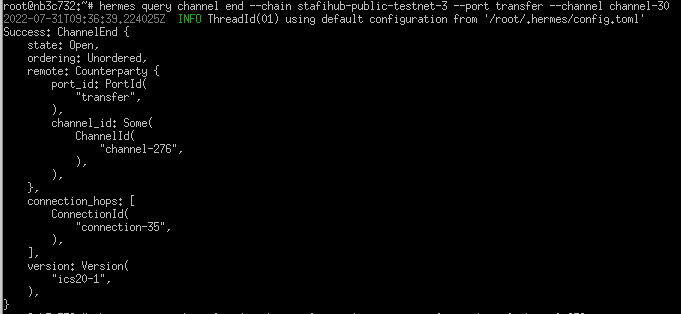
hermes query channel end --chain stafihub-public-testnet-3 --port transfer --channel channel-30
Source:
- https://github.com/informalsystems/hermes-ibc-workshop/blob/main/docs/relay.md
- https://hermes.informal.systems/tutorials/local-chains/raw/packet.html
Now we will send 999 ufis from StafiHub chain to StafiHub client generated on SEI chain.
hermes tx raw ft-transfer \
--dst-chain  atlantic-1 \
--src-chain stafihub-public-testnet-3 \
--src-port transfer \
--src-channel channel-30 \
--amount 999 \
--timeout-height-offset 1000 \
--number-msgs 1 \
--denom ufis

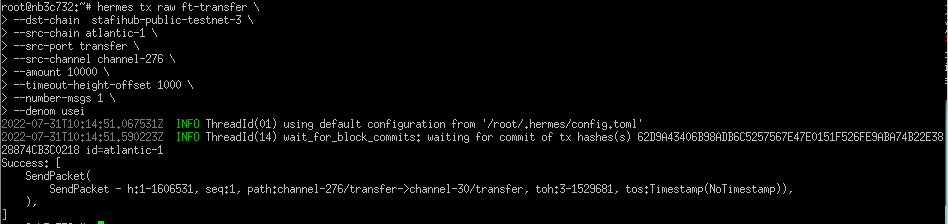
Here we will send 10000 usei from SEI chain to StafiHub chain (namely to SEI client generated on StafiHub chain)
hermes tx raw ft-transfer \
--dst-chain  stafihub-public-testnet-3 \
--src-chain atlantic-1 \
--src-port transfer \
--src-channel channel-276 \
--amount 10000 \
--timeout-height-offset 1000 \
--number-msgs 1 \
--denom usei
sei:
      chain-id: atlantic-1
      client-id: 07-tendermint-626
      connection-id: connection-299
      channel-id: channel-276

stafihub:
      chain-id: stafihub-public-testnet-3
      client-id: 07-tendermint-49
      connection-id: connection-35
      channel-id: channel-30
Thank you for reading.