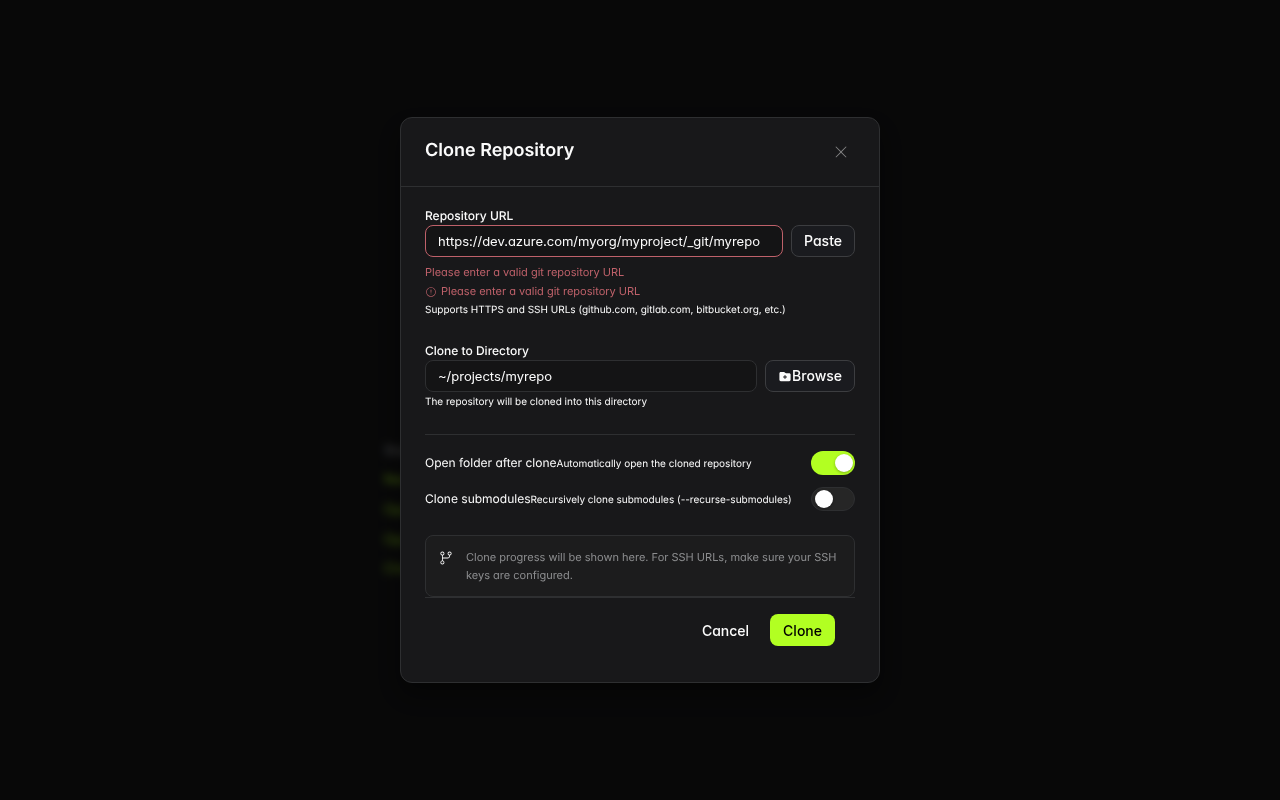
[BUG] [alpha] CloneRepositoryDialog GIT_URL_PATTERNS has no entry for dev.azure.com — Azure DevOps HTTPS clone URLs rejected as invalid despite help text saying "etc." (CloneRepositoryDialog.tsx:29-38) #39617

Description

Project
ide
Description
The GIT_URL_PATTERNS array in CloneRepositoryDialog.tsx (lines 29-38) only includes HTTPS patterns for three specific hosts: github.com (line 31), gitlab.com (line 32), and bitbucket.org (line 33). Azure DevOps (dev.azure.com) is not included.
Azure DevOps clone URLs use the format https://dev.azure.com/org/project/_git/repo — they do NOT end in .git, so the generic HTTPS pattern on line 30 (^https?:\/\/[^\s]+\.git$) does not match either.
The help text on line 299 states: "Supports HTTPS and SSH URLs (github.com, gitlab.com, bitbucket.org, etc.)" — the "etc." implies broader host support, but the validation rejects any HTTPS URL that is not from the three hardcoded hosts and does not end in .git.
Azure DevOps is one of the top 3 enterprise git hosting platforms (alongside GitHub and GitLab) with millions of enterprise repositories.
Error Message
"Please enter a valid git repository URL"
Debug Logs
N/A
System Information
- Cortex IDE alpha (latest)
- OS: Linux x86_64
- Browser engine: Chromium
Screenshots
Steps to Reproduce
- Open Cortex IDE
- Click "Clone Git Repository" on Welcome page
- Enter
https://dev.azure.com/myorg/myproject/_git/myrepo - Enter any target directory
- Click Clone
Expected Behavior
The Azure DevOps HTTPS clone URL should be accepted as valid. Azure DevOps is a major enterprise git platform and dev.azure.com URLs are standard clone URLs.
Actual Behavior
Validation error "Please enter a valid git repository URL" is shown. The URL format is valid for git clone operations but not recognized by the hardcoded pattern list.