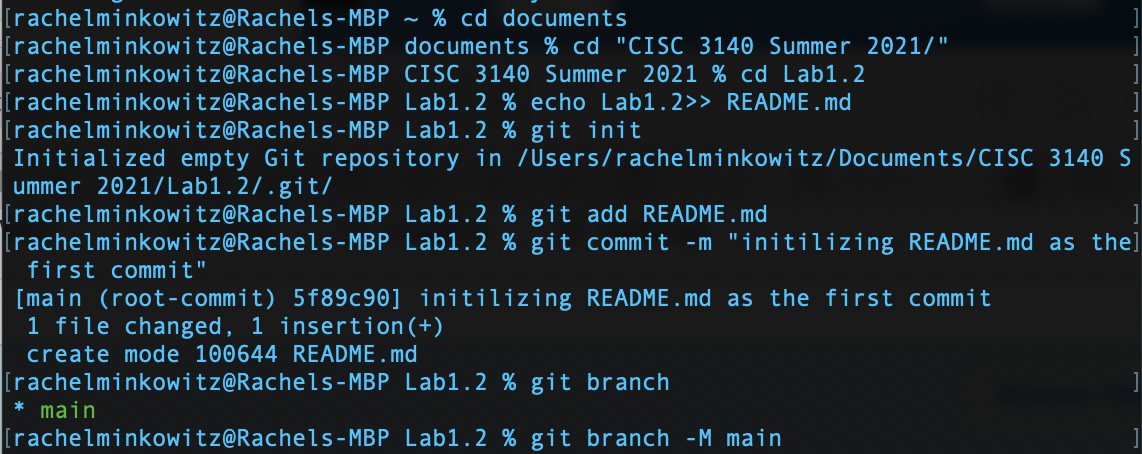
I am using a MacOS to do this lab. I start by creating a repository on GitHub.com without a README.md page. In my terminal I access the folder I would like to add my repository to. Once in the proper folder - Lab1.2 I create the README.md file and initialize the repository using the init command. Right now the repository is empty, but I right away add and commit the README.md so that the README.md is technically the first commit. As far as branches go - I currently have one branch which is the main branch.
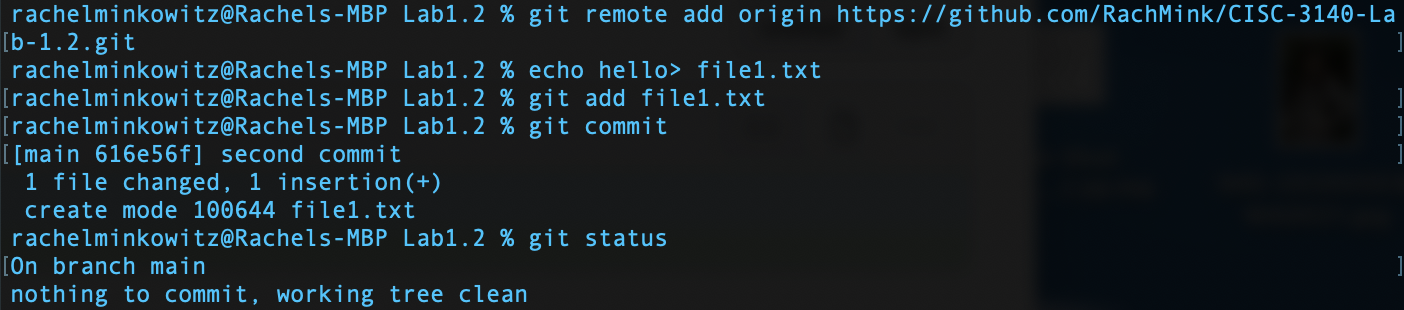
I then add my gitHub url as the origin - this doesn't have to be done now, it could be done a little later, but nonetheless the origin URL is now all set. I then create a new file called "file1.txt" which contains the word "hello". This file is added to the staging area and right away committed to the repo with the message that this is the "second commit". I then check the git status which explains that the working tree clean - aka everything is committed.

I now edit the text in "file1.txt" where instead of reading "hello" it now reads "world". Since I just changed "file1.txt" I add it to the staging area and right away commit it with a comment. My git status command tells me that there is nothing left to commit.
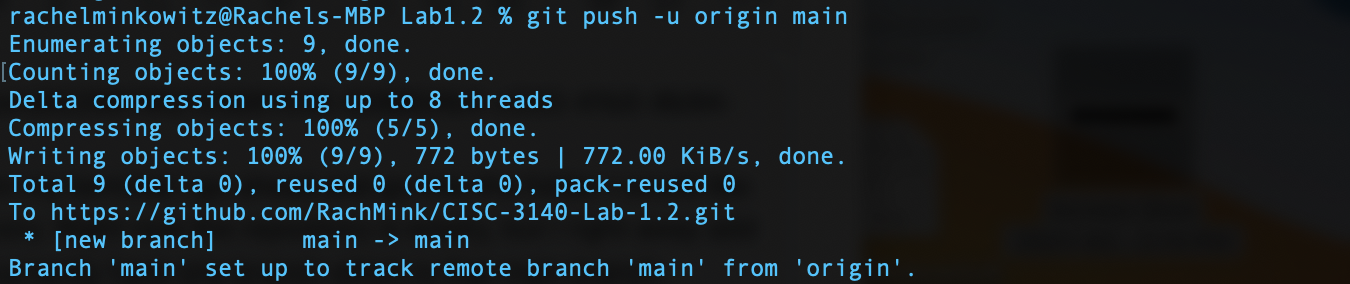
The final step pushes any work into the origin which I had previously set up to be my gitHub URL