
PaginationKit


- ✍️ Description
- 🖥 Example
- 🎟 Demo
- 🔨 Customization
- 💻 How to use
⚠️ Requirements- 💪 Contribute
The PaginationController provides the logic to paginate through a list with limited request results. It also provides a TableViewPaginationController that adds and removes a loading view to the tableFooterView.
class ViewController: UITableViewController {

    var items: [String] = []

    override func viewDidLoad() {
        super.viewDidLoad()

        paginationController = TableViewPaginationController(tableView: tableView) { previousPage, callback in

            // Imagine an API call being made here.
            self.loadMore(after: previousPage) { page in
                self.items += page?.results ?? []
                self.tableView.reloadData()
                callback(page)
            }
        }
    }
}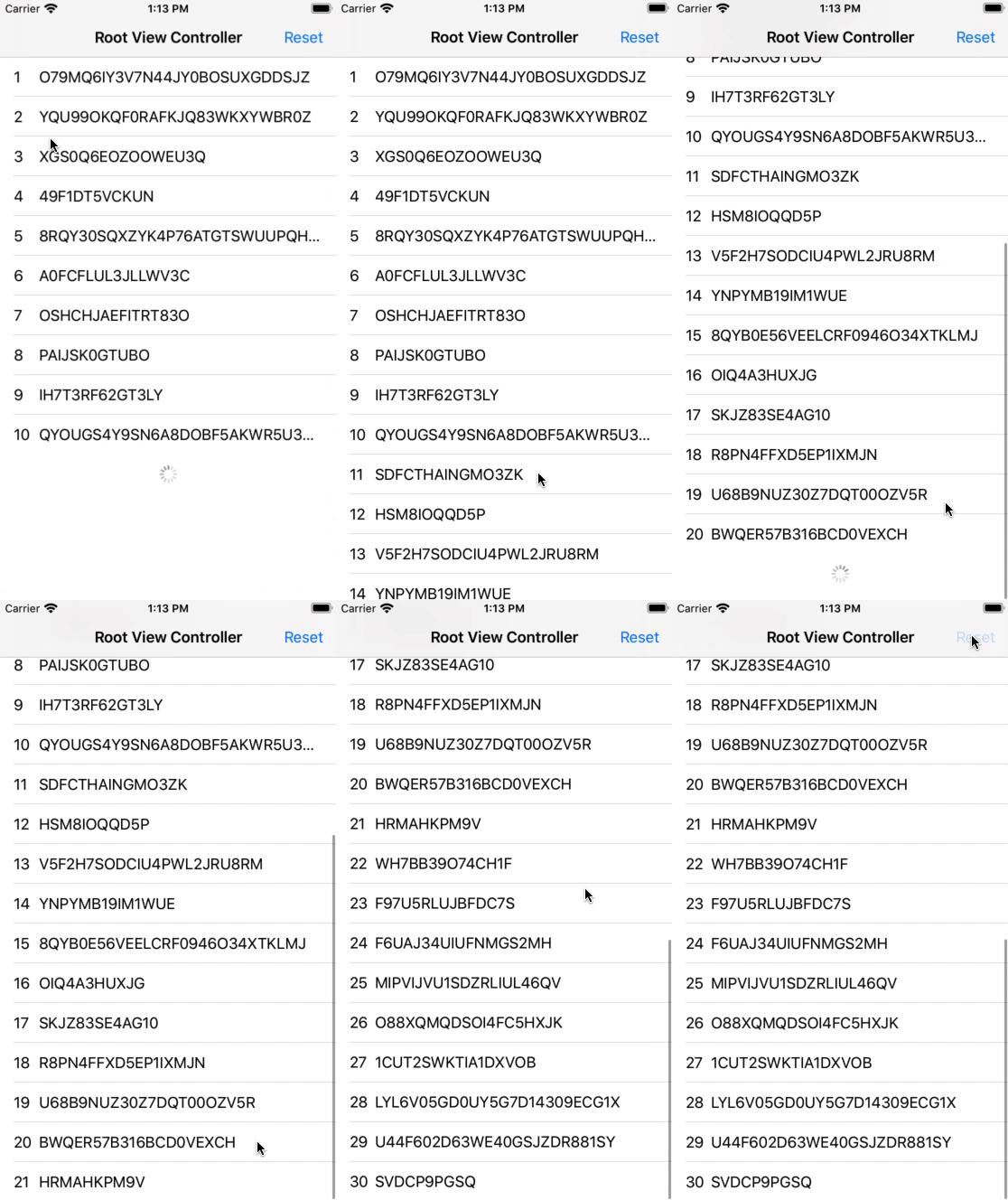
You can find this demo app in this repository.
Custom Loading View:
If you want to show your own loading view you can use any UIView conforming to the LoadingAnimatable protocol described here.
Pass it to the initializer:
paginationController = TableViewPaginationController(loadingView: MyLoadingView(), ...)Or set the property:
paginationController.loadingView = MyLoadingView()Check out the Demo
Cocoapods:
PaginationKit is available on Cocoapods. Just put following line in your Podfile:
pod 'PaginationKit'Swift Package Manager:
Add the following to your Package.swift file:
dependencies: [
    .package(url: "https://github.com/lukaswuerzburger/PaginationKit.git", from: "1.0.0")
]- Swift 5+
- iOS 10+
- Xcode 11+
Issues and pull requests are welcome.