Postman is an API platform that helps you quickly use REST APIs without requiring any development work. Postman Collections are a group of saved API requests that you can import into the Postman app.
Instructions for installing the Postman app or using the web version can be found at https://www.postman.com/downloads/
Every root folder in Platform API, Import , Machine Learning contains a template.json file. Import this file from the Environments tab.
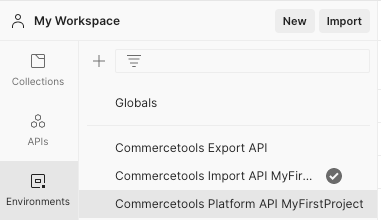
This will create an empty variable set environment.

Set the initial values for primary variables.
- host : The host information can be found here
- auth_url : The Authorization URL can be found here
- client_id : From your API Client. More information can be found here
- client_secret : From your API Client
- project_key: your project key
Every root folder in Platform API, Import , Machine Learning contains a collection.json file. Use these files to import into the Postman app.
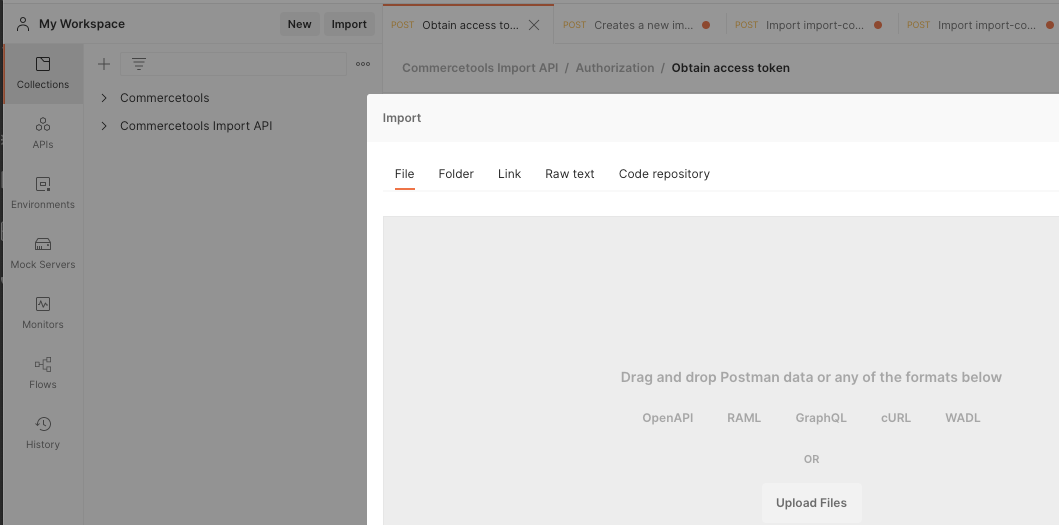
You should be able to see the collection imported. If you expand the collection, there are two primary folders:
- Authorization - Use "Obtain access token" to get an authentication token.
- Projects - Explore endpoints and it is ready to use.