This directory contains example applications demonstrating the native-background-geolocation SDK for iOS (Swift / SwiftUI) and Android (Kotlin).
A full-featured demonstration app available for both platforms, showcasing:
- Live map visualization (MapKit on iOS, Google Maps on Android)
- Real-time configuration editing via a Settings panel
- Circular geofence creation and management
- Motion state management (start/stop tracking, change pace)
- Demo server registration and live location tracking
| Platform | Path | Language |
|---|---|---|
| iOS | ios/BGGeoDemo/ |
Swift / SwiftUI |
| Android | android/BGGeoDemo/ |
Kotlin |
When the app launches for the first time it will ask you to register an organization and username. The example app posts your tracking data to Transistor Software's demo server at:
https://tracker.transistorsoft.com
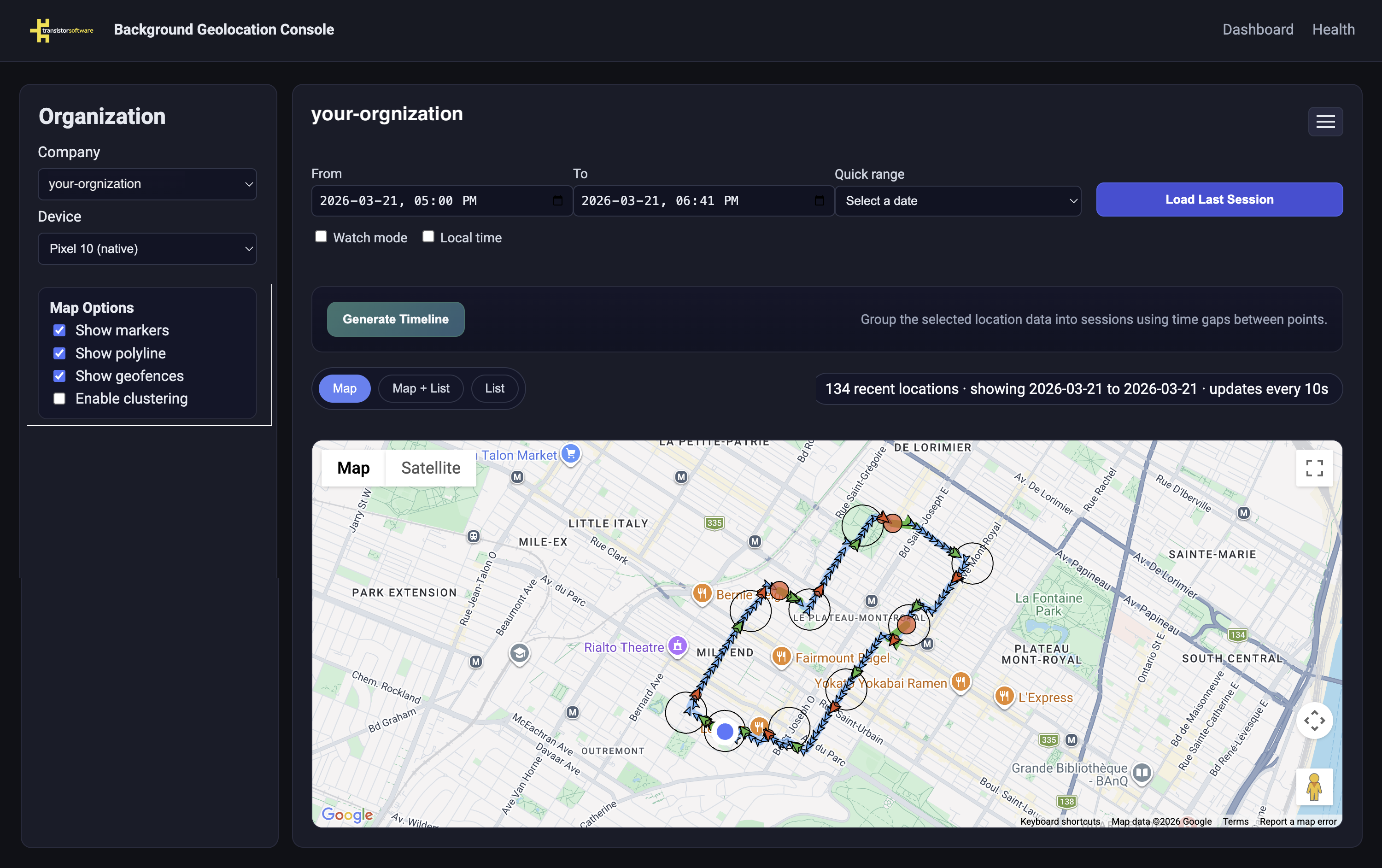
View your results live on a map by navigating to:
https://tracker.transistorsoft.com/<your-organization>
Note
The demo server is for testing purposes only. Use any organization name — it acts as a namespace to group your devices.
- Xcode 15+
- iOS 16+ device or simulator
- Open
ios/BGGeoDemo/BGGeoDemo.xcodeprojin Xcode. - Set your Team in Signing & Capabilities.
- Select a device or simulator and run.
The bundleId is com.transistorsoft.bggeo.swift.demo. A matching license key is already configured in Info.plist via the TRANSISTOR_LICENSE_KEY build setting — replace it with your own if you change the bundle identifier.
- Android Studio Hedgehog or later
- Android SDK 29+
- Open
android/BGGeoDemo/in Android Studio as an existing project. - Run on a device or emulator.
The applicationId is com.transistorsoft.bggeo.kotlin.demo. A matching license key is set in AndroidManifest.xml — replace it with your own if you change the application identifier.
Pin SDK versions in the root android/BGGeoDemo/build.gradle.kts:
ext["playServicesLocationVersion"] = "21.3.0"
ext["tslocationmanagerVersion"]    = "4.0.+"