Repository navigation
Playwright is to support the intercept Request #538

Replies: 9 comments

|
Hi @sundaqiang, I like your question, and I think other people might have similar questions, so I will go into very detailed answers for you and for future reference. Crawl4AI uses Playwright under the hood, so you still have full access to Playwright’s request/response events and methods. By setting hooks at strategic points in the crawling flow, you can wait for specific responses, return them, or filter them. For example, you might use the Examples:
How to Integrate Into Crawl4AI:
|

Thank you very much for your answer. I have read the document carefully and it is true that it can be realized as you said. However, if deployed by docker, the api interface cannot implement hooks. |
|
The reason for this is that sometimes when crawling data, it is more efficient to fetch the API directly than to analyze the page. Why not just crawl the API, some of which require complex algorithms! |
|
@sundaqiang I very sorry, as I can't get exactly your point here. I am confused on the way you use term "api", are you referring to Crawl4ai server or Playwright library. Would you please explain more. |
I'm talking about the api provided by the docker version of Crawl4ai |
|
Okay, now I understand. If you’re running Crawl4AI via Docker and want to use hooks, you need to understand that hooks are code-level features and are not directly configurable through the API. The standard Dockerized setup acts as a black-box service, so you can’t just send hook logic through its API. Instead, you have two options:
|
|
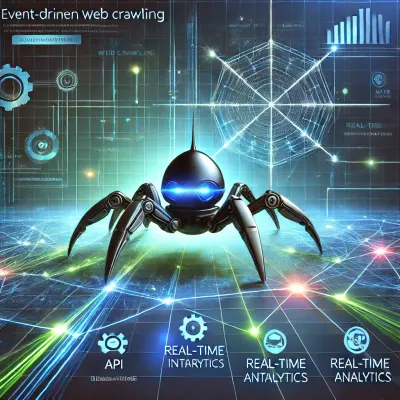
Topic of this issue, is relevant to one of my future plan, so I document it here. Introducing Event Streams and Interactive Hooks in Crawl4AIIn the near future, I’m planning to enhance Crawl4AI’s capabilities by introducing an event stream mechanism that will give clients deeper, real-time insights into the crawling process. Today, hooks are a powerful feature at the code level—they let developers define custom logic at key points in the crawl. However, when using Crawl4AI as a service (e.g., through a Dockerized API), there isn’t an easy way to interact with these hooks at runtime. What’s Changing? I’m working on a solution that will allow the crawler to emit a continuous stream of events, updating clients on the current crawling stage, encountered pages, and any decision points. This event stream could be exposed over a standardized protocol like Server-Sent Events (SSE) or WebSockets, enabling clients to “subscribe” and listen as the crawler works. Interactivity Through Process IDs A key part of this new design is the concept of a unique process ID for each crawl session. Imagine you’re listening to an event stream that informs you:
With the event stream in place, you can send a follow-up request back to the server—referencing the unique process ID—to provide extra data, instructions, or parameters. This might include selecting which links to follow next, adjusting extraction strategies, or providing authentication tokens for a protected API. Once the crawler receives these instructions, it resumes execution with the updated context. sequenceDiagram
participant Client
participant Server
participant Crawler
Client->>Server: Start crawl request
Server->>Crawler: Initiate crawl with Process ID
Crawler-->>Server: Event: Page hit
Server-->>Client: Stream: Page hit event
Client->>Server: Instruction for Process ID
Server->>Crawler: Update crawl with new instructions
Crawler-->>Server: Event: Crawl completed
Server-->>Client: Stream: Crawl completed
Benefits for Developers and Users
Next Steps I’m currently exploring the best APIs, technologies, and patterns to make this vision a reality. My goal is to deliver a seamless developer experience—one that integrates with existing Crawl4AI workflows while offering new flexibility and power. Stay tuned for more updates as I continue building this feature out. In the meantime, I’d love to hear any feedback or suggestions you might have to help shape this interactive, event-driven future of web crawling with Crawl4AI. |
Good idea! |
|
@sundaqiang Please follow up. This is very useful and definitely something I'm considering. Thank you. |


Uh oh!
There was an error while loading. Please reload this page.
Uh oh!
There was an error while loading. Please reload this page.
Playwright is to support the intercept Request and Response (https://playwright.dev/python/docs/api/class-request), whether we can realize the following functions.
All reactions