Yuxi is a self-hosted, multi-tenant knowledge agent platform. It brings knowledge base retrieval, knowledge graphs, LangGraph multi-agent orchestration, MCP/Skills, sandbox tools, and access control into one workspace.



Project home · Quick start · Demo video · Releases · 中文
Yuxi is built for teams that need control over their data, models, and permissions:
- Build knowledge-based Q&A: Upload documents, parse and chunk them, build vector indexes, and let agents answer questions using retrieved content.
- Execute multi-step tasks: Combine tools, MCP, Skills, sub-agents, and sandboxes to produce previewable, downloadable files.
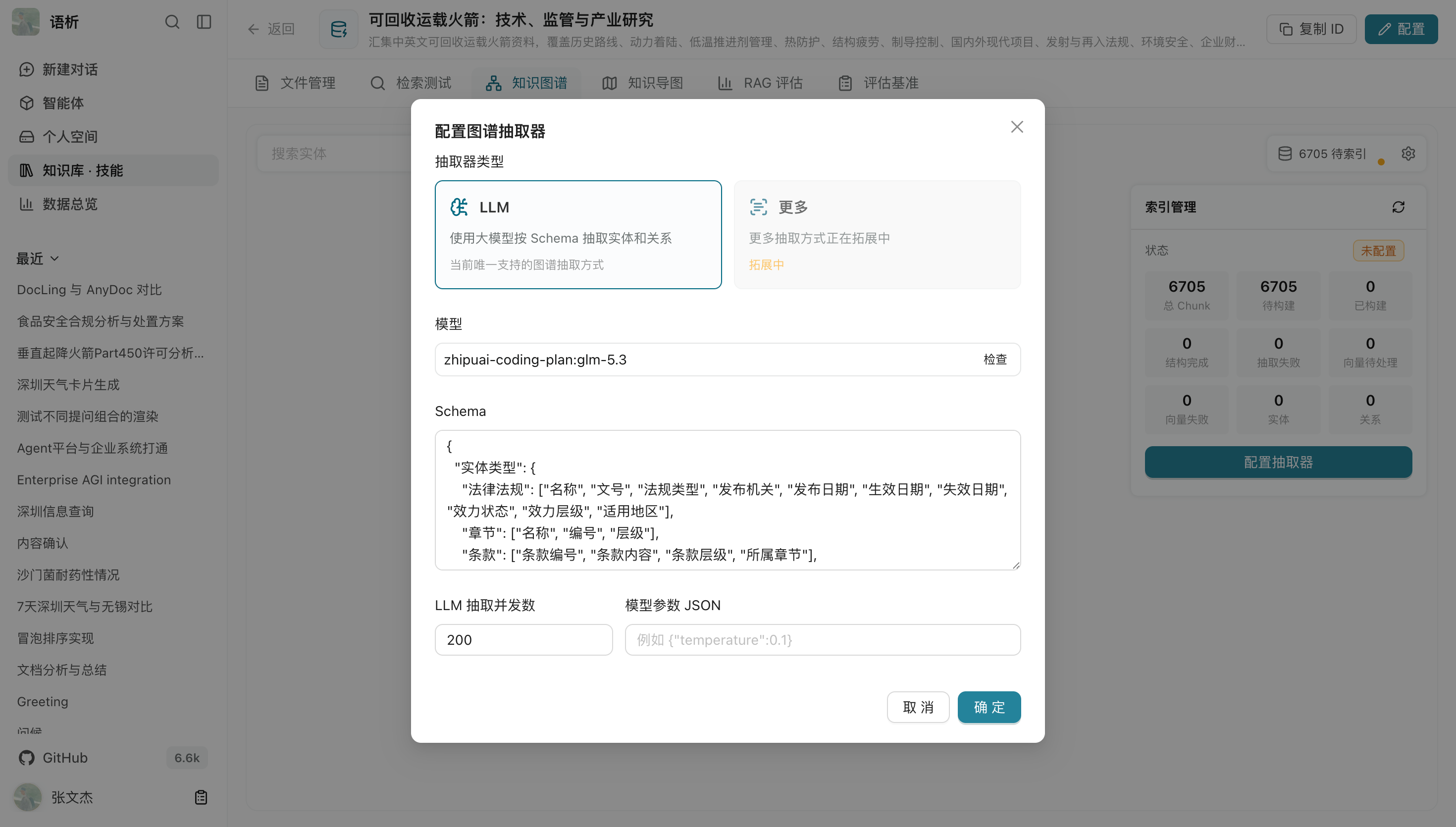
- Connect knowledge graphs: Extract entities and relationships from document chunks in Milvus knowledge bases, store them in Neo4j, and use them in retrieval.
- Manage team access: Control access to knowledge bases, agents, Skills, and models by user, department, and sharing scope.
- Compare execution quality: Evaluate knowledge base retrieval results, or use Langfuse Datasets to evaluate complete agent tasks.
| Layer | Technologies |
|---|---|
| Frontend | Vue 3 · Vite · Ant Design · G6 |
| Backend | FastAPI · LangGraph · ARQ worker |
| Storage | PostgreSQL · Redis · MinIO · Milvus · Neo4j |
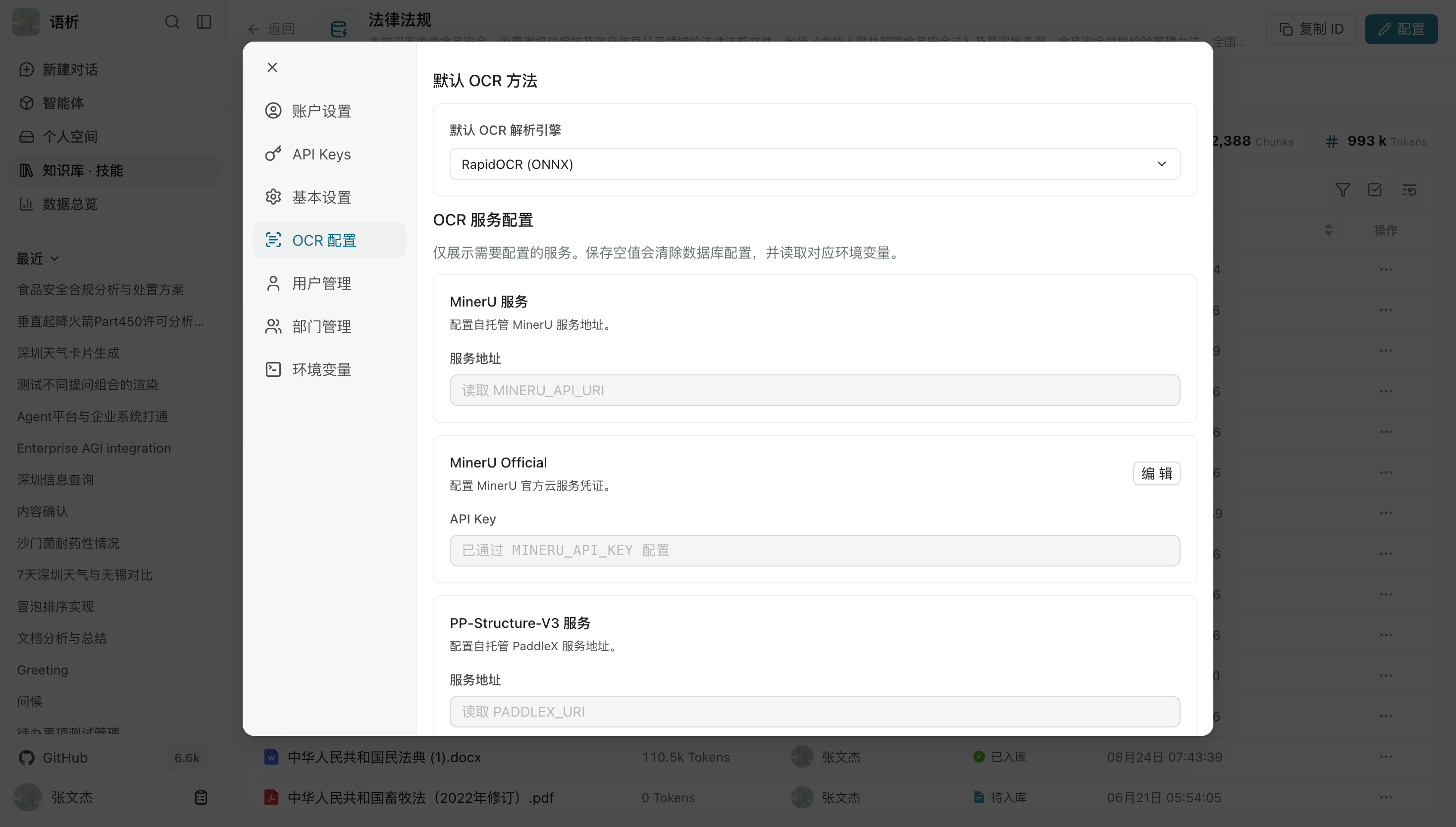
| Document processing | MinerU · PaddleX · RapidOCR |
| Deployment | Docker Compose |
Install Docker Engine and Docker Compose, and have a working LLM API available. The repository's default configuration targets v0.7.3.
git clone --branch v0.7.3 --depth 1 https://github.com/xerrors/Yuxi.git
cd Yuxi

# Linux/macOS
./scripts/init.sh

# Windows PowerShell
.\scripts\init.ps1
The initialization script creates .env, prompts for a SiliconFlow API Key, and generates separate security keys for JWT, API Key derivation, and the Sandbox provisioner. You can also copy .env.template and fill in these values manually.
docker compose up --build -dCheck service status:
docker compose ps
curl --fail http://localhost:5050/api/system/ready
Once the returned status is ready, open http://localhost:5173, follow the page instructions to initialize the superadmin account, and sign in. API documentation is available at http://localhost:5050/docs.
When upgrading from v0.7.1 or v0.7.2 to the current version, do not run docker compose up directly. Read the production deployment and upgrade guide first, and complete the backup and migration during a maintenance window.
- Project overview: Capabilities, concepts, and system boundaries.
- Quick start: Set up a local environment from scratch.
- Model configuration: Connect chat, embedding, and rerank models.
- Knowledge base tutorial: Create knowledge bases and verify retrieval.
- Agent development: Configure agents, tools, and extensions.
- Production deployment: Deployment, upgrades, backups, and troubleshooting.
- Changelog: Published changes.
Yuxi connects knowledge ingestion, agent execution, and team governance into one workflow. The following six modules introduce its core capabilities:
| Module | What It Solves | Key Capabilities |
|---|---|---|
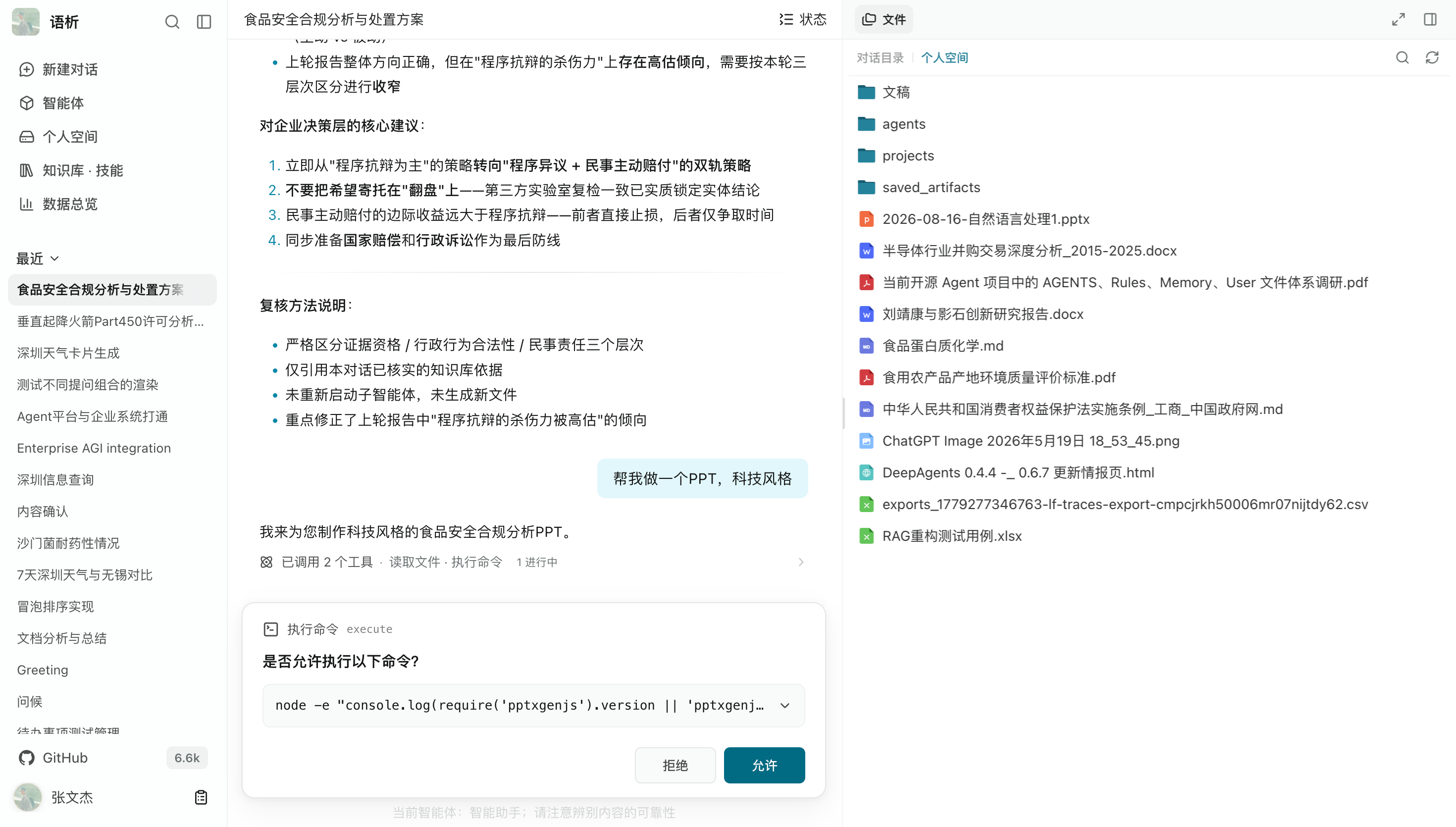
| Unified agent workspace | Ask questions, execute tasks, and receive deliverables in one interface | Multi-turn conversations, knowledge retrieval, task status, human approval |
| Knowledge bases and RAG | Provide retrieved context for answers | Multi-format ingestion, Embedding/Rerank, retrieval testing, RAG evaluation |
| Knowledge graphs and mind maps | Discover entity relationships and browse knowledge base file structures | Graph construction, subgraph exploration, node details, file metadata maps |
| Multi-agent execution and extensions | Delegate complex tasks to specialized roles and tools | SubAgents, Skills, MCP, Tools, agent configuration |
| Sandbox workspace and artifacts | Turn conversations into reusable files | Isolated file systems, file generation, online preview, downloads |
| Team governance and operations | Manage capabilities, permissions, and execution in multi-user environments | Multi-tenancy, user and department permissions, model configuration, API Keys, Dashboard |
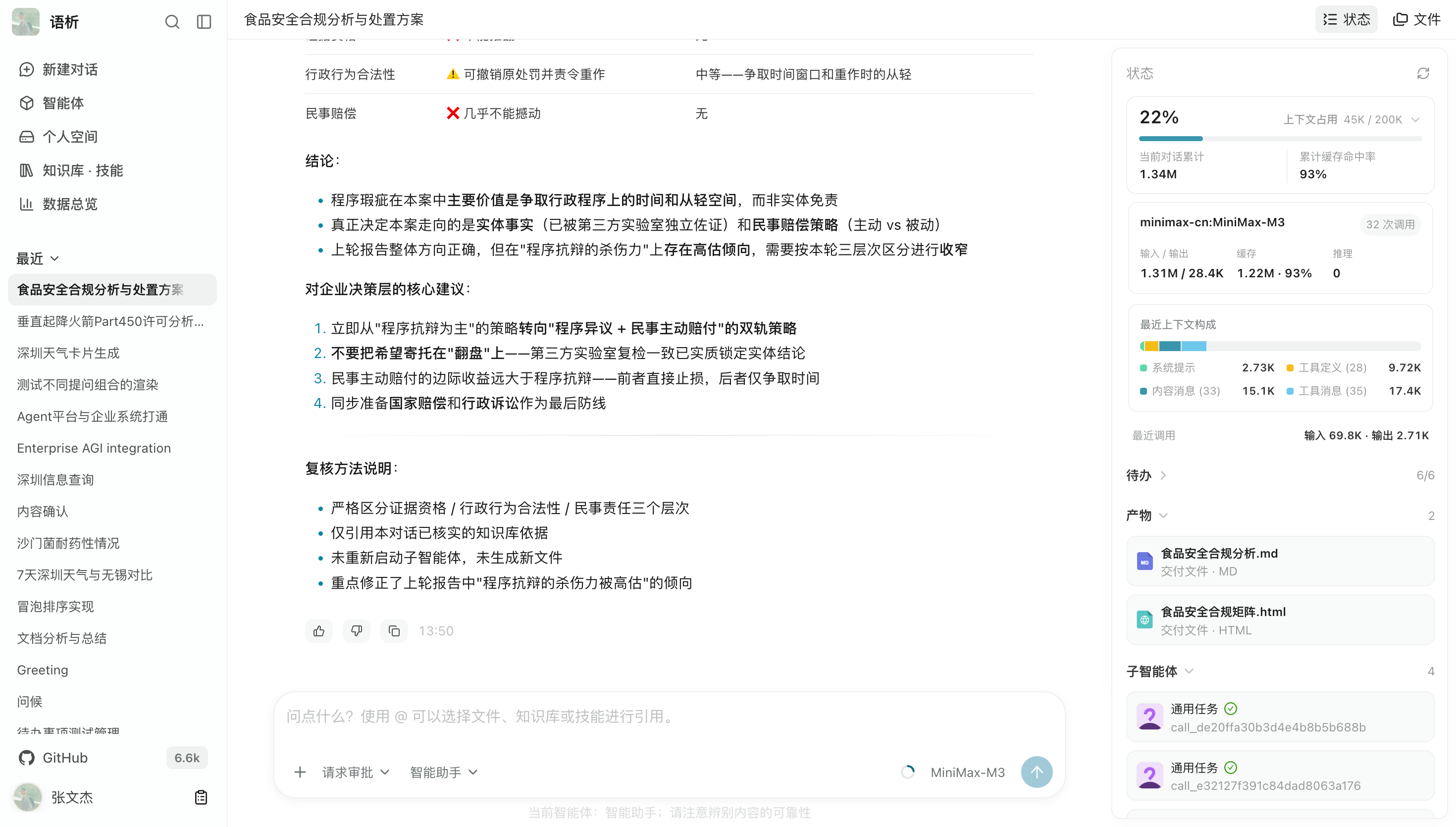
Reference knowledge base documents, personal files, or extension Skills in the same chat interface. View task execution status and receive answers or generated files directly in the conversation.
- Use
@to quickly reference knowledge bases, files, and specific Skills. - View task breakdowns, tool execution status, and context token usage.
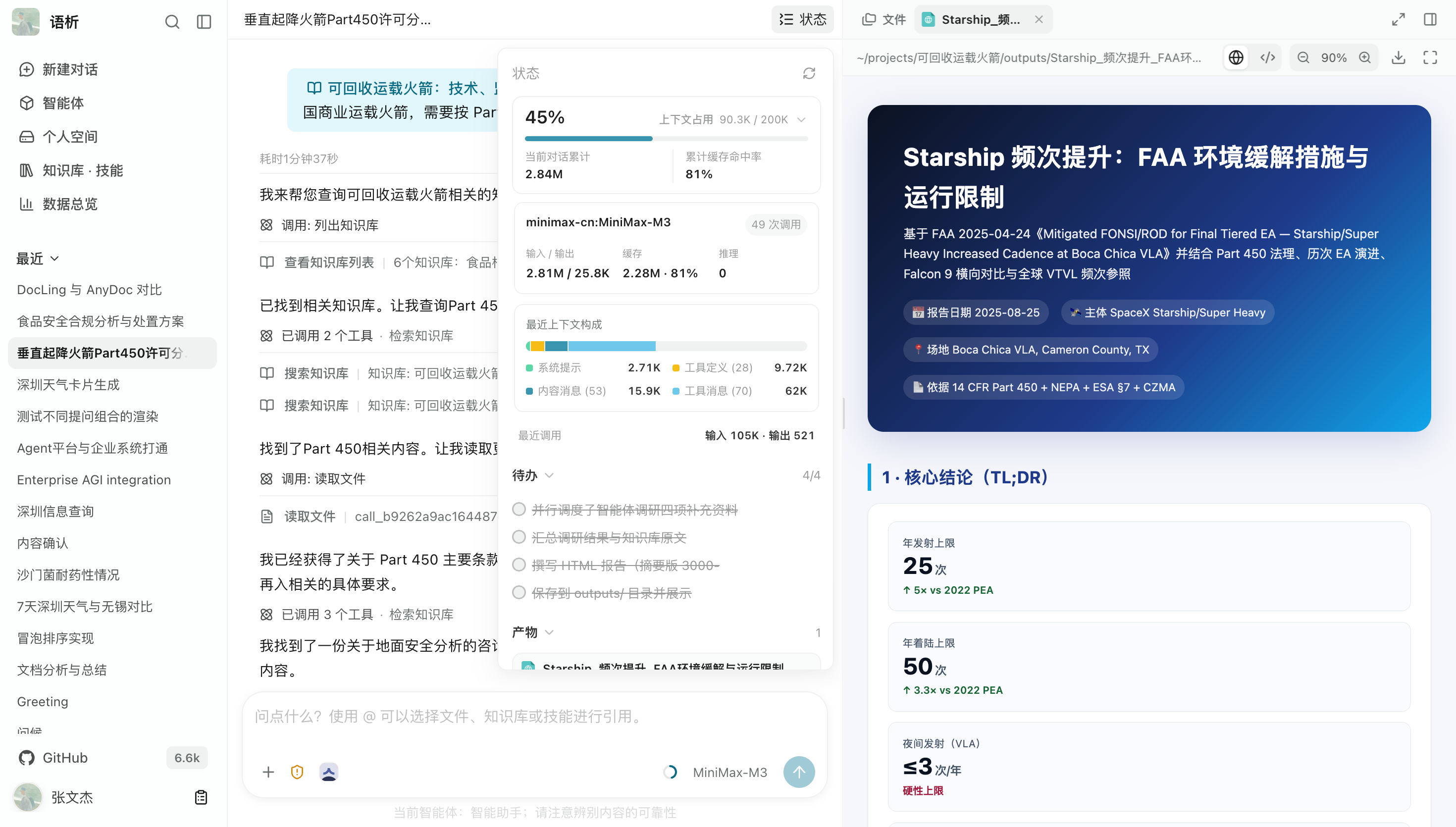
- Preview and download generated artifacts.
More screenshots: conversations, execution status, and human approval
Long-running task status and execution tracking
While complex tasks run asynchronously in the background, the interface shows the agent's reasoning progress, plans, subtask status, and tool logs in real time, making long-running work visible rather than leaving users waiting without feedback.
Human approval and delivery cards
For critical operations such as modifying files or calling high-risk external APIs, the system displays a confirmation card and waits for human approval. When a task finishes, it summarizes the results and provides interactive access to deliverables.
Manage team materials centrally and parse them into structured knowledge bases. Agents can retrieve relevant document chunks as context for answering questions.
- Manage files and directories centrally, with live parsing progress, chunk details, and token statistics.
- Configure Embedding and Rerank algorithms, and test and tune multiple retrieval paths directly in the management interface.
- Use built-in RAG evaluation tools and real Q&A datasets to measure retrieval and answer quality.
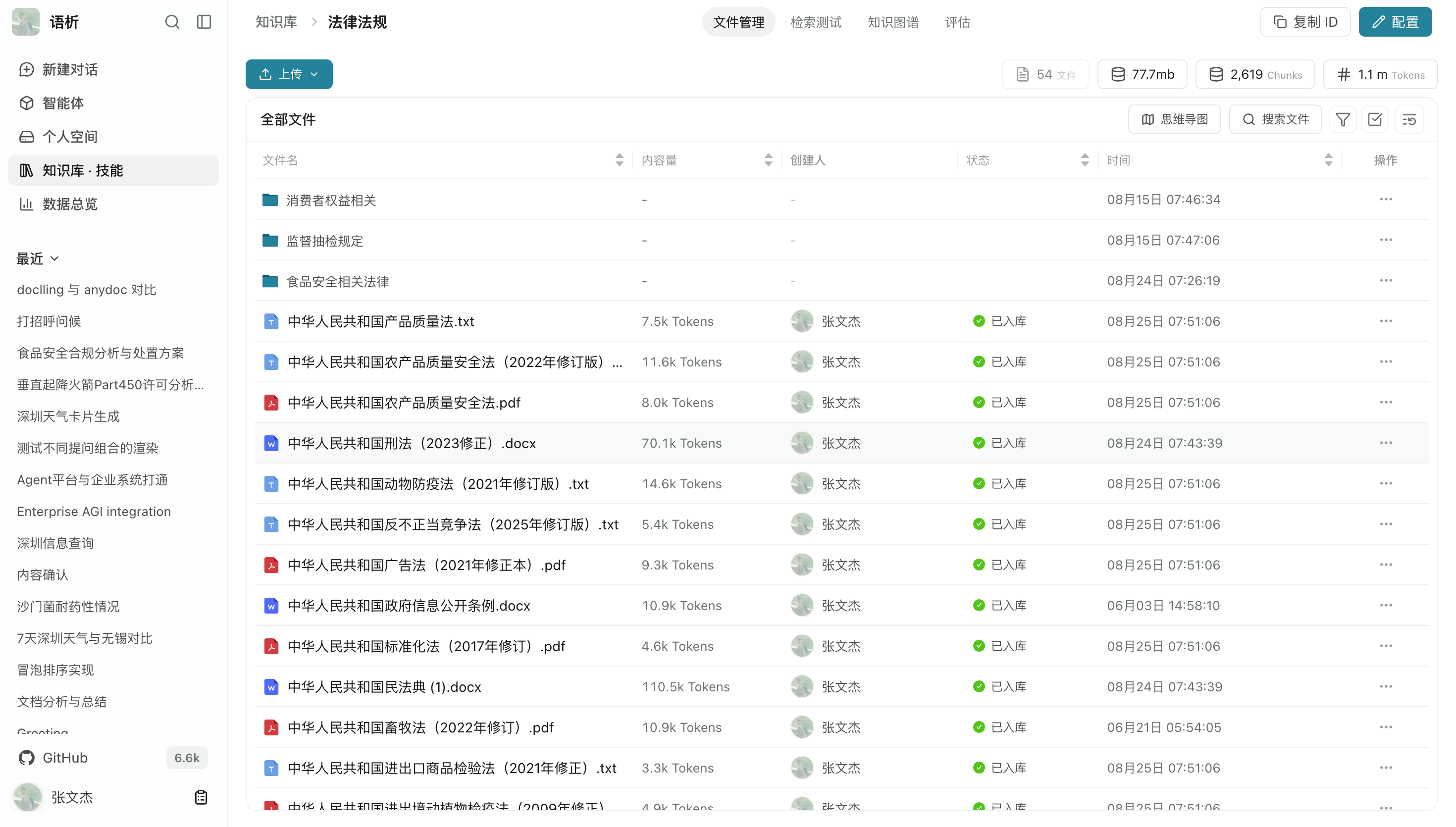
More screenshots: ingestion, retrieval, and evaluation
Document parsing and chunk management
Support common formats including PDF, Word, PowerPoint, Excel, and Markdown. Built-in parsing engines such as MinerU, PaddleX, and RapidOCR extract text, images, and tables, split content into chunks, and build vector indexes for retrieval.
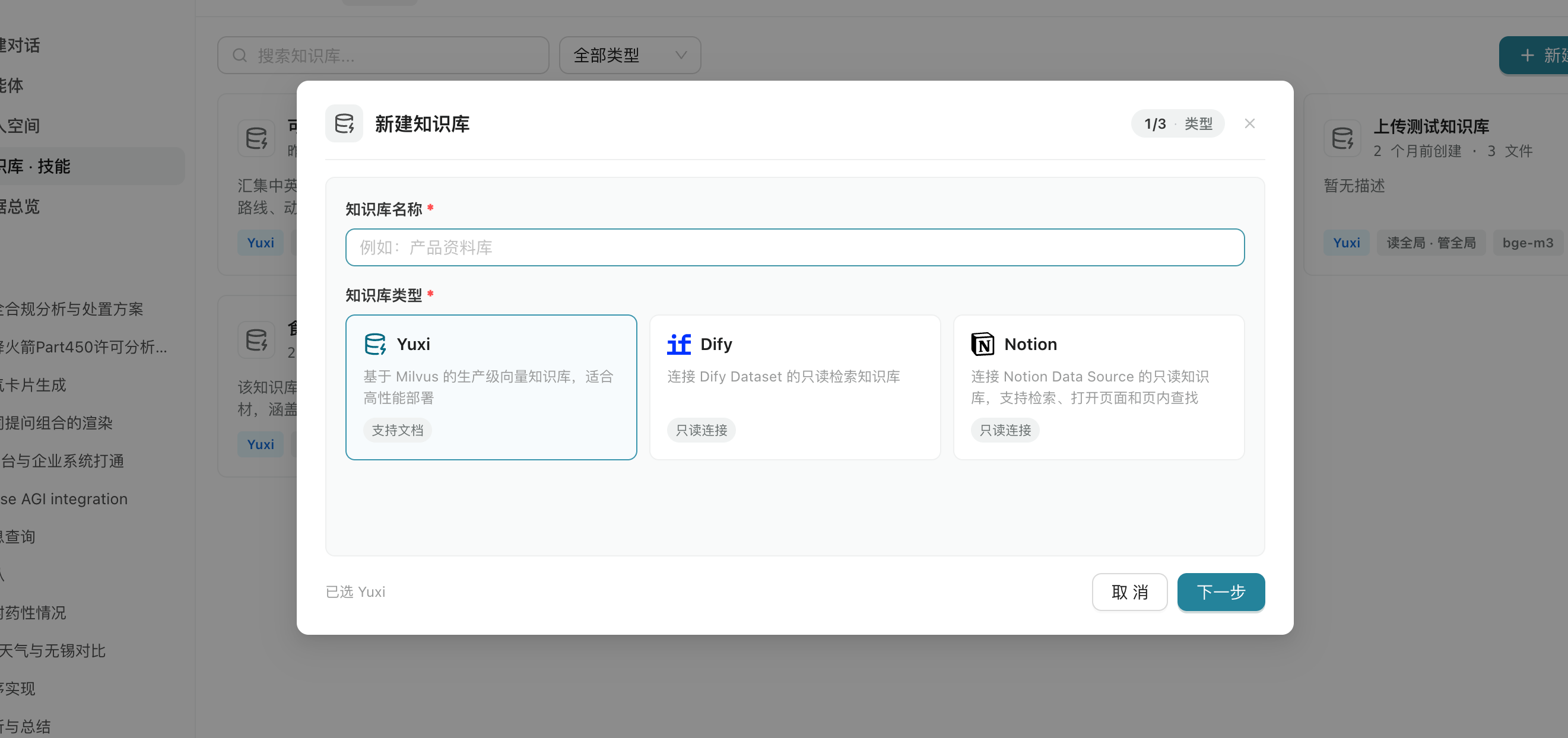
Knowledge base types and external sources
Alongside the built-in local vector knowledge base, Yuxi connects to external knowledge services such as Dify and Notion. A unified retriever makes them available to agents.
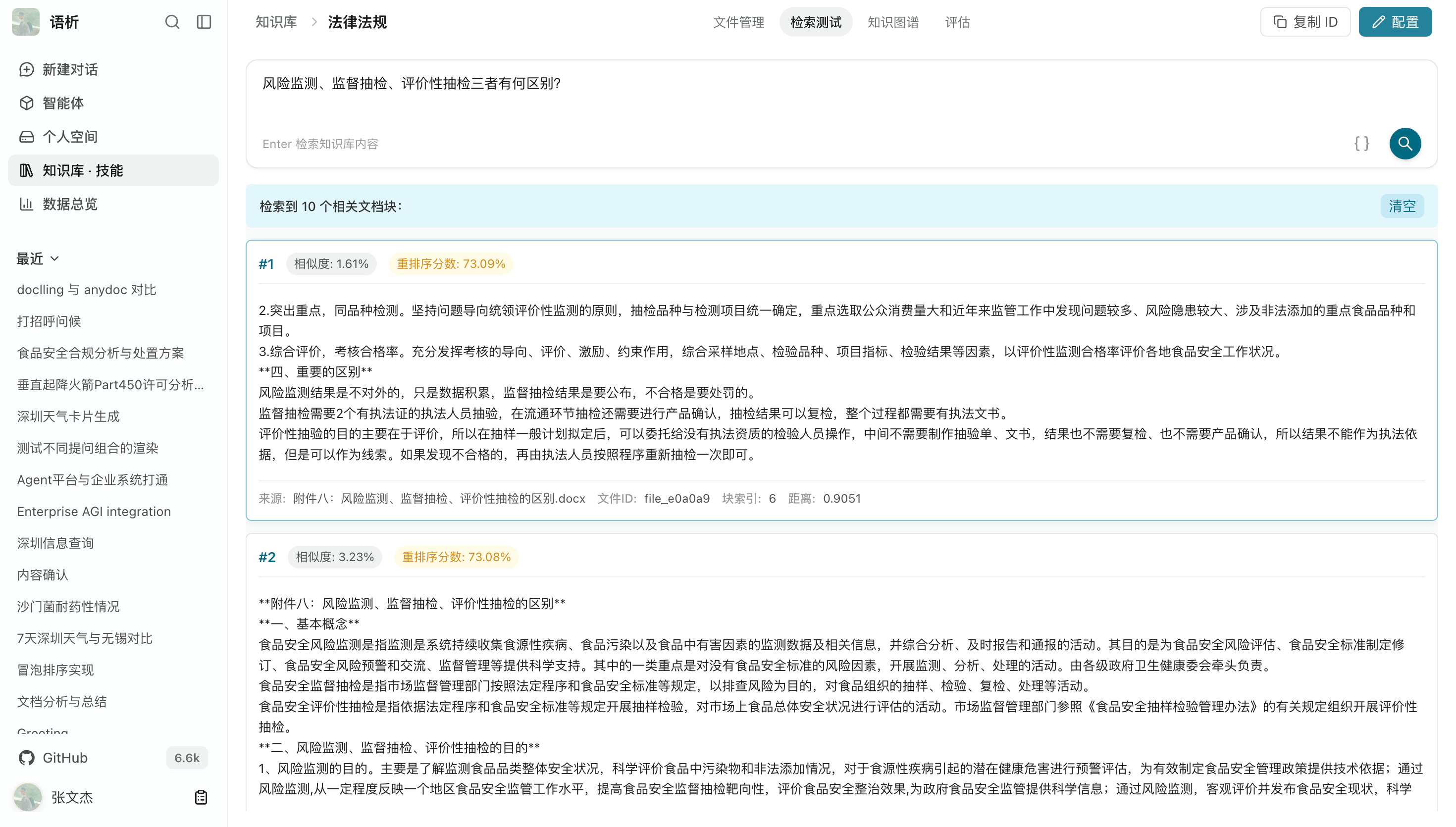
Retrieval testing and reranking
An interactive retrieval testing workspace lets you enter a query and inspect initial embedding similarity scores, hybrid retrieval results, and score changes after reranking, making recall quality easier to verify.
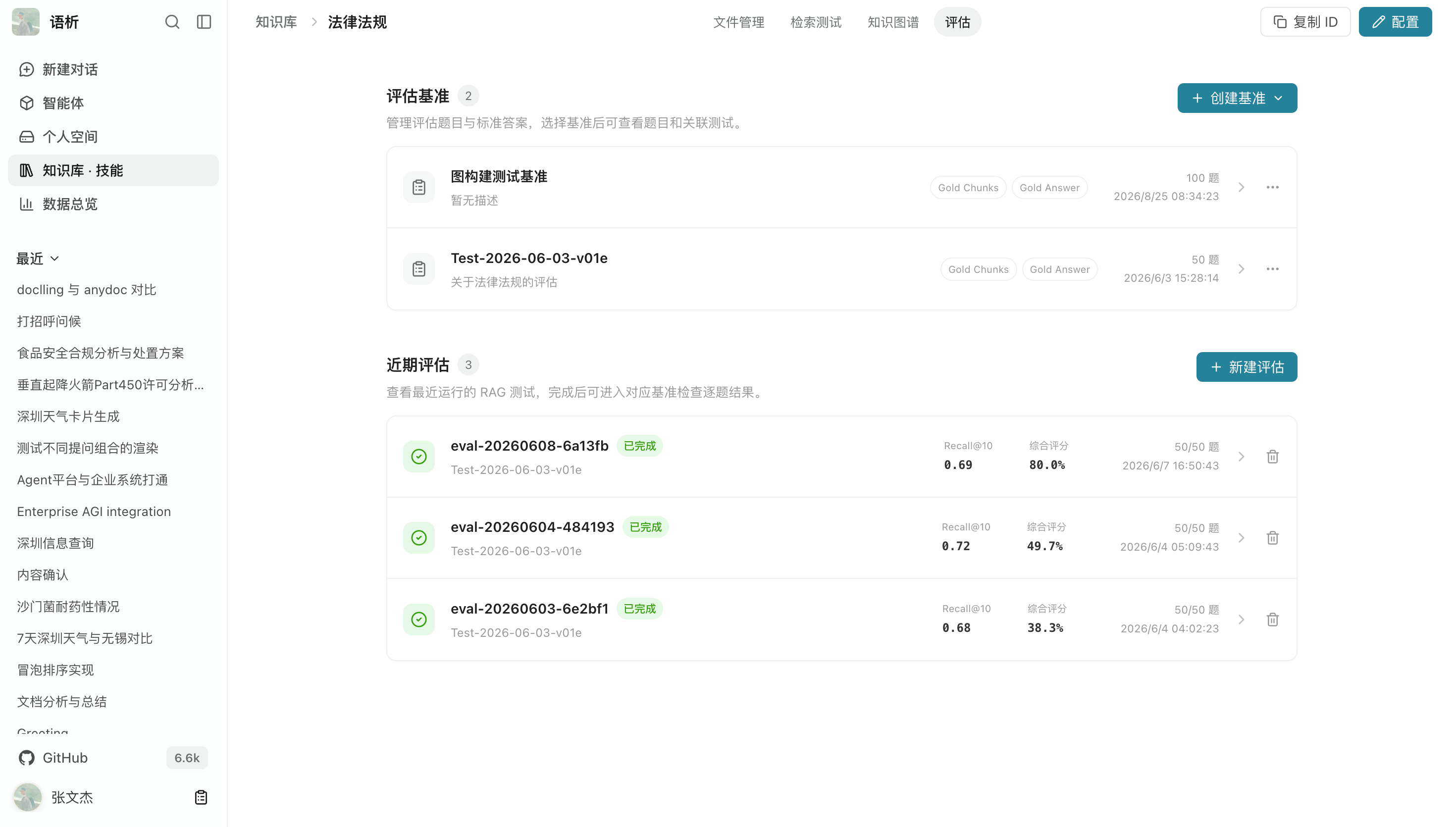
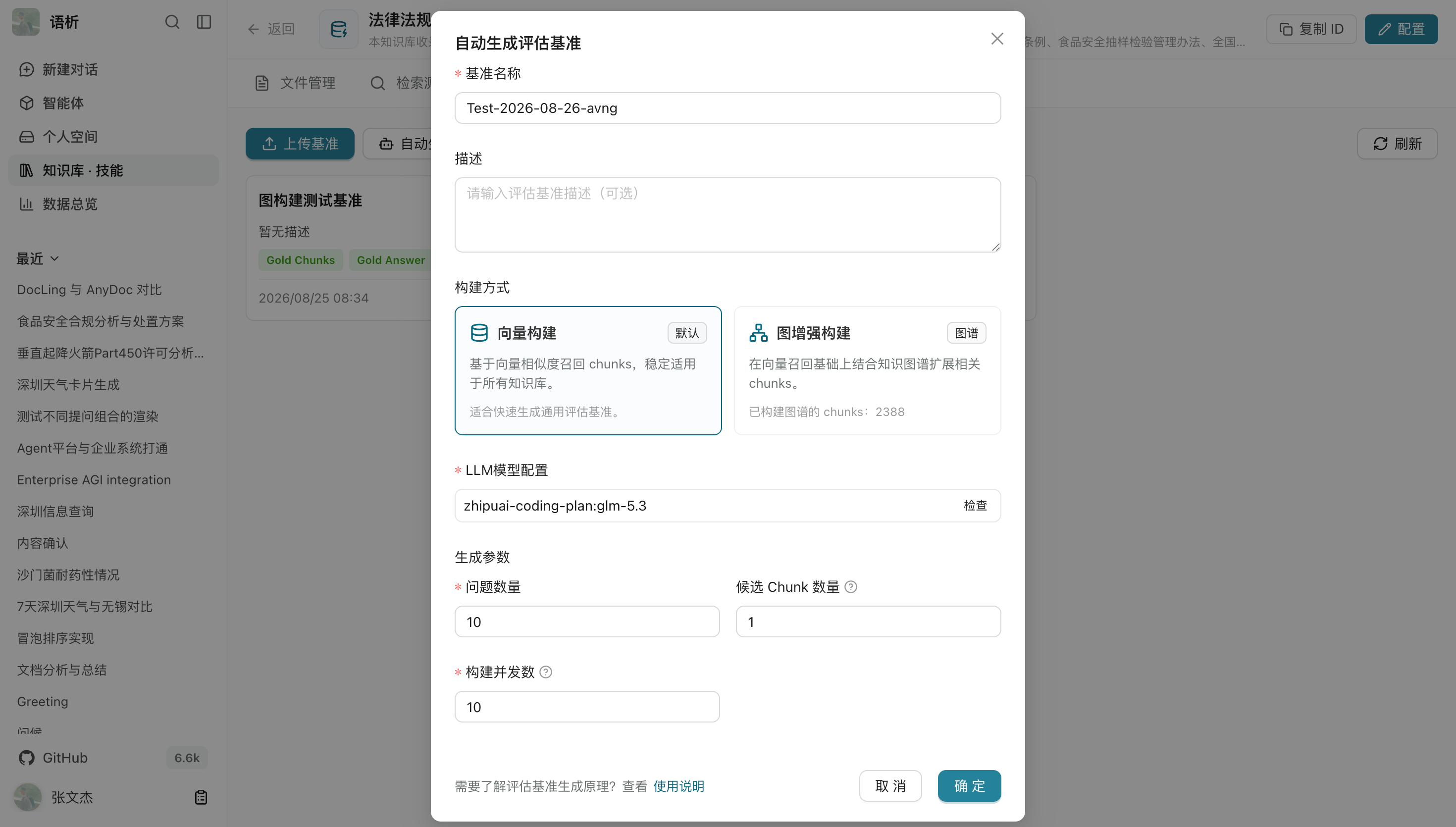
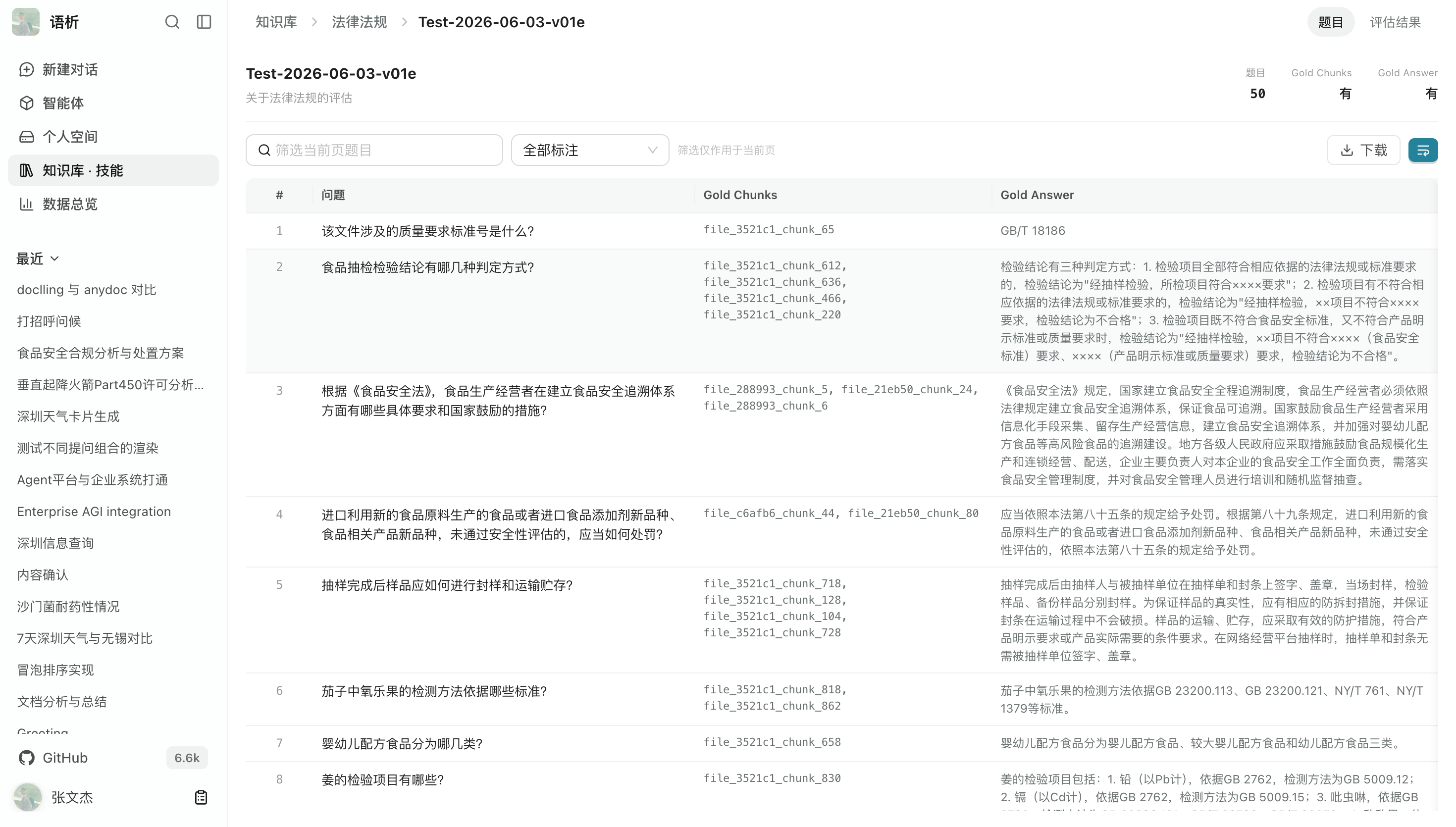
RAG evaluation
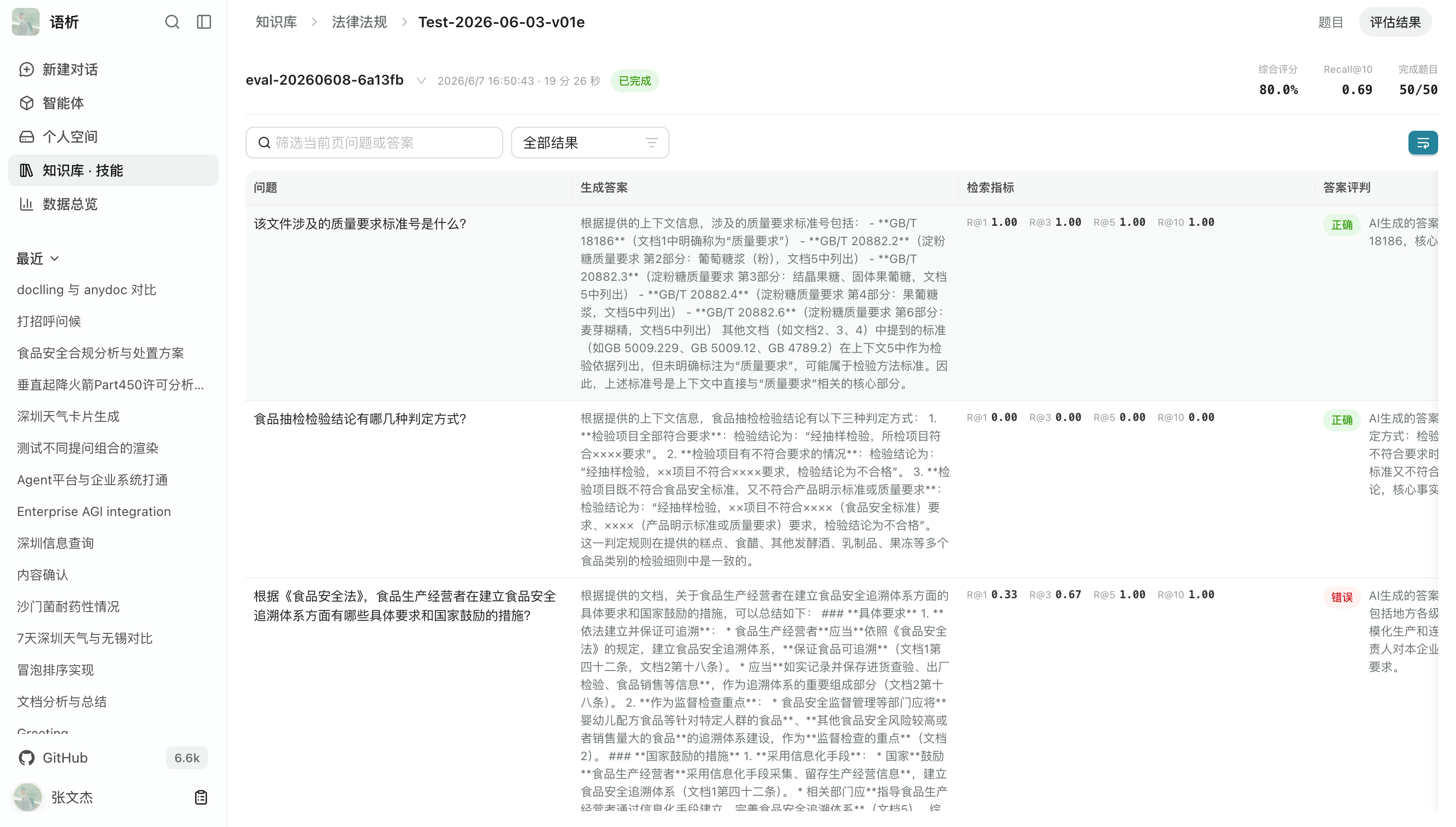
Build benchmark Q&A datasets, run batch evaluations, and inspect quantitative metrics such as retrieval recall and answer relevance to identify knowledge gaps and configuration weaknesses.
Automatically generate single-hop and multi-hop Q&A pairs.
Turn unstructured documents into entity–relationship networks. Explore relationships in interactive graphs, or generate knowledge maps from file hierarchies and topic metadata.
- Automatically extract entities and relationships from knowledge bases and build graph indexes using Milvus/Neo4j.
- Search entities by keyword, click nodes to inspect properties, and highlight related subgraphs.
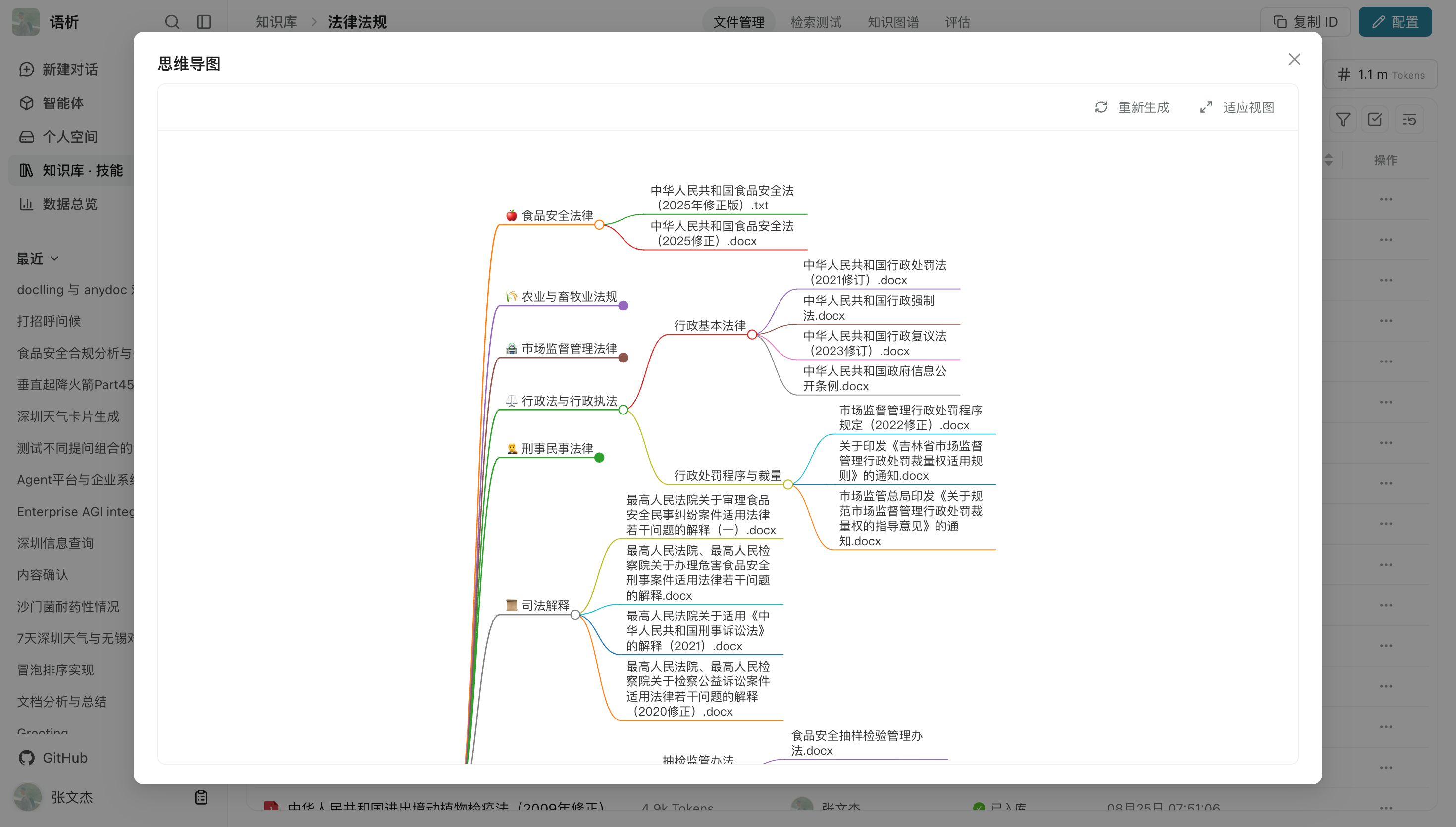
- Generate multi-level knowledge maps from knowledge base file metadata to browse a business domain at a glance.
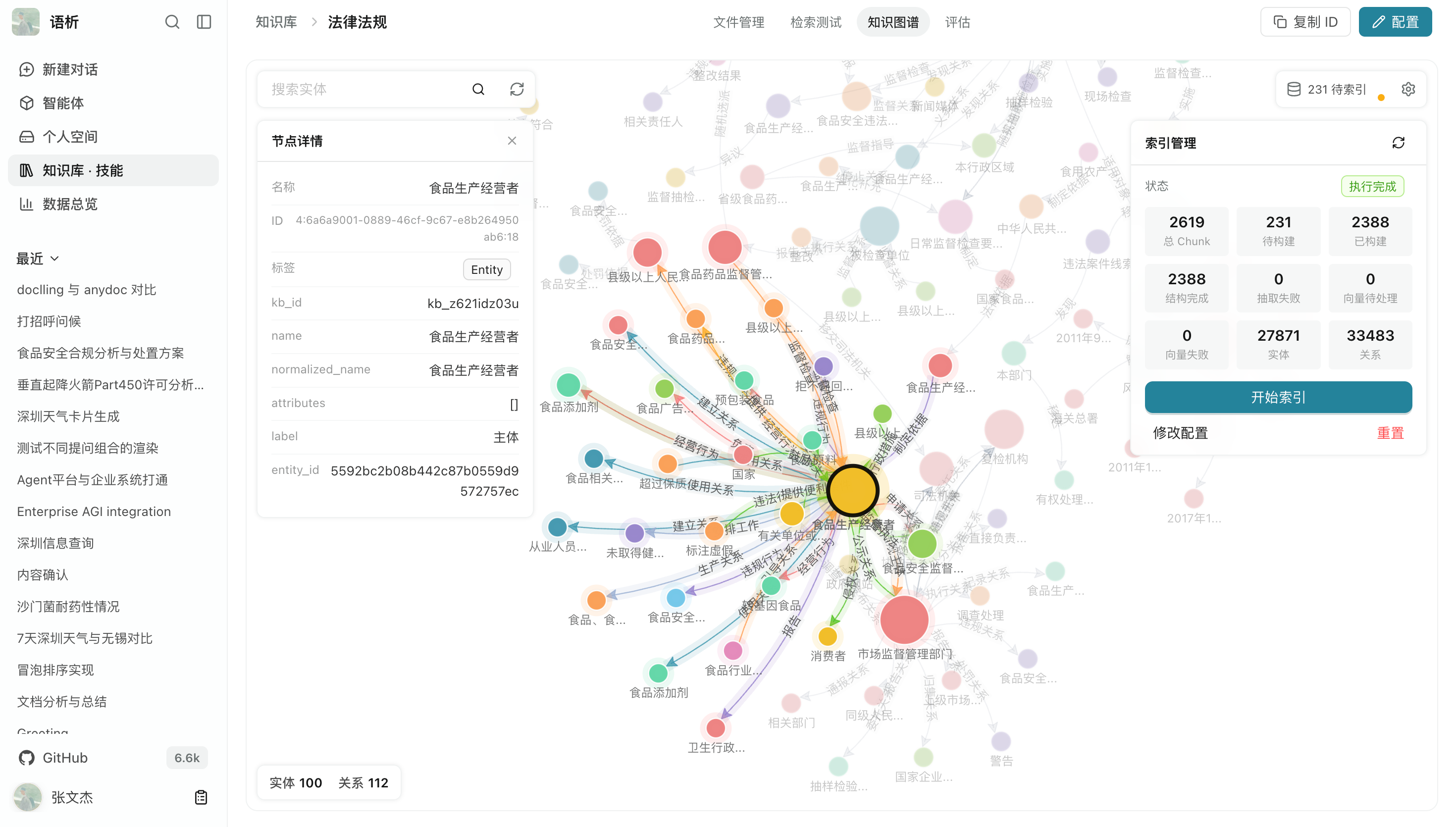
More screenshots: graph construction, node relationships, and mind maps
Graph construction and index status
Document parsing automatically performs entity recognition and relationship extraction to build domain-specific knowledge graphs. View entity counts, relationship counts, and construction progress directly.
Knowledge maps
Generate structured topic mind maps from directory structures, category labels, and file metadata, making large knowledge collections easier to browse as a tree.
Combine models, prompts, knowledge bases, external tools, and specialized sub-agents in a single agent. For complex tasks, the main agent plans and delegates work while multiple SubAgents execute asynchronously in parallel. Skills and MCP provide additional capabilities.
- Configure the agent's base model, connected knowledge bases, tool access, and system prompt.
- Run multiple SubAgents asynchronously in parallel for deep research, data analysis, or content generation.
- Use native support for Skills extensions and MCP (Model Context Protocol).
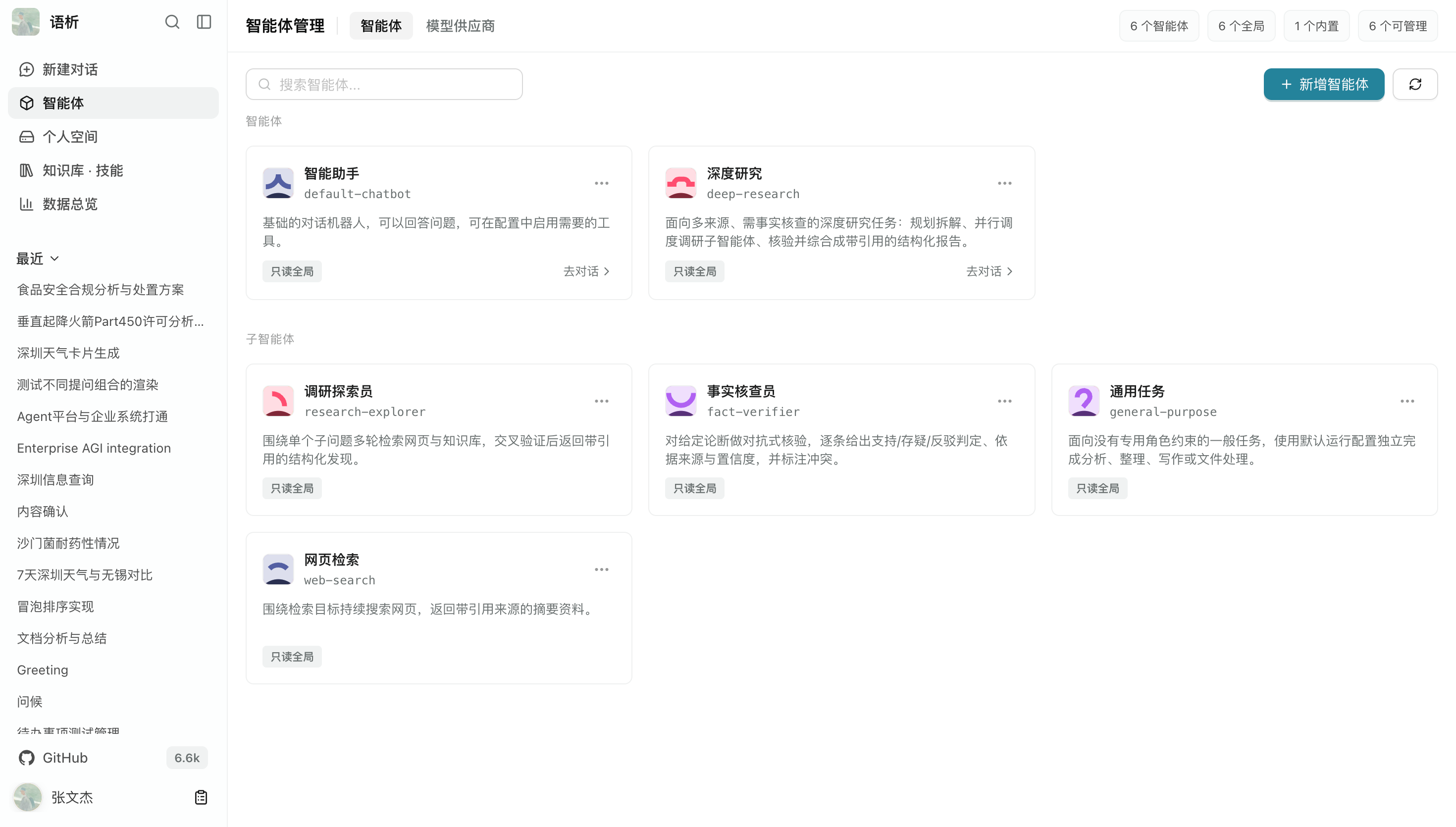
More screenshots: agent configuration, sub-agents, and extensions
Agent configuration and behavior customization
Modular configuration lets you combine models, knowledge bases, custom Tools, MCP services, initial prompts, and sub-agents. Configure sharing visibility within departments or teams as needed.
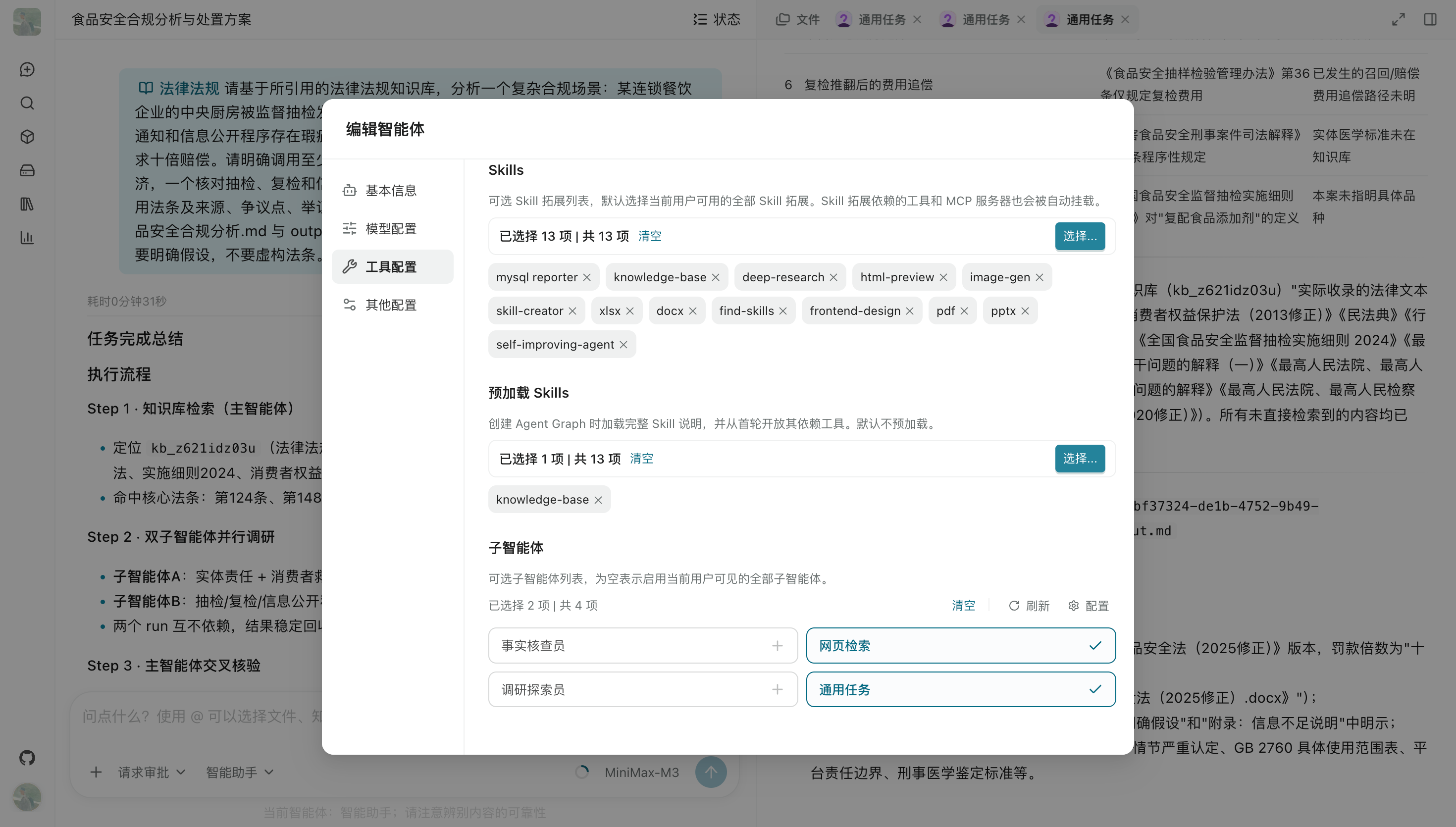
Parallel sub-agent execution
The main agent can break a complex, multi-step task into independent assignments and dispatch specialized SubAgents in parallel—for example, researching regulations in different domains or writing separate report chapters. Their results are collected and summarized when they finish.
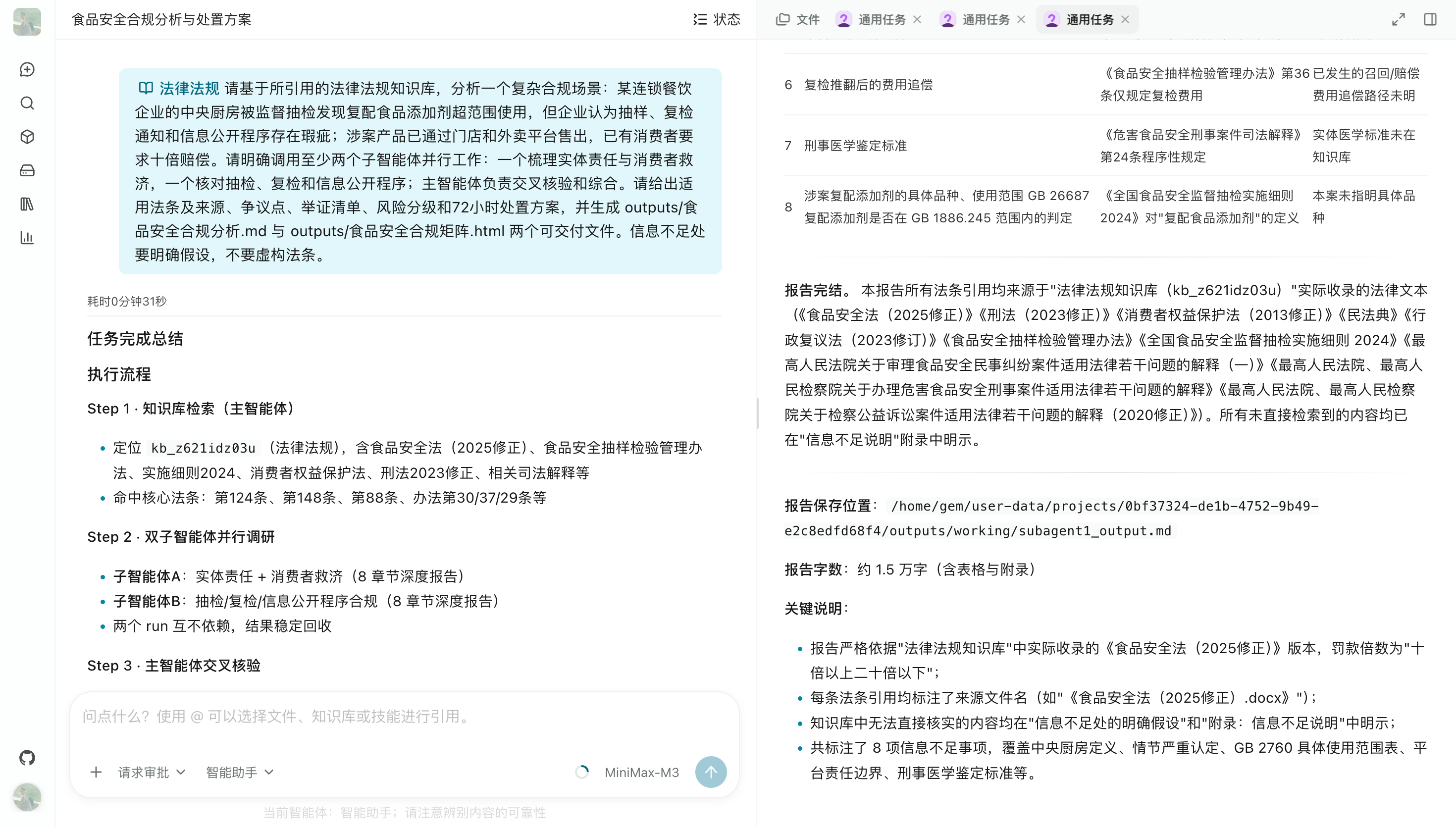
Skills, MCP, and ecosystem extensions
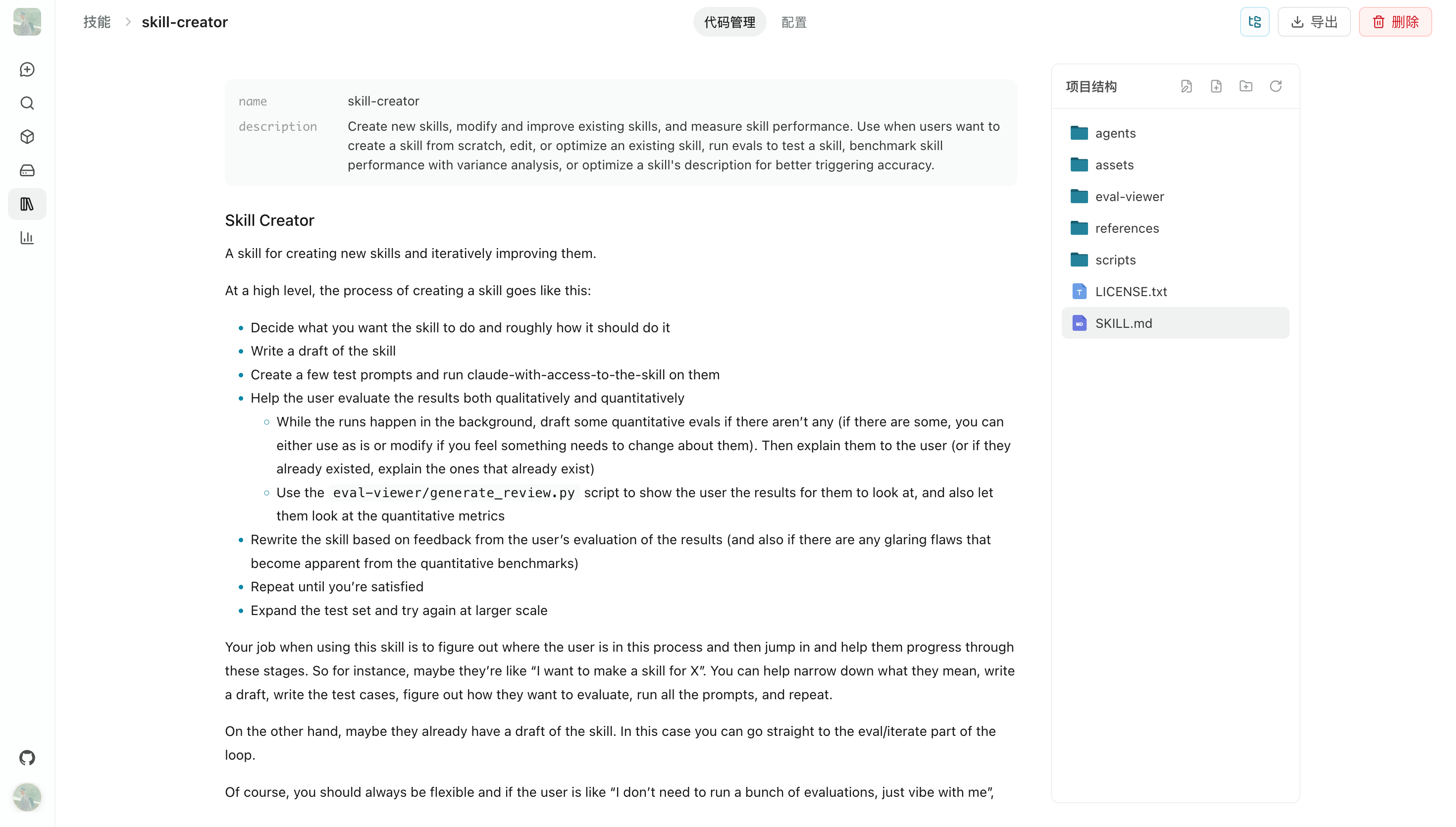
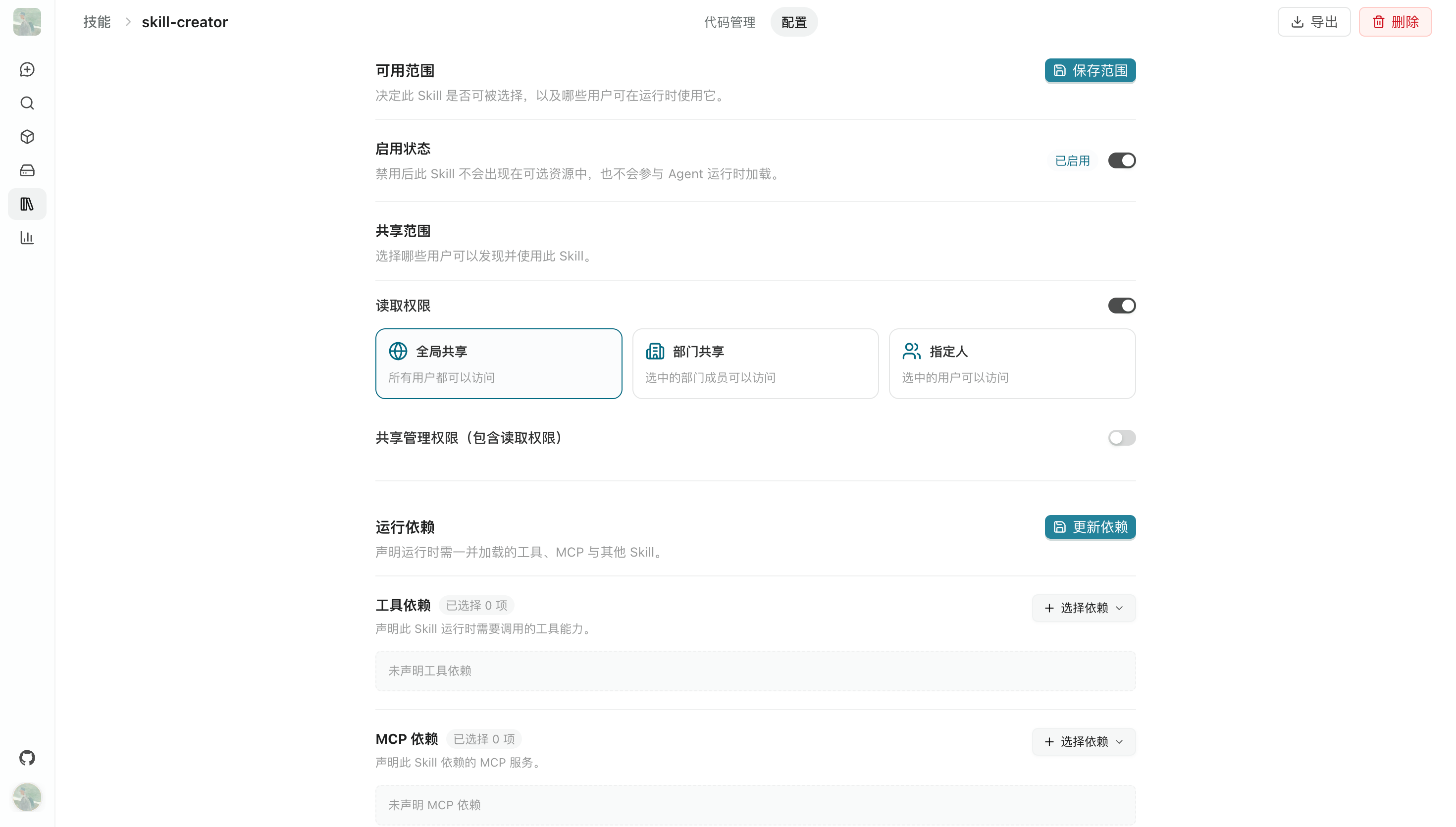
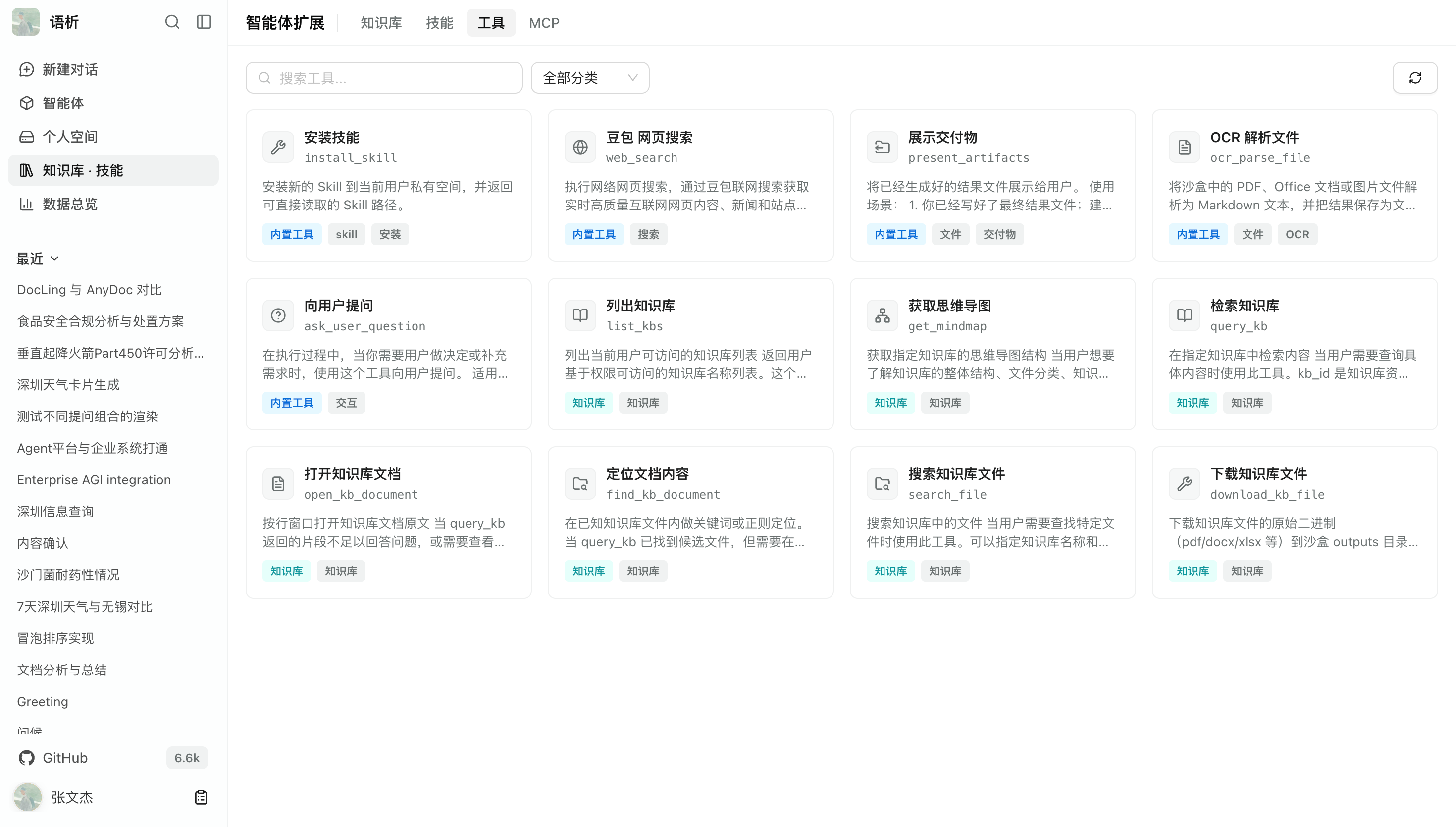
Connect and manage Skills and external MCP servers in one place, with role-specific permissions and access scopes. Progressive disclosure dynamically resolves and loads tools when they are needed. Online Skill installation supports skills.sh and the ModelScope community.
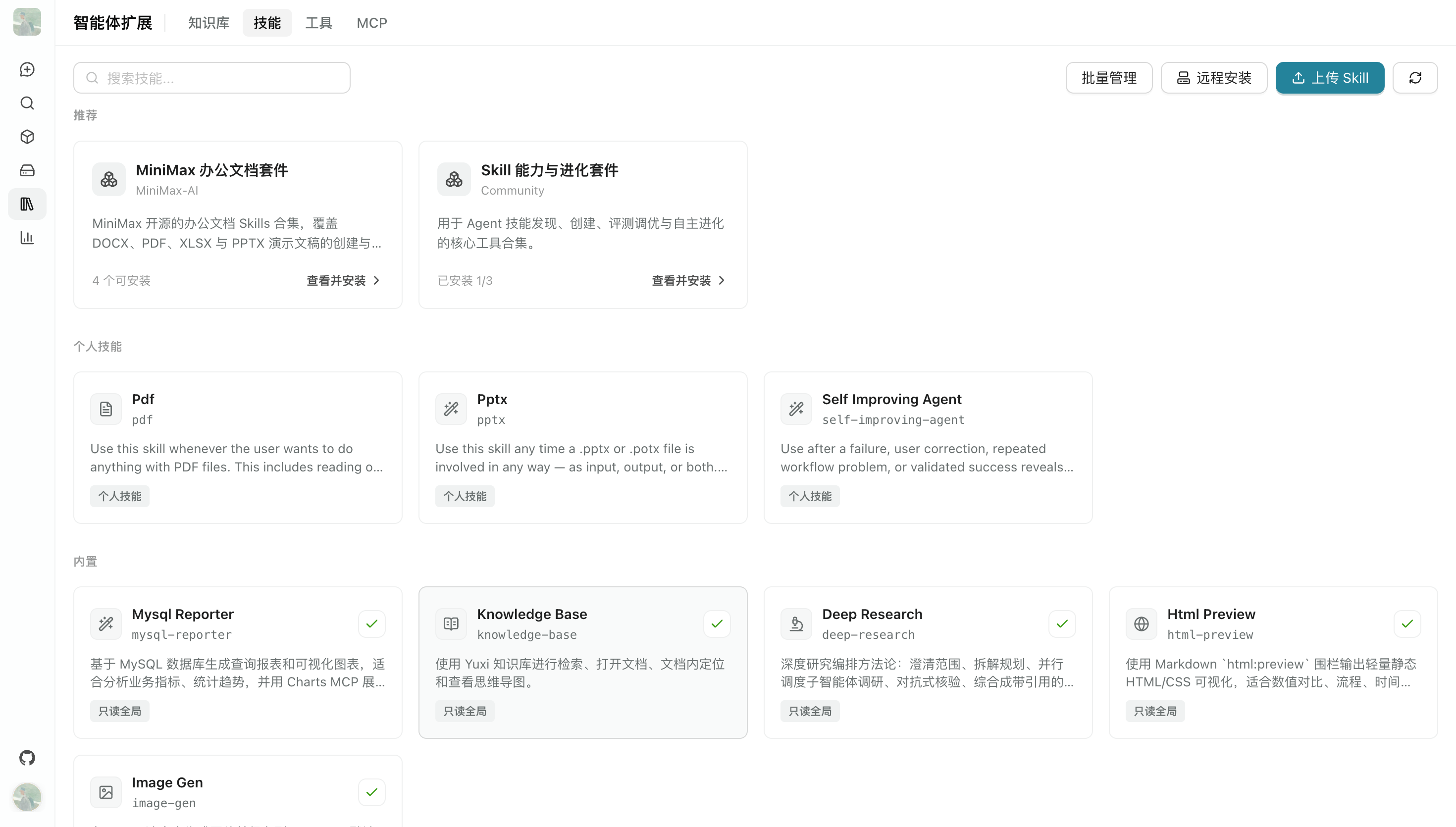
View and edit Skills online.
Configure Skill permissions and dependencies.
Built-in tool list.
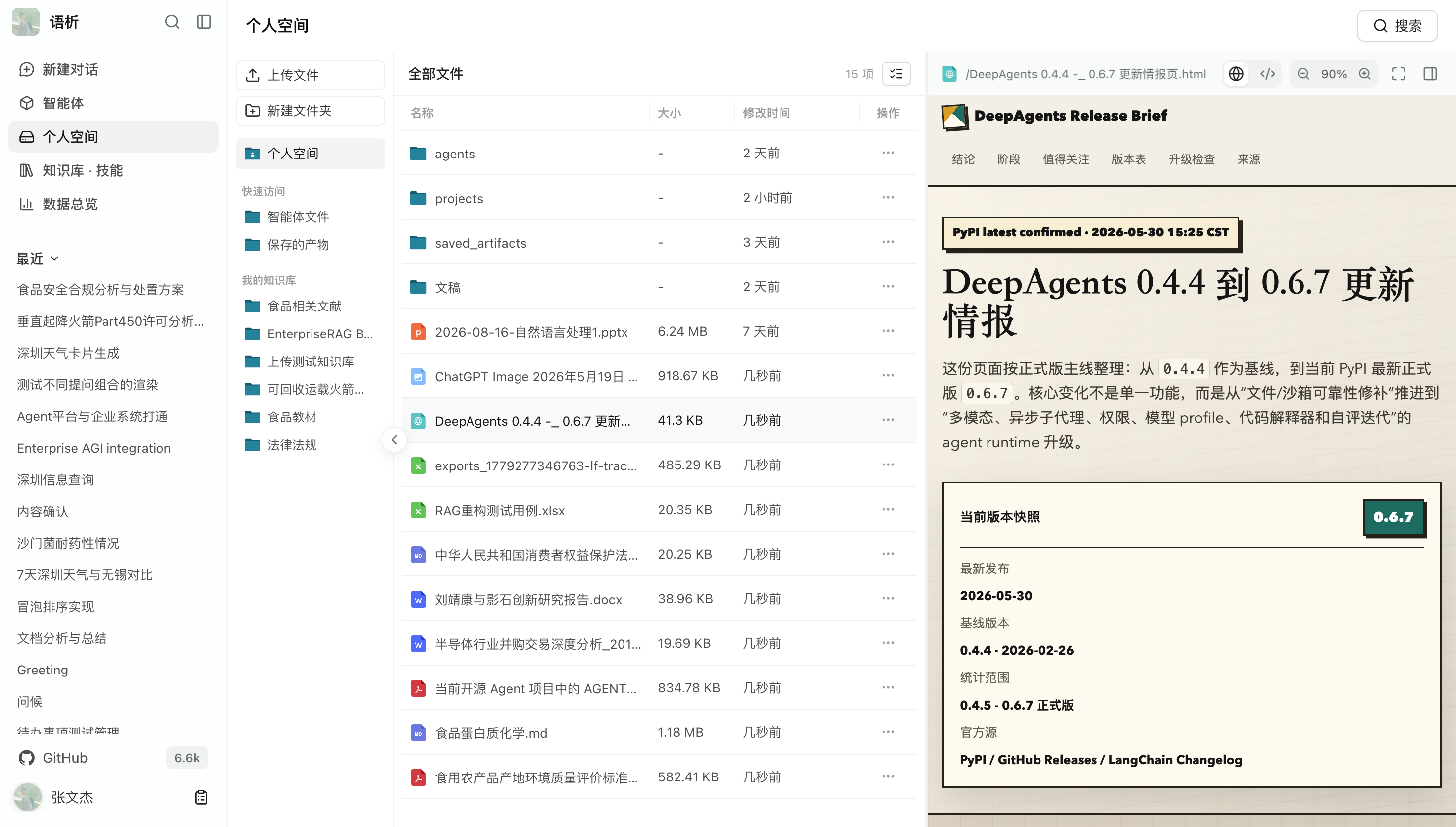
Agents can read and write files through sandbox tools. Beyond answering questions in chat, agents can turn research and analysis into Markdown documents, spreadsheets, HTML pages, or executable code that users can view and download from the workspace.
- Limit the files tools can access through the sandbox.
- Generate illustrated reports, data analysis charts, web pages, and other artifacts.
- Preview supported file formats in the browser and download files as an archive.
More screenshots: file management, online preview, and task delivery
Workspace file management
Visually manage files read and produced in the workspace during task execution. Directory hierarchies, file types, and sizes are displayed clearly, making intermediate artifacts easier to reuse across conversations.
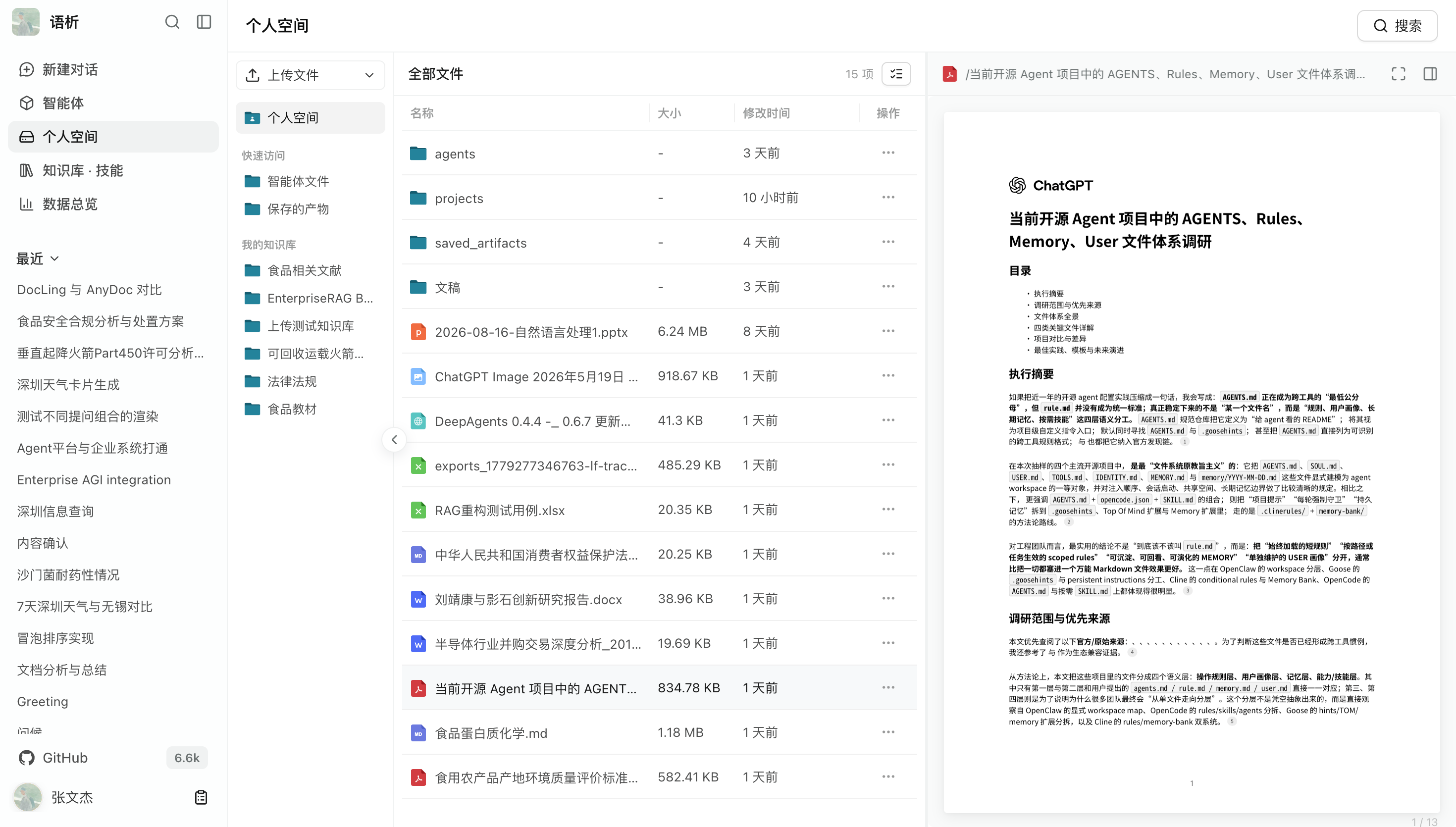
Online preview for HTML, PDF, charts, and code
Render and interact with generated reports, HTML visualizations, images, charts, and scripts in the browser's built-in previewer without downloading them first. Markdown files can also be edited and saved online.
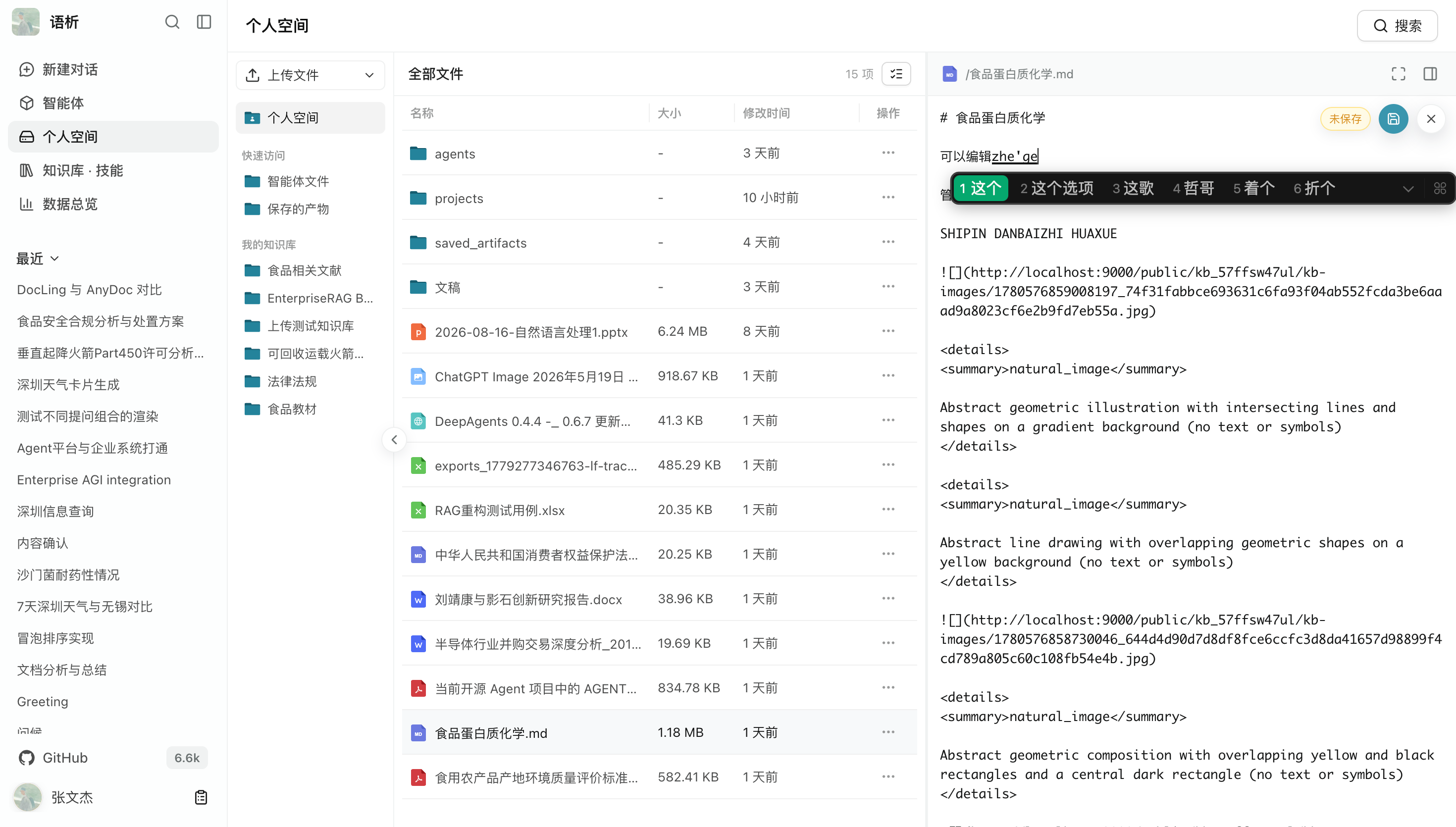
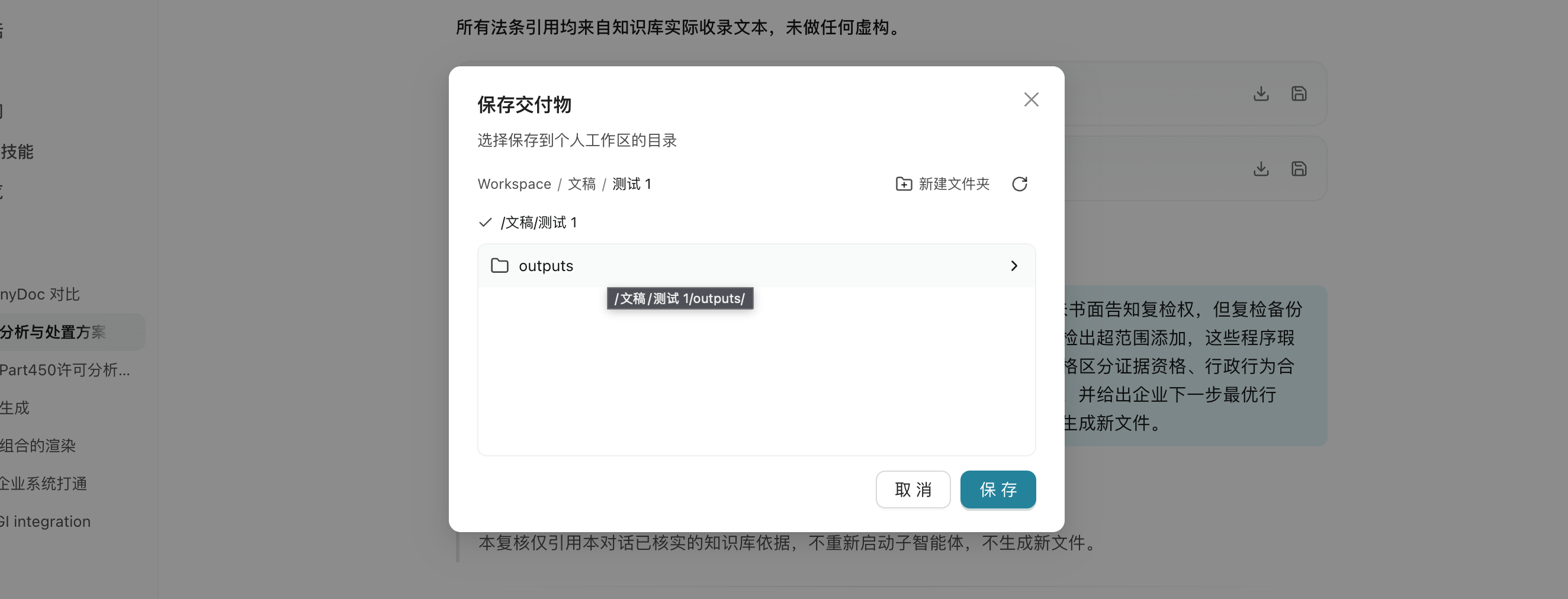
File delivery in conversations
When a task finishes, structured delivery cards appear in the conversation with file summaries, formats, and action buttons. Open a preview or save files locally.
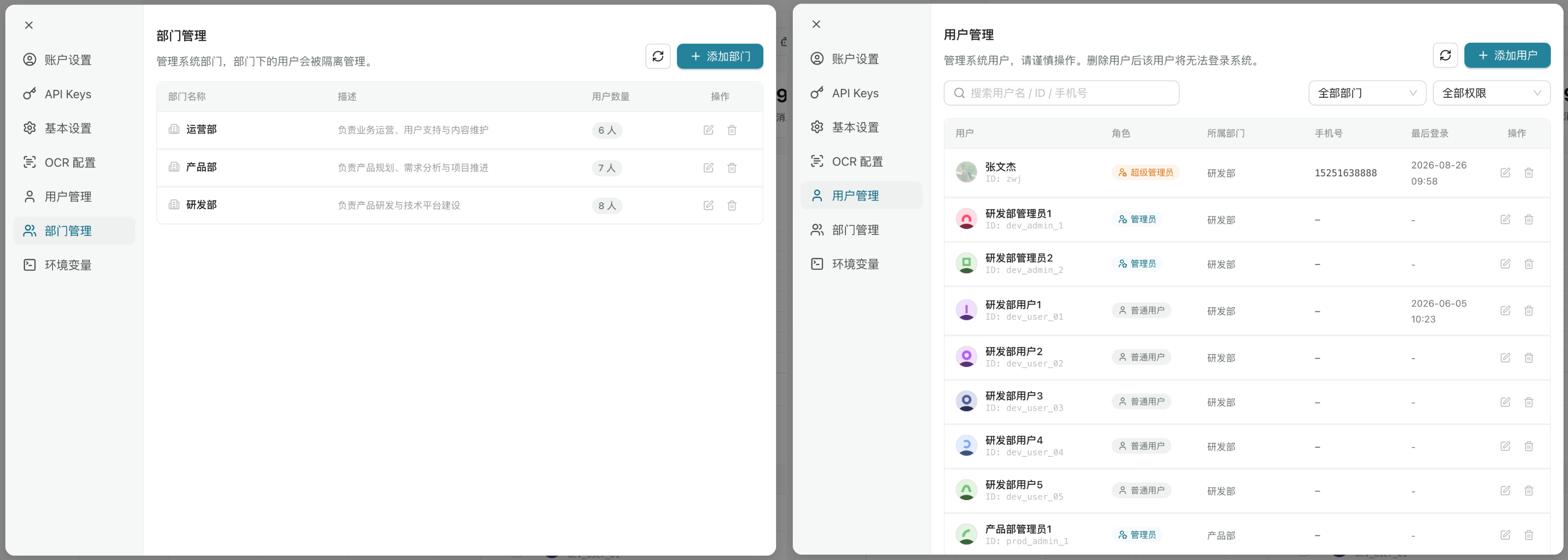
Built for collaboration across teams and enterprises. Administrators centrally manage members and departments, configure model credentials and API Keys, and monitor platform operations and usage metrics through dashboards.
- Configure read and write permissions for knowledge bases, agents, and features by tenant, user, and department.
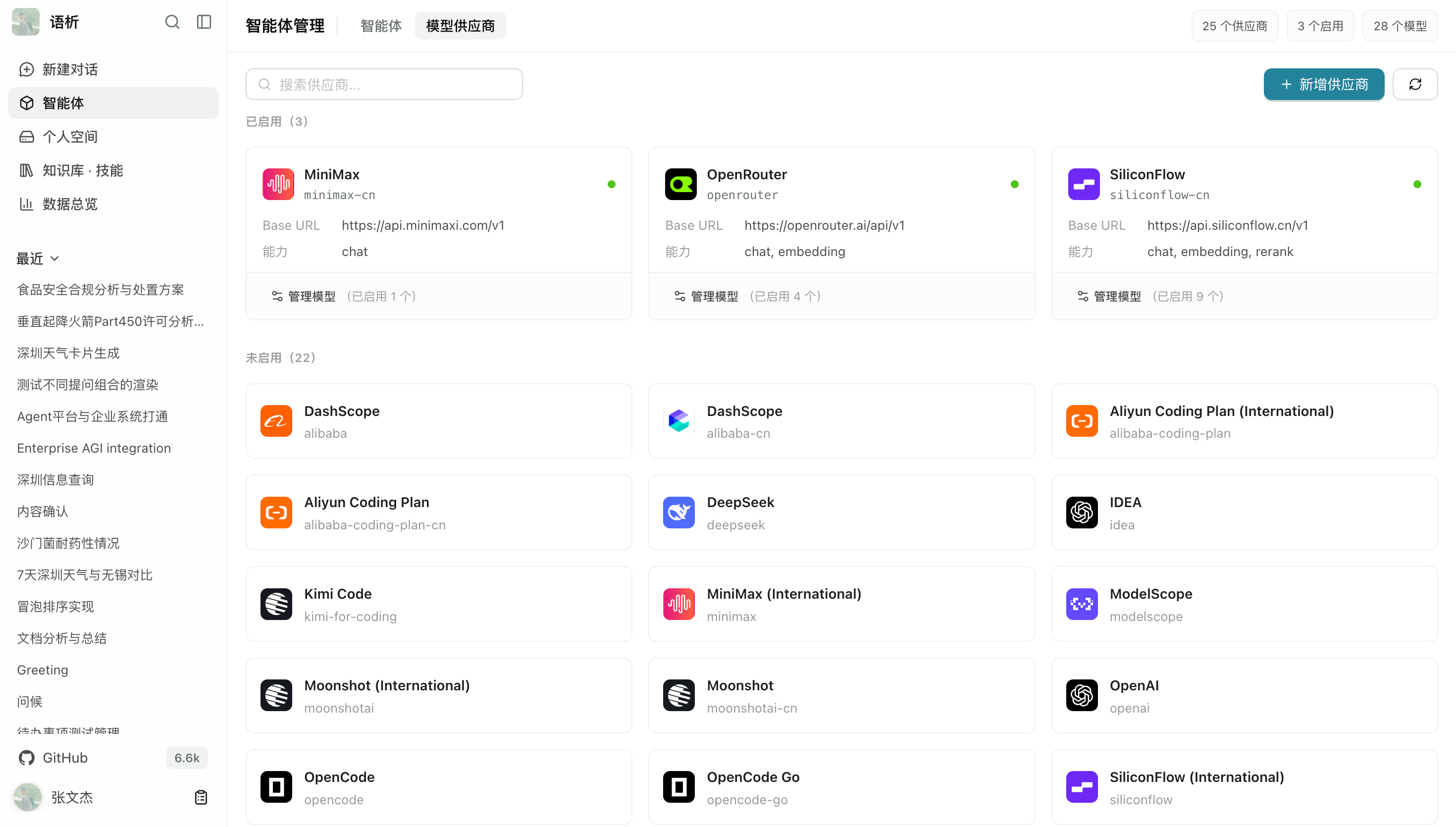
- Centrally configure models from multiple providers and manage API Key credentials.
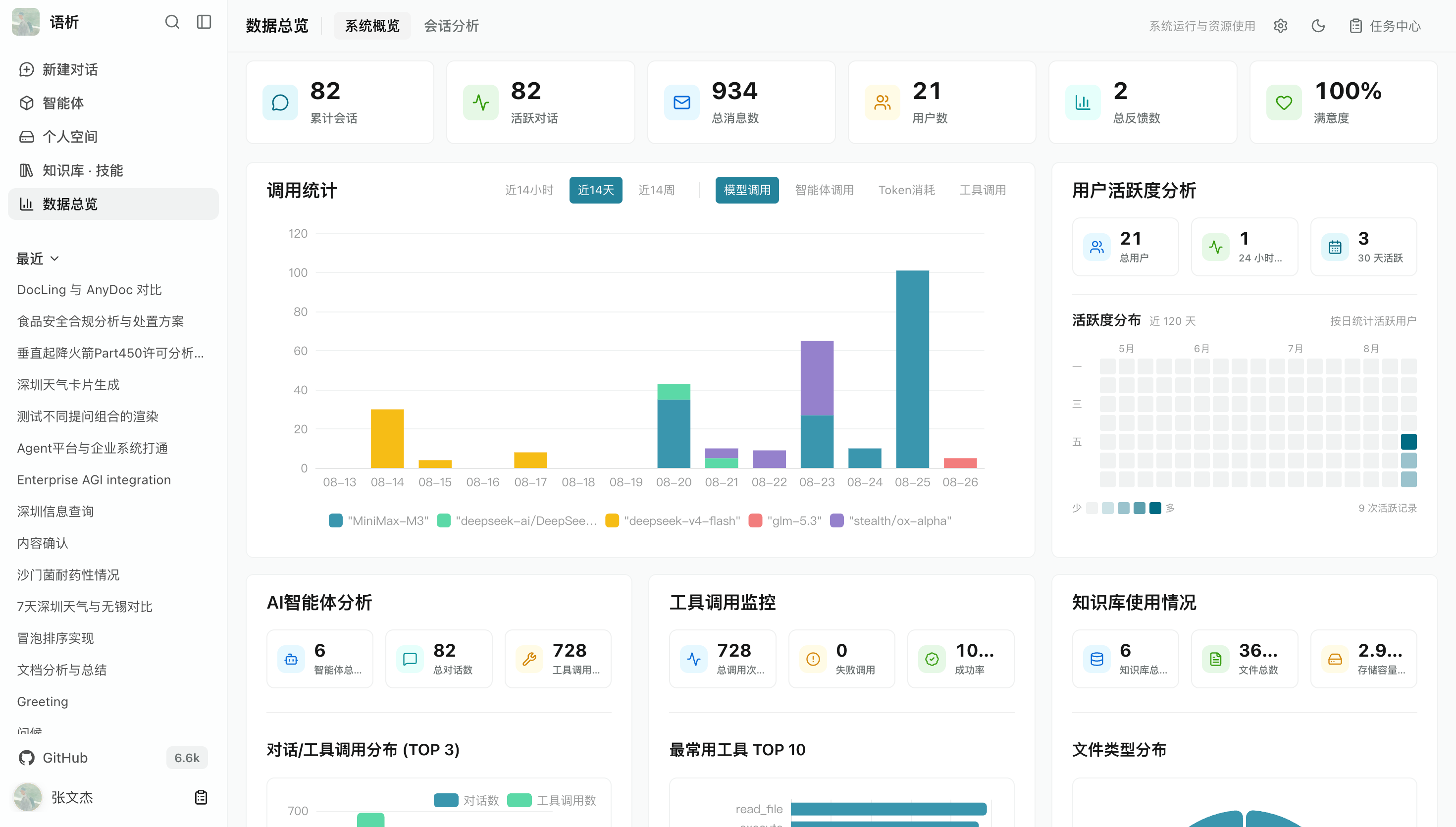
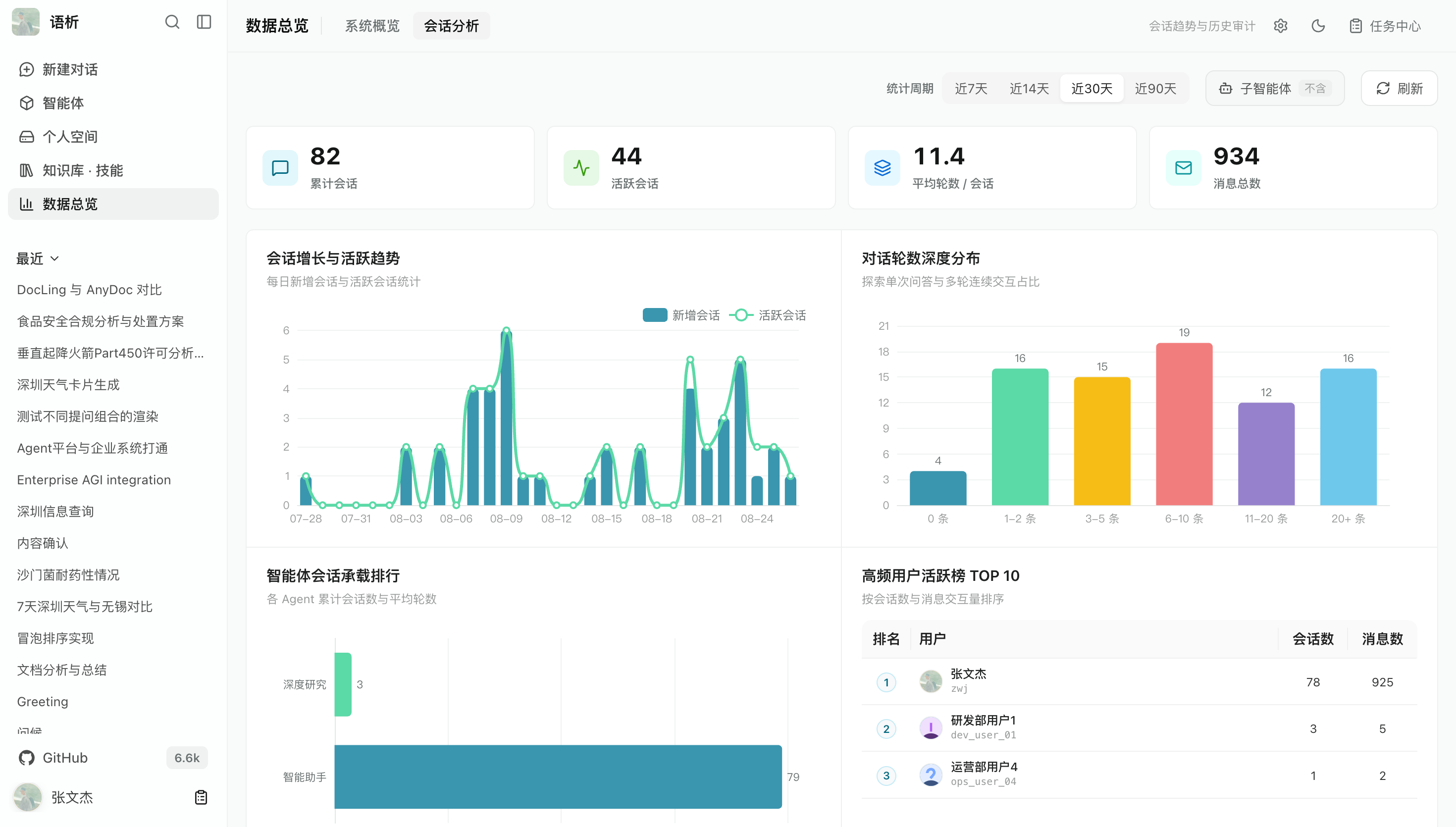
- Track usage, request trends, and resource load to support stable operations.
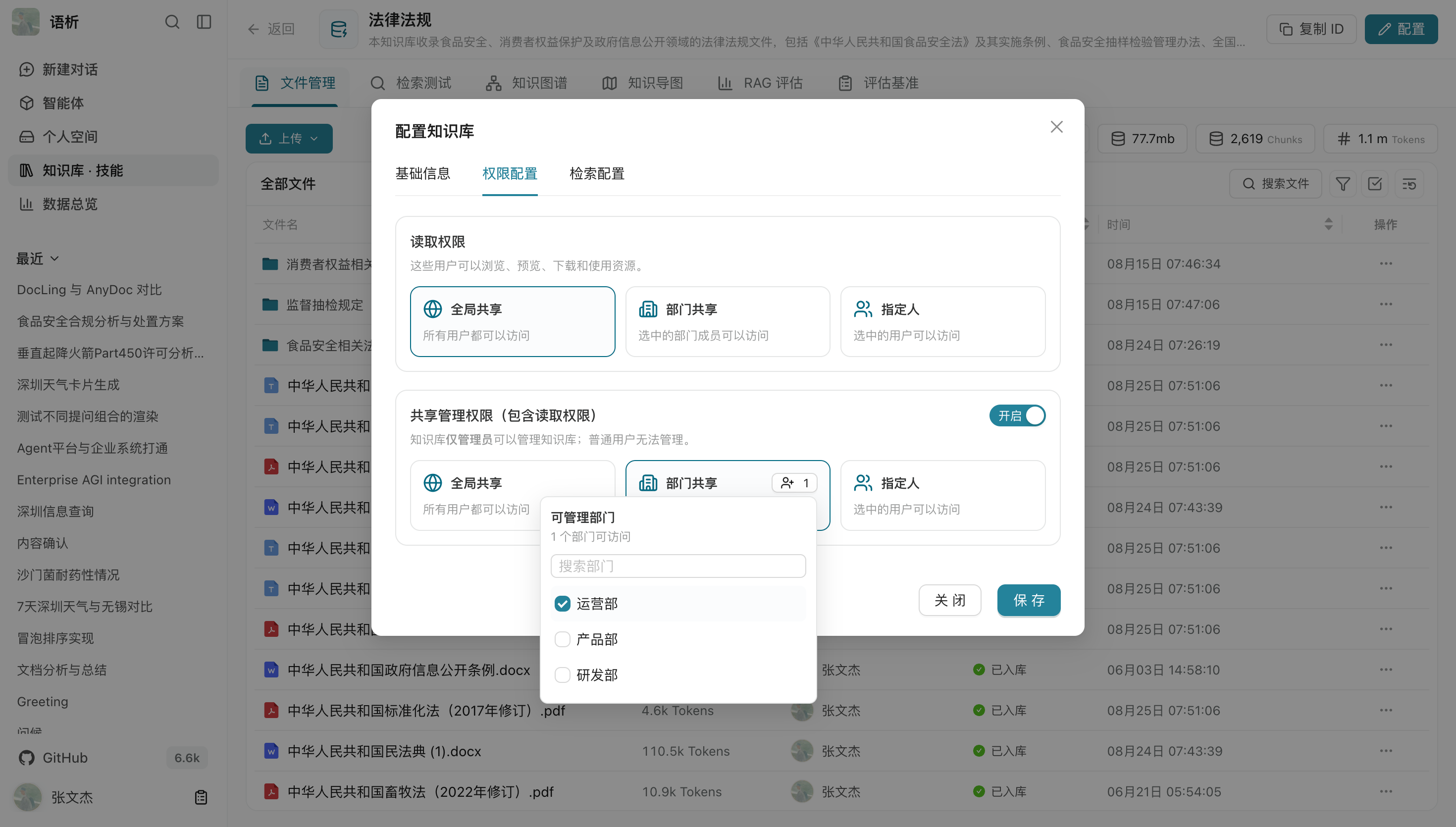
More screenshots: permissions, models, and operational data
Users, departments, and fine-grained permissions
A multi-tenant permission system maps to organizational structures, with department- or user-group-level control over access to and editing of knowledge bases, agents, tools, and sandbox workspaces.
Model providers and centralized credentials
Connect providers including OpenAI, Anthropic, DeepSeek, Qwen, and OpenAI-compatible self-hosted endpoints such as vLLM. Maintain API Key credentials centrally and assign model capabilities while keeping secrets hidden from ordinary members.
Dashboard and system monitoring
Operational dashboards display request volumes, token usage, knowledge base retrieval frequency, and long-running task queue status in real time to support capacity planning and cost tracking.
Issues, documentation improvements, bug fixes, and new features are welcome. See CONTRIBUTING.md for the development workflow and the contribution guide for the full guidelines.
Thanks to all contributors for supporting this project!
Yuxi's implementation and documentation draw on the following excellent open-source projects:
- LightRAG: Early graph construction and retrieval ideas.
- DeepAgents: Deep agent framework.
- DeerFlow: Sandbox agent architecture ideas.
- RAGFlow: Document chunking strategies.
- LangGraph: Agent orchestration foundation.
- QwenPaw: Model configuration and personal file area design.
Yuxi itself is licensed under the MIT License. See LICENSE for details. Third-party components included through Docker Compose retain their own licenses. Before redistribution or commercial deployment, check the upstream licenses and source-code obligations for the actual image versions you use; see the production deployment guide for the relevant boundaries.