A powerful, aesthetic, and multi-platform lyric downloader designed to fetch synced lyrics (.lrc) from almost any music service. Whether you have a Spotify account or just a public album link, LRCRipper ensures your music library is perfectly organized and lyrical.
- 🌍 Multi-Platform Support: Fetch lyrics using links from Spotify, Apple Music, Amazon Music, JioSaavn, Gaana, Qobuz, Deezer, and Tidal.
- 📂 Automatic Folder Organization: Downloads are neatly sorted into
Lyrics/[Album Name]/subfolders. No more messy root directories! - 🔢 Smart Track Numbering: All tracks in an album are prefixed with their track number (e.g.,
01. Artist - Title.lrc), keeping your collection perfectly sorted. - 🔓 Account-Free Album Downloads: Scrapes tracklists directly from public pages for Spotify, JioSaavn, Gaana, and Qobuz—no login required for most platforms.
- ⚡ Premium Logging: A beautiful, color-coded terminal interface with platform banners and success/failure icons for real-time progress.
- 🛡️ Secure Authentication: Moves sensitive credentials (
cookie.txt,token.json) to a dedicatedAuth/folder.
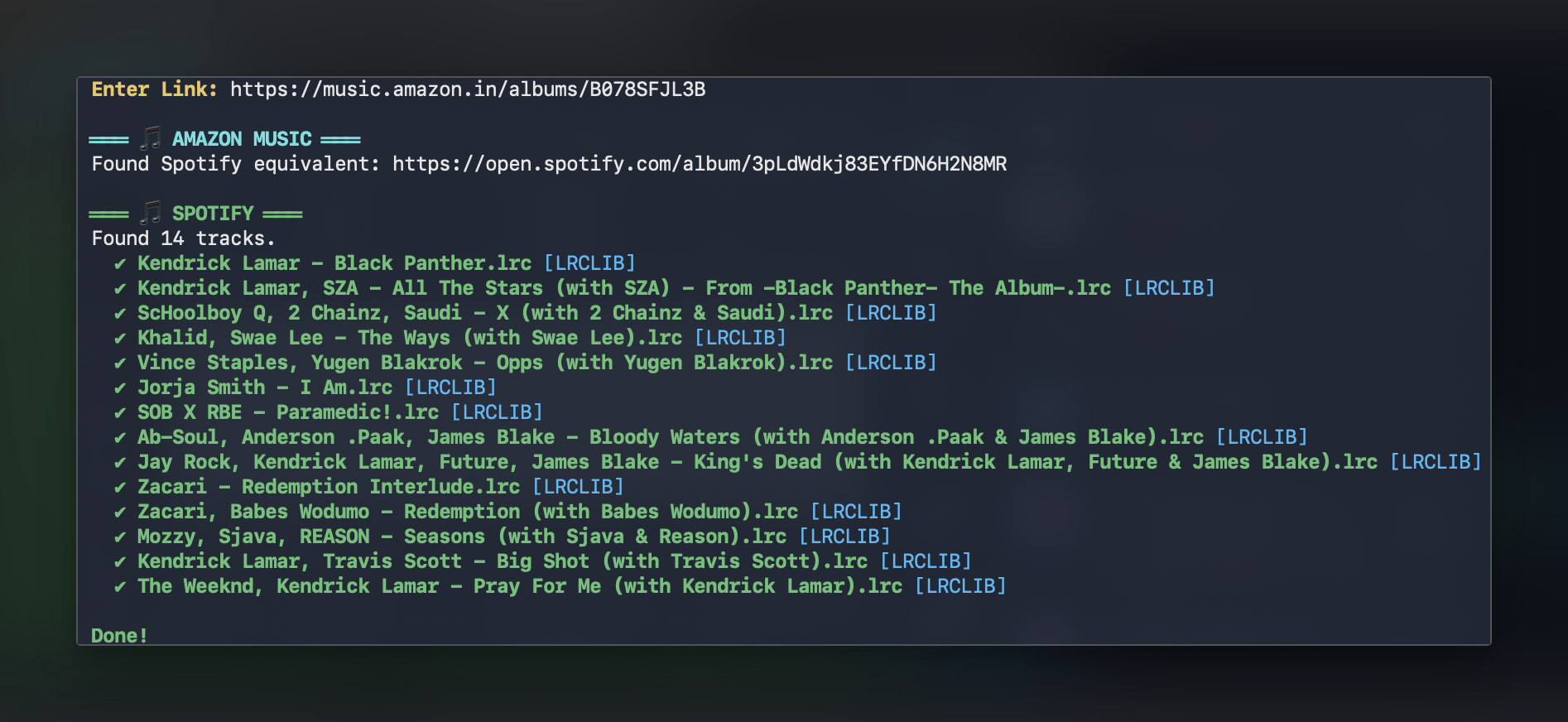
Ensure you have Python 3.7+ installed on your system.
Clone this repository and install the necessary dependencies:
# Clone the repository
git clone https://github.com/yourusername/LRCRipper.git
cd "LRCRipper"

# Install requirements
pip install -r requirements.txtTo fetch lyrics directly from Spotify's spclient (for best accuracy), place your Spotify cookies in the Auth/ directory:
- Extract your Spotify cookies to a file named
cookie.txt(JSON format) and place it in theAuth/folder (Replace the dummy data inside the file with your cookies). - The
token.jsonfile is generated automatically! The script uses your cookies to generate an authentication token when needed, so you do not need to populate it manually.
Simply run the script and paste your link when prompted:
python3 lrc.py- Spotify: Tracks, Albums, and Playlists.
- Apple Music: Tracks and Albums.
- Amazon Music: Tracks and Albums (Global & India stores).
- JioSaavn / Gaana / Qobuz: Tracks and Albums.
- Deezer / Tidal: Tracks (via Songlink resolution).
.
├── Auth/               # Store your cookie.txt here (token.json is auto-generated)
├── Lyrics/             # Your downloaded lyrics appear here
│   └── [Album Name]/   # Automatically organized by album
├── lrc.py              # The main script
├── README.md           # This file
└── requirements.txt    # Project dependencies
LRCRipper uses a layered resolution strategy:
- Metadata Resolution: It first determines the platform and Link type. For albums, it extracts the full tracklist using a variety of methods (JSON-LD, Redux state, oEmbed, or Songlink fallbacks).
- Lyric Search: It queries LRCLIB for precise synced lyrics based on extracted metadata.
- Spotify Fallback: If a Spotify token is available, it can fetch lyrics directly from Spotify's internal API for high-quality results.
- Original Base: Created by Raga (Initial Spotify web scraping implementation).
- Modified & Enhanced: Multi-platform features, album support, organization, and aesthetics added by ManOfInfinity.
Feel free to open issues or submit pull requests to help improve the platform coverage or metadata extraction logic!
Made with ❤️ by Raga & ManOfInfinity
Built with vibecoding 🎶