
An AI-powered database client and SQL workspace for developers, DBAs, analysts, and data teams.


Chat2DB Community is a free, cross-platform database client for Windows, macOS, and Linux. It runs entirely on your machine and combines a full-featured SQL workspace with an AI assistant that you connect to your own model.
- 30+ databases — MySQL, PostgreSQL, Oracle, SQL Server, ClickHouse, MongoDB, Redis, SQLite, MariaDB, TiDB, Hive, DB2, Snowflake, BigQuery, Elasticsearch, and more via plugins.
- SQL workspace — editing, completion, formatting, execution, saved SQL, and execution history.
- AI assistant — bring your own AI model to generate, explain, and optimize SQL in natural language.
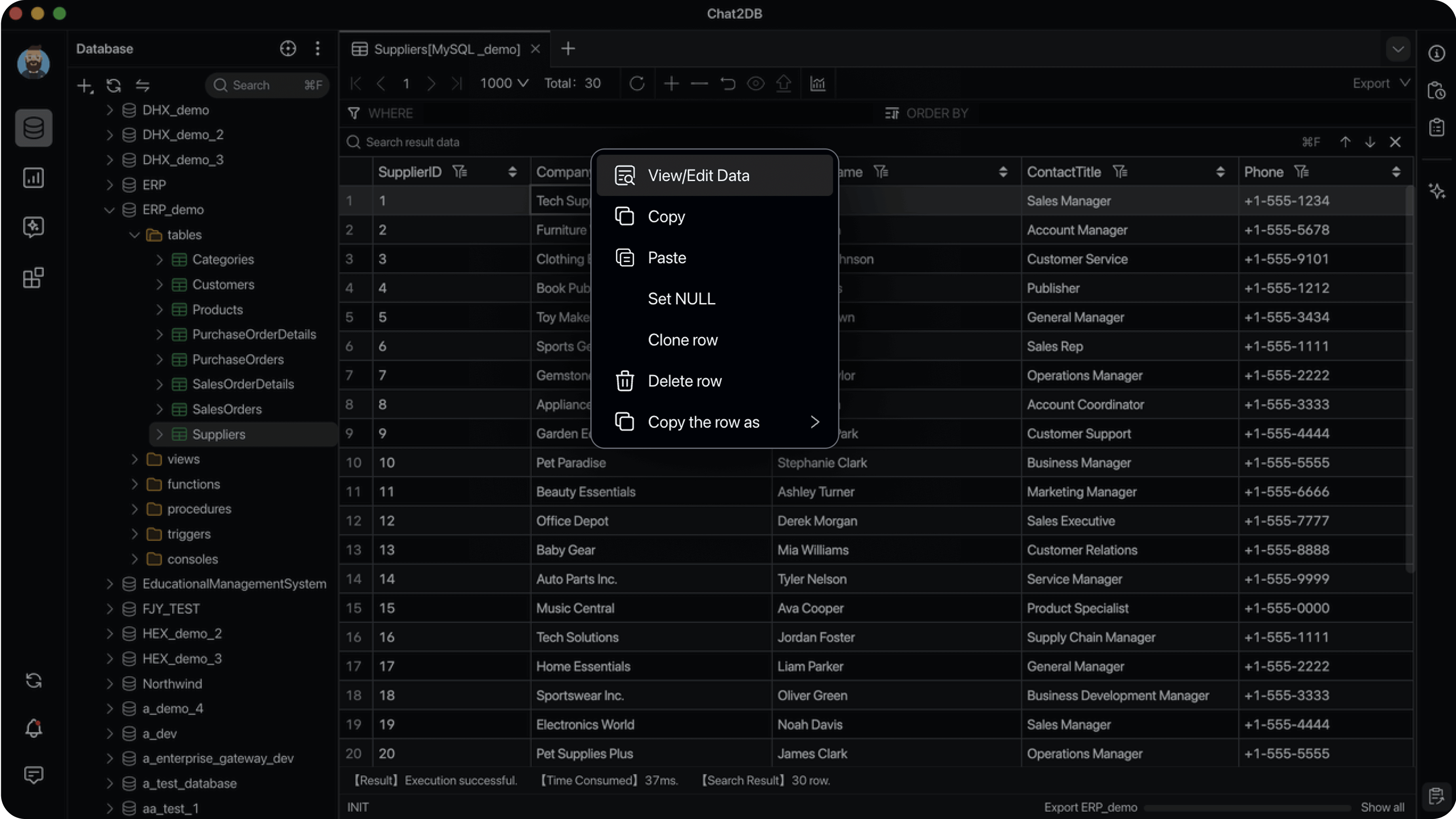
- Database management — browse metadata, manage tables and objects (DDL/DML), and edit data in place.
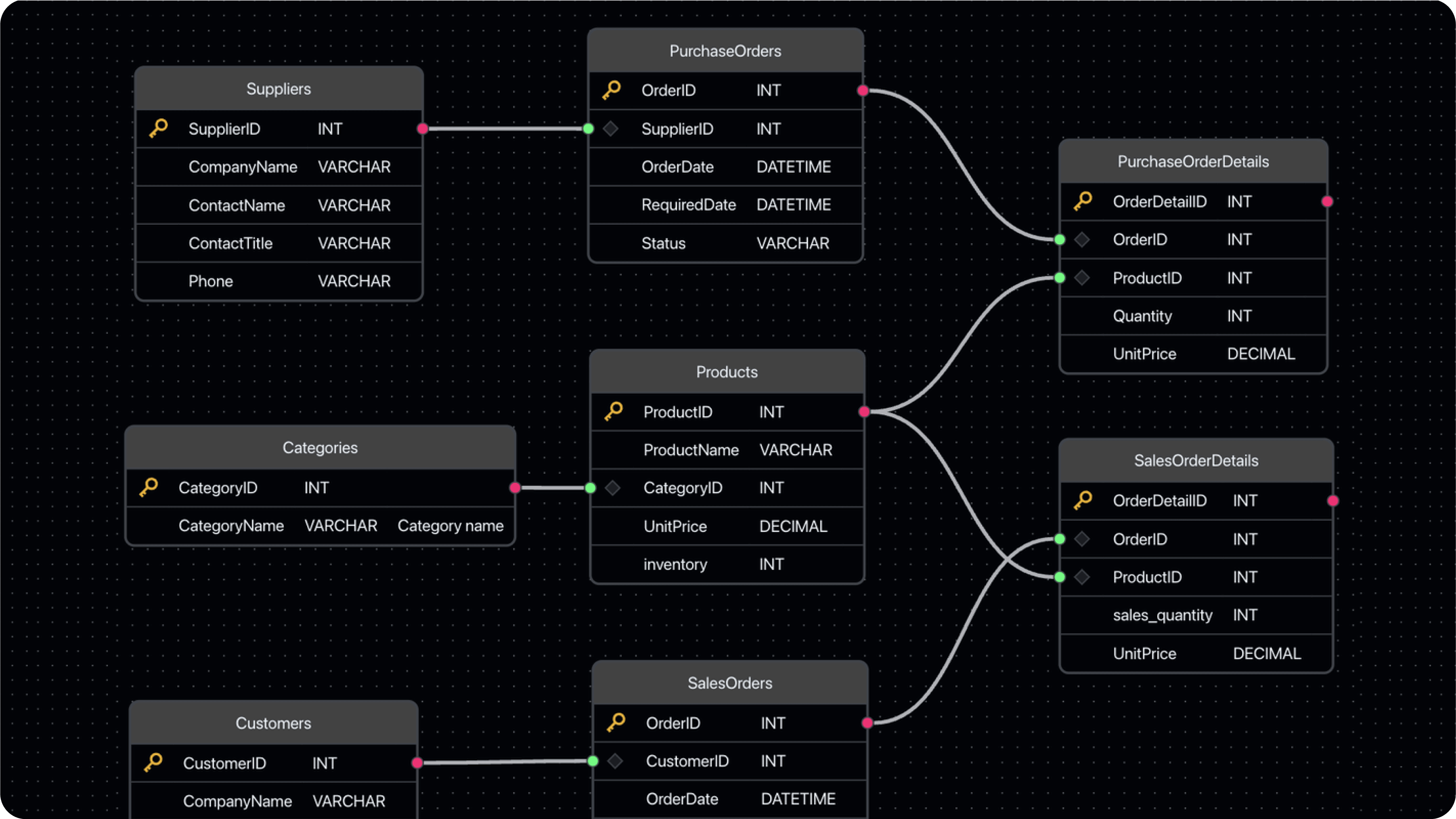
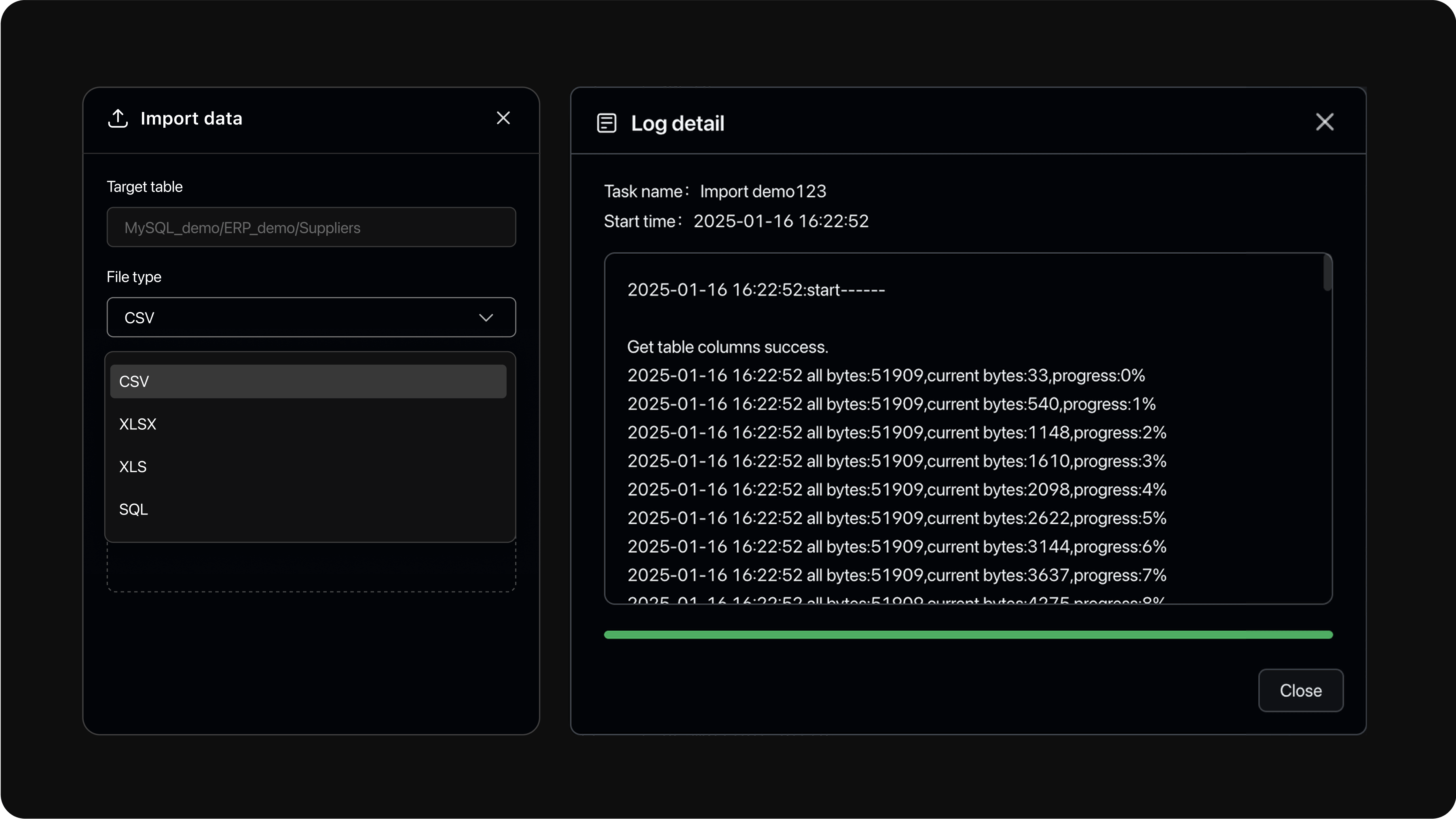
- Data import and export, dashboards and charts, and a CLI with MCP support.
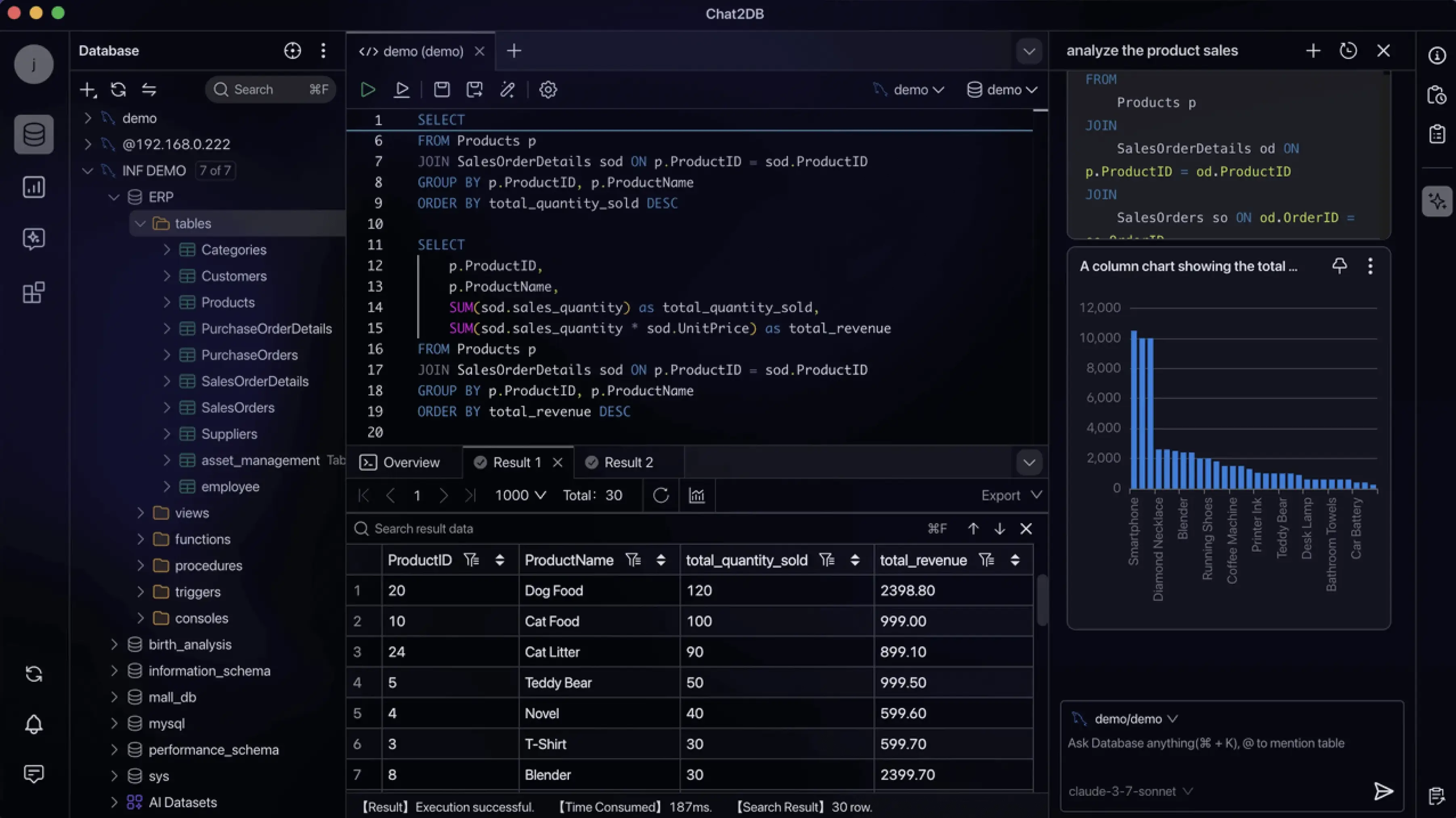
| Dashboards and charts | ER diagrams |
|---|---|
 |
 |
| Visual data management | Data import and export |
|---|---|
 |
 |
Download the installer for your platform from GitHub Releases, install it, and start connecting to your databases. No further setup is required.
Requirements: Docker 19.03.0+, Docker Compose 2.0.0+ (Compose V2, only for the Compose variant), 2+ CPU cores, 4+ GiB RAM.
First create the encryption key (see Encryption Key for why it matters), then start the container:
# Run once from a repository checkout. Re-running reuses the same valid key.
git clone https://github.com/OtterMind/Chat2DB.git && cd Chat2DB
./script/security/init-community-encryption-key.sh

docker run --detach \
  --name chat2db-community \
  --restart unless-stopped \
  --publish 127.0.0.1:10825:10825 \
  --volume "$HOME/.chat2db-community-docker:/root/.chat2db-community" \
  --env CHAT2DB_COMMUNITY_ENCRYPTION_KEY_FILE=/run/secrets/chat2db-community-encryption.key \
  --volume "$HOME/.config/chat2db-community/encryption.key:/run/secrets/chat2db-community-encryption.key:ro" \
  chat2db/chat2db:latest
Then open http://localhost:10825 in your browser.
Alternatively, use the bundled Compose definition:
./script/security/init-community-encryption-key.sh
docker compose --file docker/docker-compose.yml up --detach
Notes:
- To update, pull the new image, remove the old container, and run the start command again. Keep
~/.config/chat2db-community/encryption.keyacross rebuilds. - The
docker runexample stores application data in$HOME/.chat2db-community-docker; the Compose definition uses thechat2db-community-datanamed volume. These locations do not share data. - Chat2DB Community 5.3.0 uses the independent
/root/.chat2db-communitydirectory and does not automatically migrate data from earlier images that used/root/.chat2db.
Chat2DB Community is a single-user, local-first application. It has no user
accounts or authorization boundaries between users. Keep the HTTP service
bound to 127.0.0.1 or ::1 and do not expose it to other users or
untrusted networks.
Custom JDBC drivers are executable Java code — install them only from sources you trust. Imported configuration files, archives, SQL files, database contents, and AI responses remain untrusted data. See the Security Policy for the complete trust boundary and vulnerability reporting process.
Chat2DB Community encrypts stored datasource passwords and AI model API keys with AES-256-GCM using a per-installation key. Create it once from a repository checkout (requires openssl):
./script/security/init-community-encryption-key.shThe key is written to ~/.config/chat2db-community/encryption.key. Back this file up separately and keep it across upgrades and container rebuilds — replacing or losing it makes previously stored datasource passwords and AI model API keys unreadable. Web/headless startup fails when no valid key is provided; only Desktop mode creates a missing key automatically.
Key configuration reference (custom paths, resolution order, validation)
The key must be valid Base64 that decodes to exactly 32 bytes. The bundled initializer generates the standard padded form: 44 Base64 characters ending in =. It is cryptographic key material, not a human-readable password. Datasource passwords and AI API keys use the same key with separate authenticated AAD values, so ciphertext from one purpose cannot be decrypted as the other.
To use a custom path, pass it to the script and configure the same path when starting Chat2DB:
./script/security/init-community-encryption-key.sh /secure/path/chat2db-community.key

java -Dloader.path=chat2db-community-server/chat2db-community-start/target/lib \
    -Dchat2db.runtime.mode=community \
    -Dchat2db.mode=WEB \
    -Dchat2db.gui=false \
    -Dchat2db.network.status=OFFLINE \
    -Dchat2db.community.encryption-key-file=/secure/path/chat2db-community.key \
    -Dserver.address=127.0.0.1 \
    -Dserver.port=10825 \
    -jar chat2db-community-server/chat2db-community-start/target/chat2db-community.jar
The script's key-file path priority is the positional argument, CHAT2DB_COMMUNITY_ENCRYPTION_KEY_FILE, then the default path. It reuses a valid regular file, rejects symbolic links and non-regular files, and refuses to overwrite an invalid file. Keep the key readable only by the Chat2DB process owner.
Key configuration is resolved in this order:
- JVM property
chat2db.community.encryption-keycontaining the Base64 key. - Environment variable
CHAT2DB_COMMUNITY_ENCRYPTION_KEYcontaining the Base64 key. - JVM property
chat2db.community.encryption-key-filecontaining a key-file path. - Environment variable
CHAT2DB_COMMUNITY_ENCRYPTION_KEY_FILEcontaining a key-file path. - Default file
~/.config/chat2db-community/encryption.key.
The first configured value is authoritative. A blank value, malformed Base64, a key that does not decode to 32 bytes, or an invalid key file fails startup instead of falling through to the next source. File-based configuration is recommended because it avoids placing the key value directly in process arguments or environment variables.
Automatic key-file creation depends on chat2db.mode, not chat2db.gui. Community Desktop mode (chat2db.runtime.mode=community with chat2db.mode=DESKTOP) creates the selected key file when no inline key is configured and the file is missing. Any non-Desktop mode, including normal Web/headless startup, never creates a missing key and fails until a valid key is provided or initialized. The resolved key is cached for the process lifetime, so changing key configuration requires an application restart.
- Java runtime: Eclipse Temurin 17
- Node.js 18.17.0 or later
- Maven 3.8 or later
git clone https://github.com/OtterMind/Chat2DB.gitUse Yarn with the checked-in lockfile.
cd Chat2DB/chat2db-community-client
yarn install --frozen-lockfile
yarn run start:community:hotcd Chat2DB
mvn -B clean package -Dmaven.test.skip=true -Dchat2db.finalName=chat2db-community \
-f chat2db-community-server/pom.xml \
-pl chat2db-community-start -am
./script/security/init-community-encryption-key.sh
java -Dloader.path=chat2db-community-server/chat2db-community-start/target/lib \
-Dchat2db.gui=false \
-Dchat2db.runtime.mode=community \
-Dchat2db.mode=WEB \
-Dchat2db.network.status=OFFLINE \
-Dchat2db.community.encryption-key-file="$HOME/.config/chat2db-community/encryption.key" \
-Dserver.address=127.0.0.1 \
-Dserver.port=10825 \
-Dspring.profiles.active=dev \
-jar chat2db-community-server/chat2db-community-start/target/chat2db-community.jar./docker/docker-build.sh 5.3.0 chat2db/chat2db:5.3.0The Community edition contains the full local database client described above, including custom AI model support. The commercial Pro and Enterprise editions build on the same core and add hosted AI services, user accounts, cloud storage and multi-device sync, and team collaboration and governance features. See chat2db.ai for details.
We welcome bug reports, feature requests, documentation improvements, testing feedback, and pull requests from the community.
Before opening an issue or submitting a pull request, please read our Contributing Guide. It explains how to report bugs, suggest improvements, and make contributions easier for maintainers to review.
- For bugs and feature requests, please use GitHub Issues.
- For questions, setup help, and open-ended discussions, please use GitHub Discussions.
- If your pull request is related to an issue, please link it in the PR description.
- GitHub Issues: report a bug or request a feature
- GitHub Discussions: ask questions and share ideas
- Discord: join our Discord server
- Email: Chat2DB@ch2db.com
Thanks to everyone who has contributed to Chat2DB.
Chat2DB Community version 5.3.0 and later is available under the license terms in this repository. This is a source-available license based on the Apache License 2.0 with additional conditions. Chat2DB releases published before version 5.3.0, including version 0.3.7 and the earlier historical tags, remain under the Apache License 2.0.