
This project uses machine learning to predict insertion/deletion spread of a given sequence from data provided by the Wellcome Sanger Institute. The deployed web application can be viewed here. Application may take awhile to load as it is using a free dyno on heroku which sleeps after 30 minutes of inactivity.
- Running Webapp Locally
- Installation
- Deployment
- Running Keras Models Locally
- Built with
- Description of files
- Clone this repo
- Install requirements
- Run app.py
- Check http://localhost:5000
Screenshots:
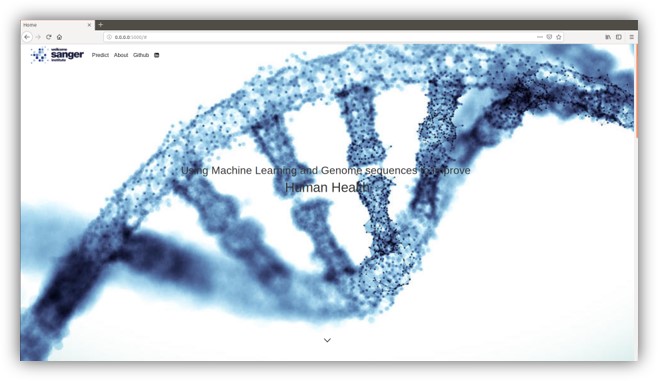
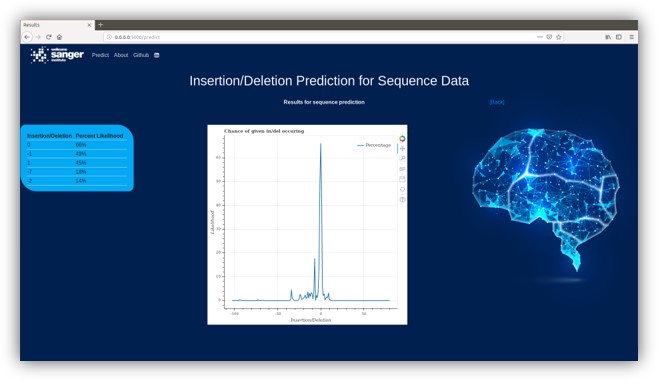
$ git https://github.com/addenergyx/machine-learning.git$ pip install -r requirements.txt$ python app.pyThe model was deployed to production using Heroku.
$ sudo apt-get install make
$ sudo cpan App::cpanminus
$ sudo cpanm Text::CSV::Slurp Try::Tiny Log::Log4perl Parallel::ForkManager Text::CSV::Separator Text::CSV_XS Getopt::Long
Vinna rna install
$ sudo apt-add-repository ppa:j-4/vienna-rna
$ sudo apt-get update
$ sudo apt-get install vienna-rna
Advise using anaconda distribution because it comes with spyder and jupyter notebook and allows easy configuration of different environments. Jupyter notebok only used for visualization of data in a browser.
$ git https://github.com/addenergyx/machine-learning.gitEnsure the right data is pointing to the network in the config file .nn_config.yml or by using flags
$ vim ~/machine-learninng/.nn_config.ymlIf you are using a large dataset that cannot fit into memory split the data into separate csv files in one directory and point the --batch flag to the directory
$ python ~/machine-learning/neural_network.pyEnsure the right data is pointing to the network in the config file .cn_config.yml or by using flags
vim ~/machine-learninng/.cn_config.ymlIf you are using a large dataset that cannot be encoded into memory, firstly encode the dataset and save that csv, then point the --batch flag to that file. This will read the file and add one line into memory and the model at a time using the python generator.
python ~/machine-learning/classification_neural_network.py- Keras - The main machine learning framework used. High level API for Neural Networks using Tensorflow in the backend.
- Bootstrap - Free front-end framework for faster and easier web development.
- Scikit-learn - Used for data encoding and cross validation.
- Heroku - Cloud platform used to deploy the model.
- Flask - Python web framework.
Python scripts files:
| Filename | Description |
|---|---|
| classification_neural_network.py | Classification approach to use case, model used in the WebApp. |
| neural_network.py | Regression approach to use case. |
| .cn_config.yml | Configuration file for the classification model. |
| encode_data.py | Parse large dataset and produce encoded binary data for the classification model. |
Webapp files:
| Filename | Description |
|---|---|
| requirements.txt | All dependencies to run webapp on heroku. |
| app.py | Flask application. |
| Procfile | Specifies the commands that are executed by the app on startup. |
| tests/test.py | Unit testing on web application. |
| templates/home.html | Web app home page. |
| templates/results.html | Web app results page. |
Other files:
| Filename | Description |
|---|---|
| README.md | Markdown file description of the project. |
| data_preprocessing.pl | Feature extraction from miseq data. |
| classification_data_preprocessing.pl | Feature extraction from miseq data. |
| merge_csv.pl | Merges several data files into one. |
| static/css/styles.css | Styling for webapp. |
- Tensorflow 2.0
- Google Charts
- Docker
- Figure filters