See inside your AI agents.
AgenticLens is a developer tool for visualizing and debugging AI agent workflows from JSONL logs.
It converts raw traces into an interactive workspace with flow graphs, event trees, timelines, replay controls, and step-level inspection.
Beta: AgenticLens is currently in beta.
If you find a bug or unexpected behavior, please report it in GitHub Issues.
Agent runs are hard to reason about from raw logs alone:
- Flows are implicit
- Nested tool chains are noisy
- Latency and token issues are easy to miss
AgenticLens helps you:
- Understand reasoning and tool usage
- Visualize full execution flow
- Detect slow or high-token steps quickly
- Replay sessions step by step
- Inspect each event with metadata and raw JSON
Run directly with npx:
npx agenticlens path/to/logs.jsonlThe app starts and opens in your browser.
You can also launch and upload files/folders directly in the UI.
Watch the full walkthrough:
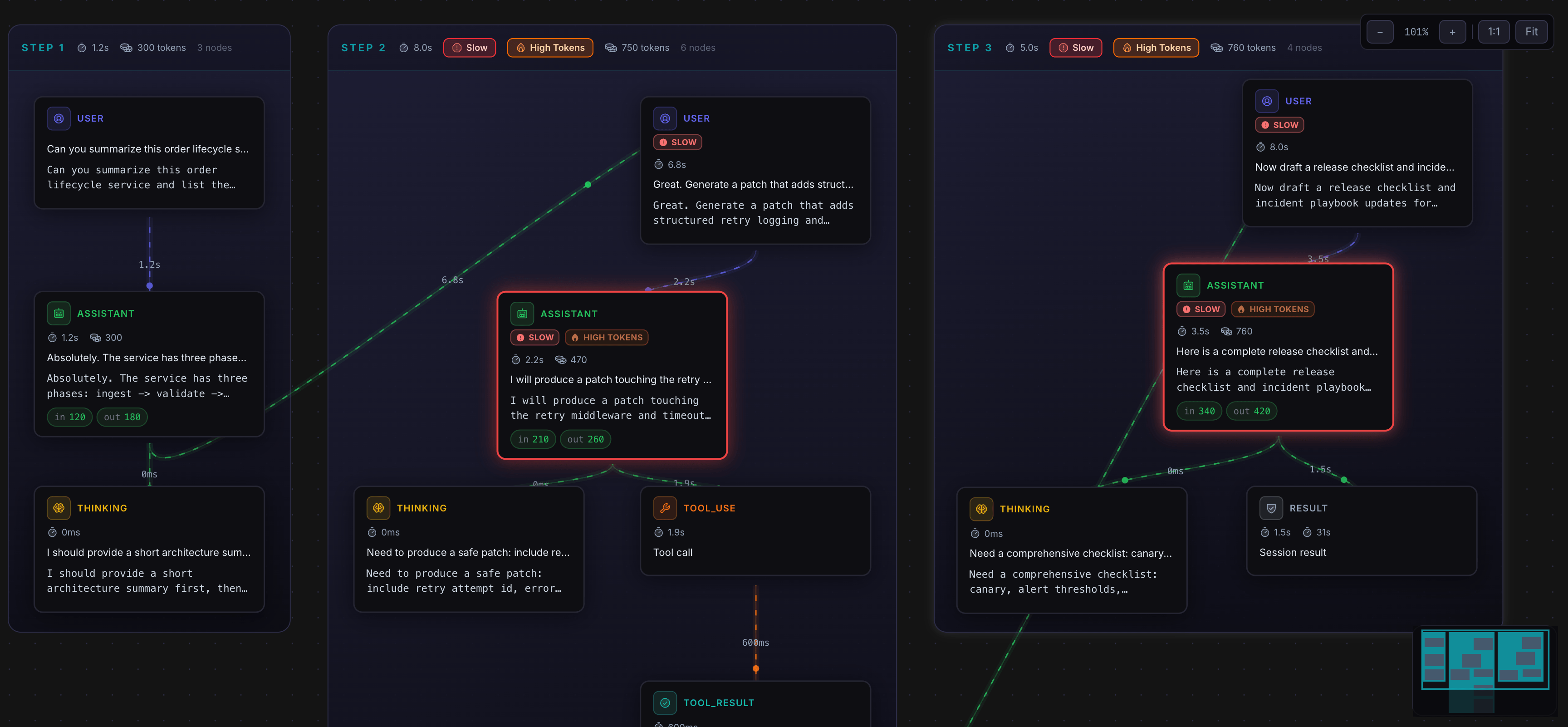
Visual graph of each run with connected steps, slow/high-token badges, and clear transitions between queue ops, user turns, thinking, tools, and results.
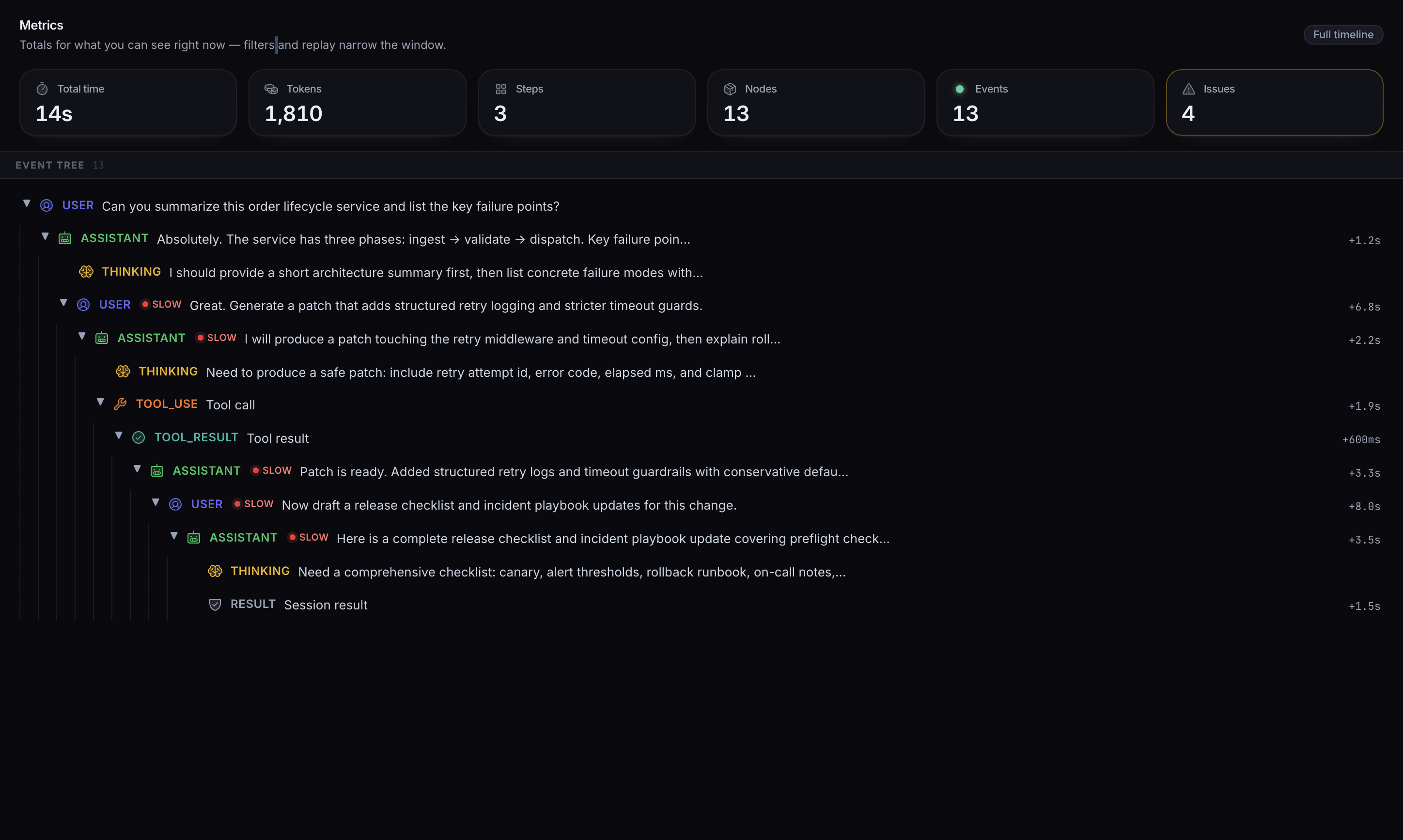
Hierarchical breakdown of events and sub-steps so you can expand branches and inspect execution structure in context.
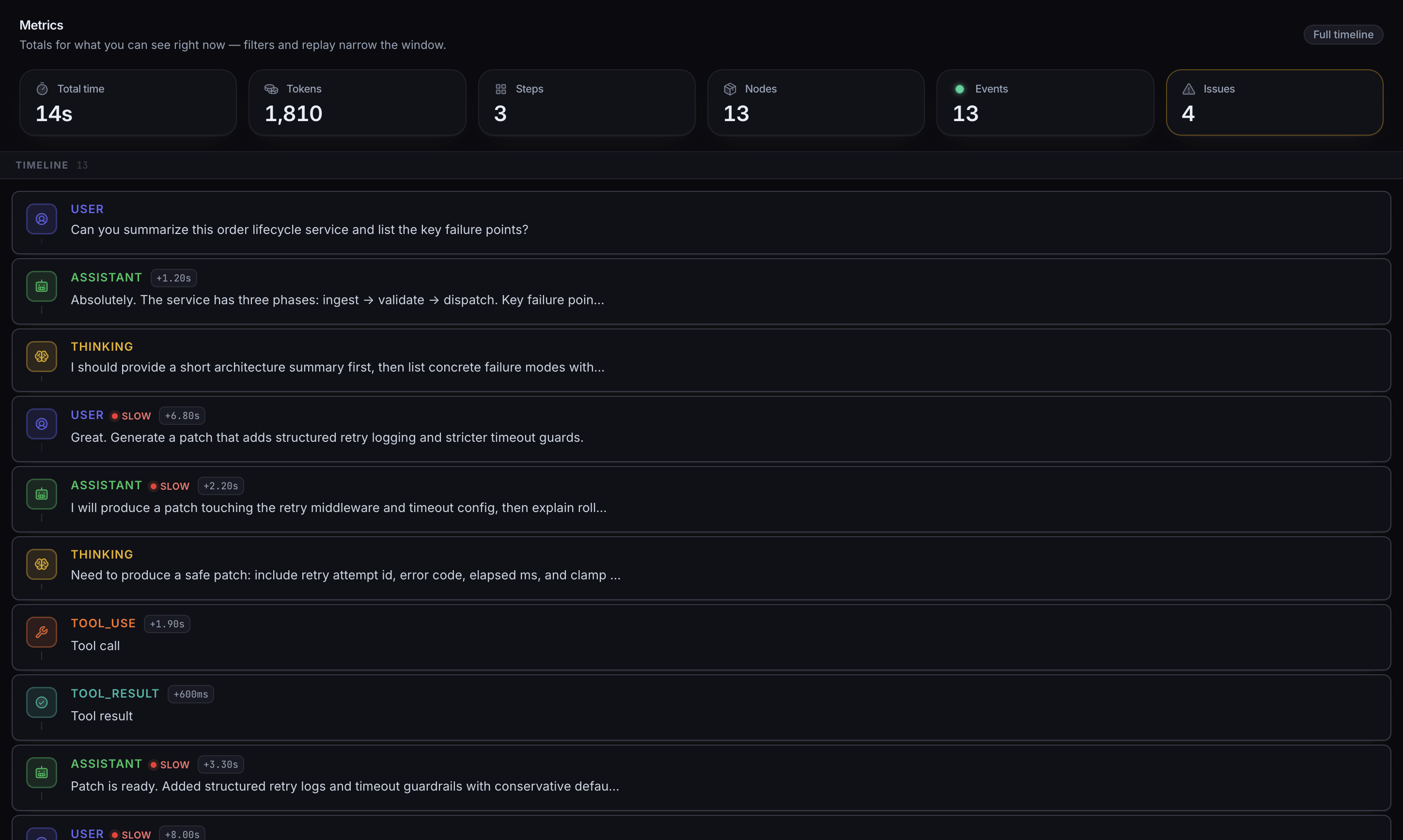
Chronological event stream with timing deltas and performance signals for debugging ordering and latency gaps.
Flow canvas paired with inspector details (metadata + raw JSON) so topology and payload stay aligned.
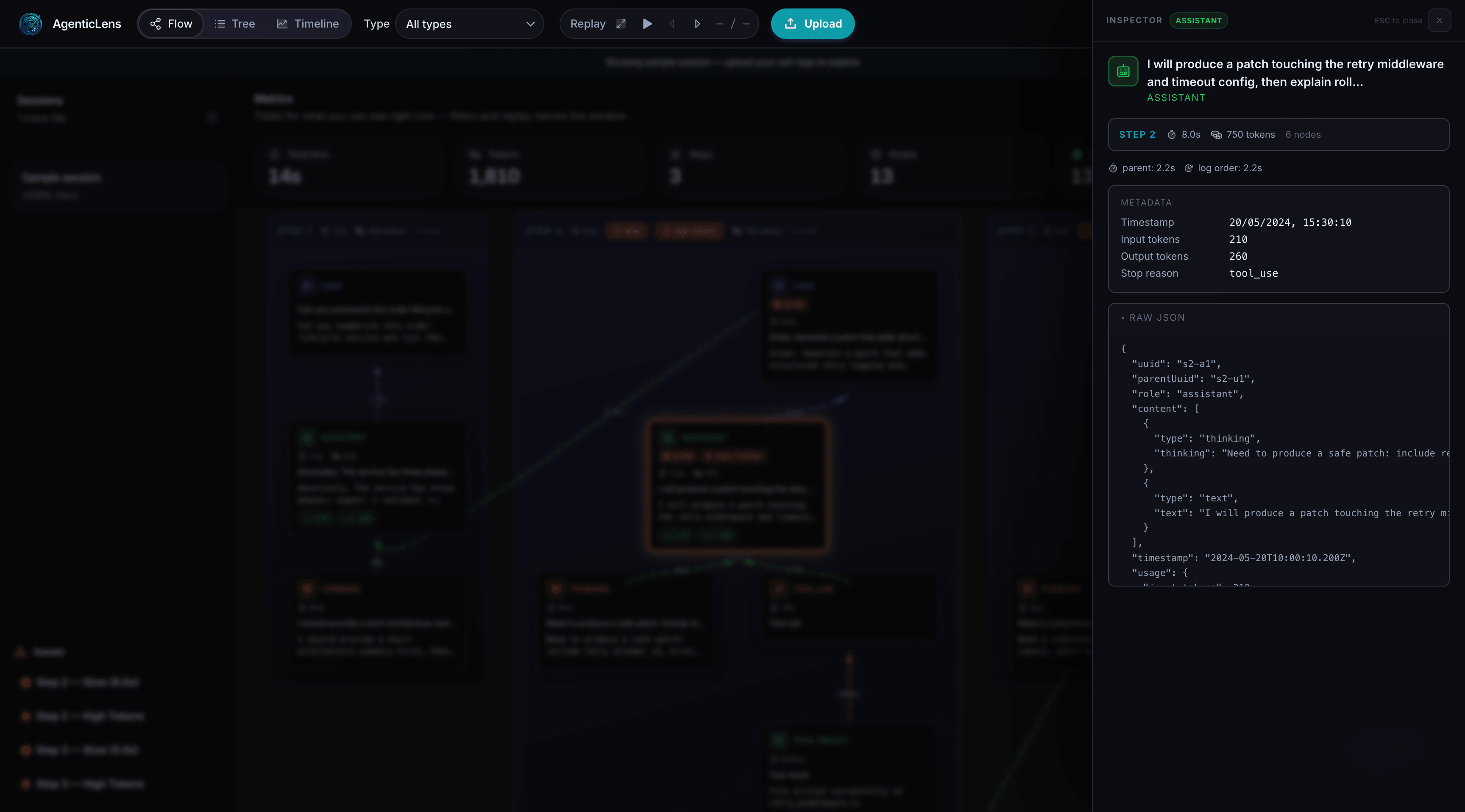
- Flow View: graph of execution steps and transitions
- Tree View: nested event hierarchy
- Timeline View: ordered event feed with deltas
- Replay: step through session progression
- Session Summary: totals for time, tokens, steps, nodes, and issues
- Inspector Panel: detailed event metadata and raw JSON
- Anomaly Signals: slow spans, token-heavy steps, bottlenecks
Current:
- Claude Agent SDK JSONL logs
Planned:
- OpenAI Agents
- Custom agent frameworks
- SDK-based integrations
- Debugging agent workflows
- Understanding reasoning and tool usage
- Optimizing latency and cost
- Comparing different runs
- Building more reliable AI systems
- SDK integration (
agenticlens.init()) - Chrome DevTools extension
- Multi-provider support
- Run comparison
- Cloud dashboard
npm install
npm run build
node cli/index.js sample-logs.jsonlMIT