In the main project directory, run: python load.py python clean.py
Cd into dbt, run: dbt build (NOTE: my absolute path is used in profiles.yml -- to run on a different server, replace absolute path with your own)
Return back to main project directory, run: python analysis.py
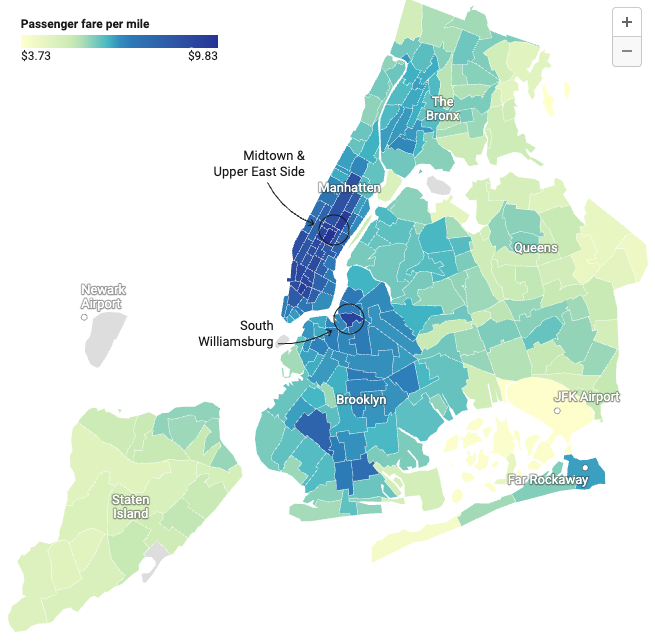


This project demonstrates basic data engineering and data science skills. Using the freely available NYC Trip Record data you will calculate CO2 output for rides within 2024 and perform some basic statistical analysis based on transformations you add to these data.
Use the structure of this repository to submit your work. Complete the Python scripts as indicated below, and add DBT model files within the appropriate subfolder.
Begin by forking this repository into your own account within GitHub. You will push change back to your own fork:
The data for this assignment are available from the NYC Taxi Commission Trip Record Data page: https://www.nyc.gov/site/tlc/about/tlc-trip-record-data.page
You will be working with ALL data for 2024 for both YELLOW and GREEN taxis. Each month is available as a Parquet file for each taxi type.
There is also a small data/vehicle_emissions.csv file in this repository that will provide a reference when calculating CO2 output based on distance (in miles) and co2_grams_per_mile.
Assemble all trip data (Yellow and Green) into one or two DuckDB tables in a local DuckDB database. Given the full requirements of this project you should determine how to structure your data.
Complete the load.py script to create a local, persistent DuckDB database that creates and loads (at most) three tables:
- A full table of YELLOW taxi trips for all of 2024.
- A full table of GREEN taxi trips for all of 2024.
- A lookup table of
vehicle_emissionsbased on the included CSV file above.
Your load.py script should also output raw row counts for each of these tables, before cleaning. Recall that once a table exists (perhaps with a CREATE TABLE query defining columns and data types), subsequent DuckDB commands like this will continue to load the same table:
-- Insert data from the 8th file
INSERT INTO my_table
SELECT * FROM read_parquet('file8.parquet');

-- Insert data from the 9th file
INSERT INTO my_table
SELECT * FROM read_parquet('file9.parquet');
NOTE: Given the redundancy of the examples above (nearly identical lines for each Parquet file) inserting multiple data sources into a single table should make use of programmatic means of iterating through the various sources, instead of statically coding individual INSERT statements, each for a separate data source.
NOTE: Ask yourself: Do I need all columns for tables being imported?
Trips should be cleaned and checked for the following conditions (whether or not they exist):
- Remove any duplicate trips.
- Remove any trips with
0passengers. - Remove any trips 0 miles in length.
- Remove any trips longer than 100 miles in length.
- Remove any trips lasting more than 1 day in length (86400 seconds).
Complete the clean.py script to perform these steps and include code that checks/verifies that these conditions no longer exist in your trip table(s) within your DuckDB database. See this reference for examples.
After cleaning you should have 1 or 2 cleaned trip tables representing YELLOW and GREEN trips for all of 2024. Perform the following transformations to the data:
- Calculate total CO2 output per trip by multiplying the
trip_distanceby theco2_grams_per_milevalue in thevehicle_emissionslookup table, then dividing by 1000 (to calculate Kg). Insert that value as a new column namedtrip_co2_kgs. This calculation should be based upon a real-time lookup from thevehicle_emissionstable and not hard-coded as a numeric figure. - Calculate average miles per hour based on distance divided by the duration of the trip, and insert that value as a new column
avg_mph. - Extract the HOUR of the day from the
pickup_timeand insert it as a new columnhour_of_day. - Extract the DAY OF WEEK from the pickup time and insert it as a new column
day_of_week. - Extract the WEEK NUMBER from the pickup time and insert it as a new column
week_of_year. - Extract the MONTH from the pickup time and insert it as a new column
month_of_year.
Complete the transform.py script to perform these steps using python-based DuckDB commands. For SQL reference see this page from earlier in the semester.
For an additional 6 points, perform these steps using models in DBT. Save these files to dbt/models/.
Complete the analysis.py script to report the following calculations using DuckDB/SQL. You should give one answer for each cab type, YELLOW and GREEN:
- What was the single largest carbon producing trip of the year for YELLOW and GREEN trips? (One result for each type)
- Across the entire year, what on average are the most carbon heavy and carbon light hours of the day for YELLOW and for GREEN trips? (1-24)
- Across the entire year, what on average are the most carbon heavy and carbon light days of the week for YELLOW and for GREEN trips? (Sun-Sat)
- Across the entire year, what on average are the most carbon heavy and carbon light weeks of the year for YELLOW and for GREEN trips? (1-52)
- Across the entire year, what on average are the most carbon heavy and carbon light months of the year for YELLOW and for GREEN trips? (Jan-Dec)
- Use a plotting library of your choice (
matplotlib,seaborn, etc.) to generate a time-series plot or histogram with MONTH along the X-axis and CO2 totals along the Y-axis. Render two lines/bars/plots of data, one each for YELLOW and GREEN taxi trip CO2 totals.
Your script should give text outputs for each calculation WITH a label explaining the value. The plot should be output as a PNG/JPG/GIF image committed within your project.
- Your repository URL must be a fork of this repository.
- All code should execute without significant errors. Minor warnings or notifications (version changes, deprecation warnings, etc.) are acceptable.
- All code must be in Python, SQL, and YAML. No bash scripts or other languages will be accepted.
- Code quality matters. Scripts should always use error handling, logging, clearly defined functions, and
__name__ == __main__default handlers. - Date/Time extractions are made simple with DuckDB. See DuckDB Date Functions and DuckDB Date Part Functions.
- All SQL queries for this project are easily within the grasp of students. Make use of distributed reference materials.
- Log segments of your functions appropriately, and be sure to log exceptions and their output. Each functional stage of this project (load, clean, transform, analyze) should have its own separate log file. See this reference.
- You MUST use the naming conventions given in this assignment (
load.py,clean.py,transform.py,analysis.py) as they will be invoked by grading tools. If using DBT please indicate that in thetransform.pyfile as a comment.
Add, commit, and push your work and submit the URL to your repository for grading. You should NOT commit any Parquet files, logs, or local database files to your repository.
You will be graded according to the rubric distributed with this assignment. Partial credit will be given, and you may choose to complete only some of the requirements.
For an additional 5 points expand your entire codebase to cover the time period 2015-2024. All data is available in the NYC Taxi Trip Data site. Perform the same loading, cleaning, and transformations. Report comprehensive analysis figures for the entire range of 2015-2024 instead of only 2024. Likewise the generated plot should represent this entire date range.
Use the rubric to track your work and scope of tasks. Edit the PDF version of the rubric using Adobe Acrobat Reader, indicating what tasks you attempted and those you did not. Save that revised PDF and submit as part of the Canvas assignment.