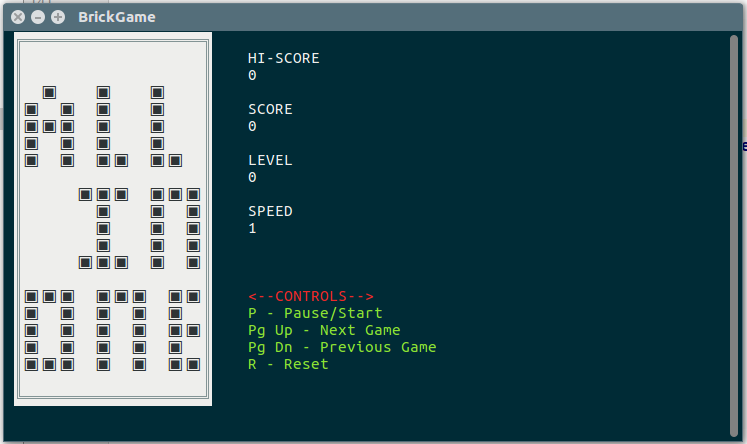
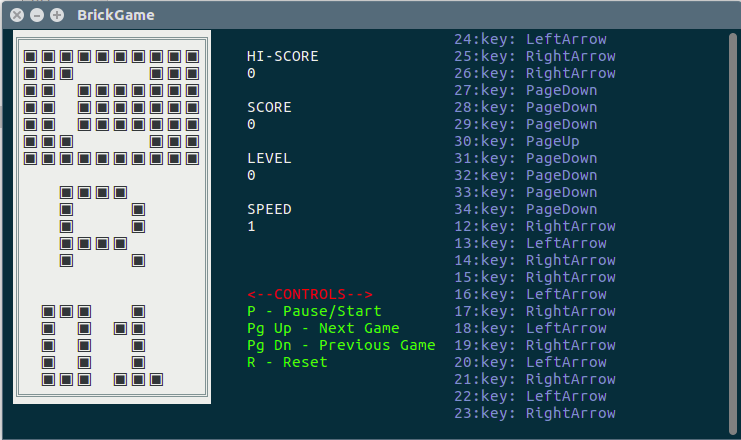
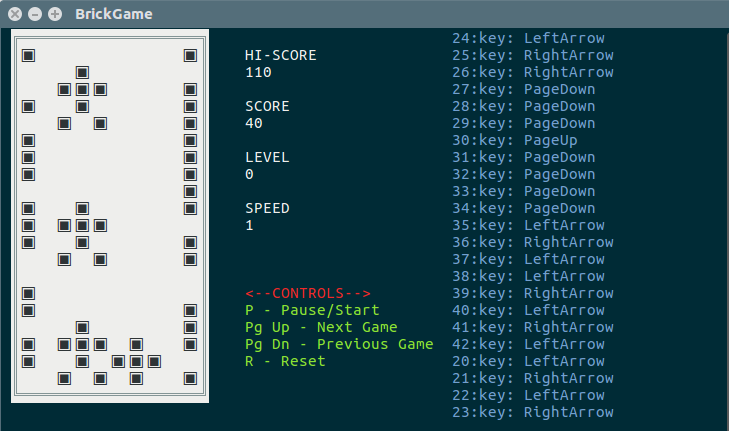
Эмулятор игровой платформы BrickGame.
- Гафиятуллин Эмиль, группа 11-709
- Садыков Булат, группа 11-708
- Козлов Ярослав, группа 11-707
Класс для работы с игровым полем. Представоляет собой двумерный массив 10 на 20.
Кострукторы:
- BGField() - Создает двумерный массив 10 на 20 состоящий из нулей.
- BGField(int[][] field) - Принимает двумерный массив и с ним работает.
Доступные методы:
- int GetWidth() - Возвращает ширину поля.
- int GetHeight() - Возвращает высоту поля.
- int GetValueByPosition(int x, int y) - Возвращает значение ячейки поля в указанных координатах.
- void SetValueAtPosition(int x, int y, int value) - Устанавливает указанное значение в ячейку поля в указанных координатах.
Методы:
- void Create() - Вызывается кода игра была впервые создана. Здесь вы должны выполнить всю статическую настройку: инициализация игрового поля.
- BGField Run(ConsoleKey key) - Вызывается при каждом игровом такте.
- string SplashScreen() - Вызывается для установки превью-анимации игры.
- void Start() - Срабатывает при выходе из состояния PAUSE
- void Pause() - Срабатывает при входе в состояние PAUSE
- void Destroy(BGDataStorage storage) - Вызывается при смене игры.
- void SetScore(int score) - Устанавливает количество очков.
- void SetSpeed(int speed) - Устанавливает скорость игры. Значение от 1 до 15.
- void SetLevel(int level) - Устанавливает уровень игры.
- bool IsPause() - Возвращает состояние игры.
- Наследуйте класс Game в вашей игре.
public class SampleGame : Game
{
    //implements
}- Перепешите методы void Сreate(), BGField Run(ConsoleKey), string SplashScreen(), void Start(), void Pause(), void Destroy(BGDataStorage).
public class SampleGame : Game
{
    public override void Create()
    {
        base.Create();
    }

    public override BGField Run(ConsoleKey key)
    {
        return base.Run(key);
    }

    public override string SplashScreen()
    {
        return base.SplashScreen();
    }

    public override void Start()
    {
        base.Start();
    }

    public override void Pause()
    {
        base.Pause();
    }

    public override void Destroy(BGDataStorage storage)
    {
        base.Destroy(storage);
    }
}- Теперь надо создать игровое поле (BGField) в методе Create()
public class SampleGame : Game
{
    private BGField field;

    public override void Create()
    {
        field = new BGField();
    }

    //...

}- Реализуем метод Run()
public class SampleGame : Game
{
    private BGField field;

    //...

    public override BGField Run(ConsoleKey key)
    {
        return field;
    }

    //...

}- Устанавливаем превью-анимацию Пример
public class SampleGame : Game
{

    //...

    public override string SplashScreen()
    {
        return "sample_game.sph"; //Файл с анимацией
    }

    //...

}- Добавляем обработку нажатия клавиши.
public class SampleGame : Game
{

    //...

    public override BGField Run(ConsoleKey key)
    {
        if (key == ConsoleKey.UpArrow) Up();
        if (key == ConsoleKey.DownArrow) Down();
        if (key == ConsoleKey.RightArrow) Right();
        if (key == ConsoleKey.LeftArrow) Left();
        return field;
    }

    public void Up(){}

    public void Down(){}

    public void Right(){}

    public void Left(){}

    //...
}- Добавляем передвижения.
public class SampleGame : Game
{
   //Первоначальная позиция точки
   private int x = 0;
   private int y = 0;

    //...

    private void Up()
    {
       field.SetValueAtPosition(x, y, 0); //Закрашиваем точку в текущей позиции
       if (y != 0) y--; //Меняем позицию
       field.SetValueAtPosition(x, y, 1); //Рисуем точку в новой позиции
    }

    private void Down(){}

    private void Right(){}

    private void Left(){}

    //...
}
Полный код
namespace BrickGameEmulator
{
   public class SampleGame : Game
   {
       private BGField field;

       private int x = 0;
       private int y = 0;

       public override void Create()
       {
           field = new BGField();
       }

       public override BGField Run(ConsoleKey key)
       {
           if (key == ConsoleKey.UpArrow) Up();
           if (key == ConsoleKey.DownArrow) Down();
           if (key == ConsoleKey.RightArrow) Right();
           if (key == ConsoleKey.LeftArrow) Left();
           return field;
       }

       private void Up()
       {
           field.SetValueAtPosition(x, y, 0);
           if (y != 0) y--;
           field.SetValueAtPosition(x, y, 1);
       }

       private void Down()
       {
           field.SetValueAtPosition(x, y, 0);
           if (y != field.GetHeight() - 1) y++;
           field.SetValueAtPosition(x, y, 1);
       }

       private void Right()
       {
           field.SetValueAtPosition(x, y, 0);
           if (x != field.GetWidth() - 1) x++;
           field.SetValueAtPosition(x, y, 1);
       }

       private void Left()
       {
           field.SetValueAtPosition(x, y, 0);
           if (x != 0) x--;
           field.SetValueAtPosition(x, y, 1);
       }

       public override string SplashScreen()
       {
           return "sample_game.sph";
       }
   }
}- Открыть BGGames.cs
- Добавить в массив игру
private readonly Game[] _games =
{
    new SampleGame()
};