You signed in with another tab or window. Reload to refresh your session.You signed out in another tab or window. Reload to refresh your session.You switched accounts on another tab or window. Reload to refresh your session.Dismiss alert
A simple, cross platform, modulith ecommerce system built on .NET Core
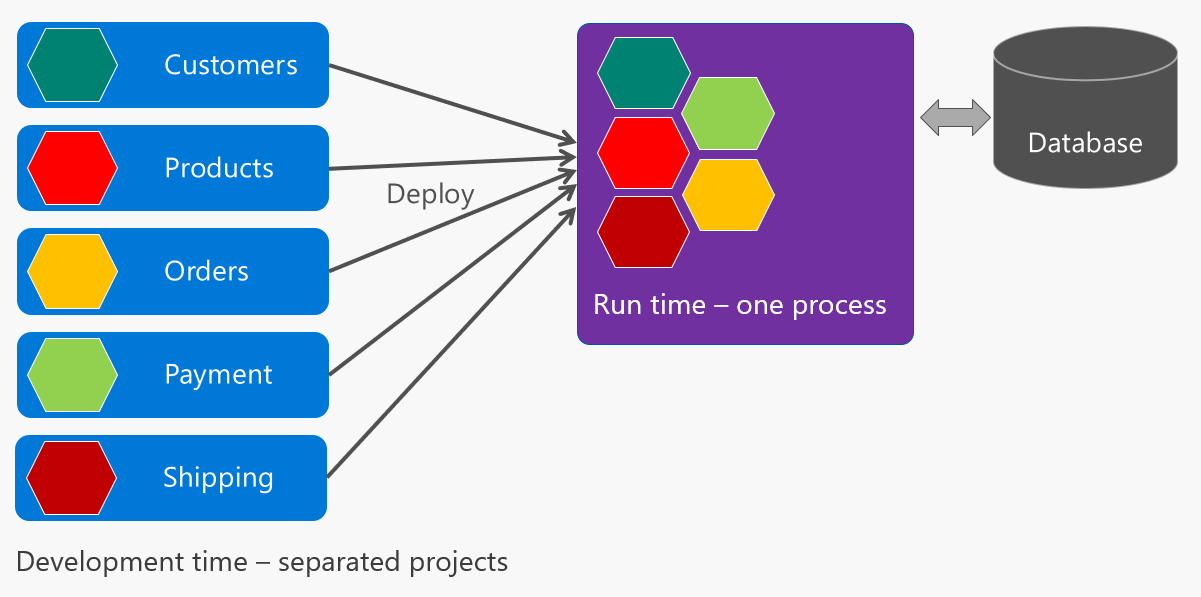
High level architecture
Visual Studio 2022 and SQLite
Prerequisites
SQLite
Visual Studio 2022 and .NET 8
Steps to run
Build the whole solution.
In Solution Explorer, make sure that SimplCommerce.WebHost is selected as the Startup Project
Open the Package Manager Console Window and make sure that SimplCommerce.WebHost is selected as the Default project. Then type "Update-Database" then press "Enter". This action will create the database schema.
In Visual Studio, press "Control + F5".
The back-office can be accessed via /Admin using the following built-in account: admin@simplcommerce.com, 1qazZAQ!