


Welcome to the Docker PDF Server! This project provides a responsive and ultra-minimalist PDF server running on Docker. Built with Flask and HTML, it offers a no-nonsense, straightforward way to upload, delete, view, search, and serve PDFs.
I developed this server out of a personal need for a quick, e-book-like viewing experience for my PDF library. Unlike document organizers like Paperless-ngx or eBook focused apps like Calibre-web, Kavita etc., this server focuses solely on delivering a simple way to upload, browse, search, and access PDF e-books for reading. When you click on a PDF, it is served as is.
It is actually functionally similar to any typical client app for a NAS. However, this server brings the convenience of browser-based access, allowing for quick viewing and on-the-go reading on any device.
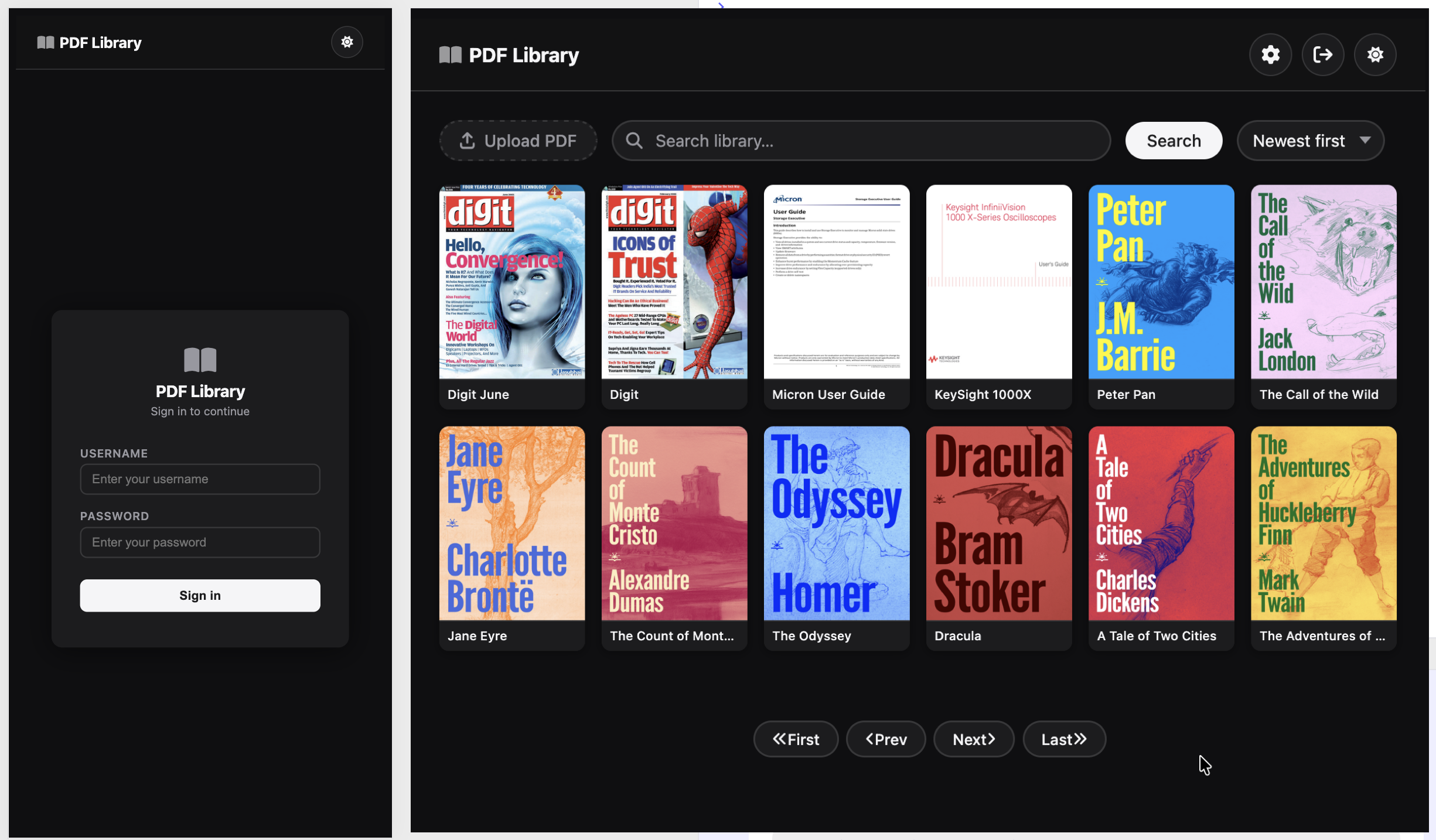
- This server is not designed to be a comprehensive document organizer like Paperless-ngx.
- It lacks a database or any form of grouping/bookmarking system and relies solely on file system, potentially limiting scalability if you want to have anything over a few 1000 files.
- Session-based authentication is implemented, but not OAuth (Might do it later if I see the need). It is advisable not to expose the server publicly without additional security. I use this with Authelia running on my reverse-proxy.
- Currently, it lacks a folder system. Although this feature is simple enough to do and could be considered for future implementation.
- Error handling although basic covers all scenarios.
Just run the below docker command replacing the username, password and secret with your preferred values, and you should be up and running.
docker run -e DOCKER_PDF_SERVER_USER=<your-username> \
 -e DOCKER_PDF_SERVER_PASSWORD=<your-password> \
 -e DOCKER_PDF_SERVER_KEY=<your-random-secret-key> \
 -v /Users/writable/host/path/pdf-library:/app/library/ \
 -v /Users/writable/host/path/user-db:/app/instance/ \
 -p 3040:5000 ghcr.io/ash0ne/docker-pdf-server:latest
You can then access the app by going to http://localhost:3040
Note: Starting the container without setting the env vars will start it with the default key, username and password
Any version after 1.4.x, the default admin user configured through env vars DOCKER_PDF_SERVER_USER and DOCKER_PDF_SERVER_PASSWORD
can add additional admins, maintainers and readers
- Admin - Can add other users
- Maintainer - Cannot add users but can upload, delete files
- Reader - Can only read files
Note: To switch users, use the logout button in the top-right corner of the app.
- Get started by creating a python venv in this directory by running
python3 -m venv venvorpython -m venv venv - Then run
source venv/bin/activateon Linux/macOS. - If on Windows, run
env/Scripts/activate.batin CMD orenv/Scripts/Activate.ps1for PowerShell. - Then run
pip install -r requirements.txt - After that, you can start your app server for development by running
python3 app.pyorpython app.py - If you want to build a docker image you can do so by running
docker build . -t docker-pdf-server:latest
Note: The default Flask Secret Key is set to
super_secret_keyin the app and should be changed by setting the env varDOCKER_PDF_SERVER_KEYSimilarly, the default user is
adminand can be changed by setting the env varDOCKER_PDF_SERVER_USERand the default password ispasswordand can be changed by setting the env varDOCKER_PDF_SERVER_PASSWORD
Feature development has been driven by personal use case, primarily centered around managing a few hundred PDFs for reading. However, I might think of additions that maintain the server's lightweight nature, such as a folder system etc.
Feel free to contribute or raise issues to improve the Docker PDF Server!