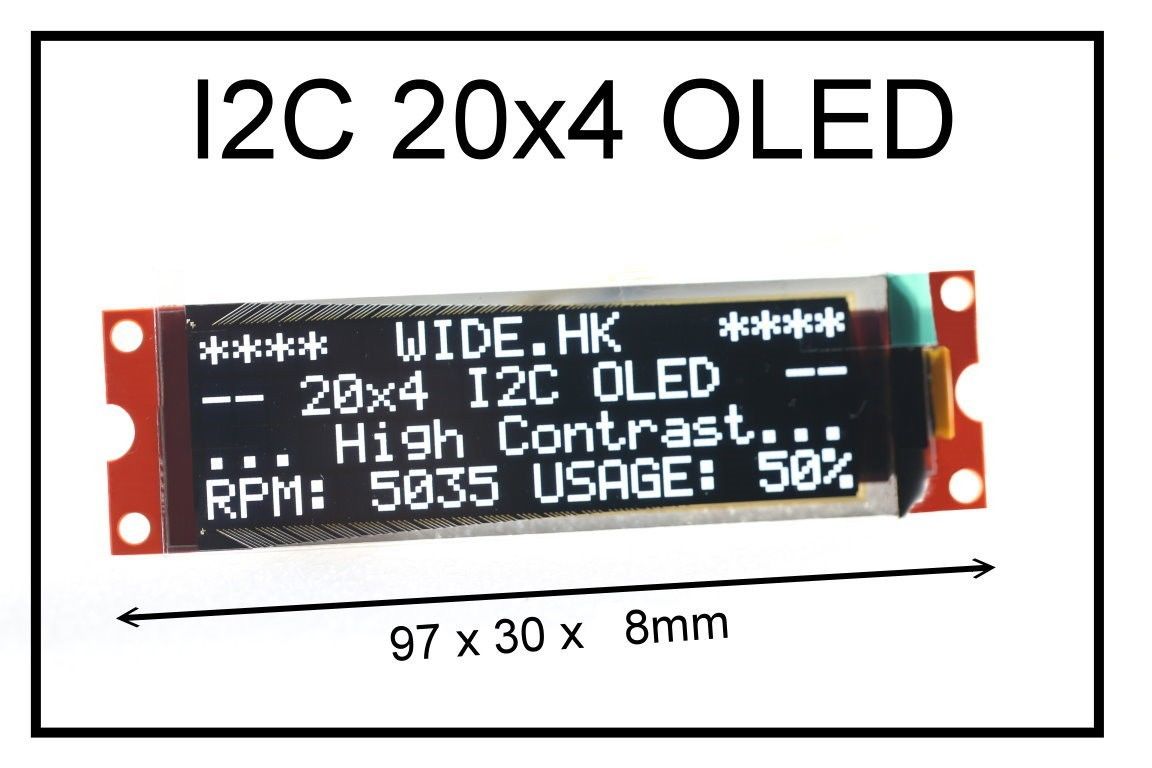
Display Driver for the Wide.HK 20x4 SSD1311 Character mode OLED display
This display library implements output and positioning along with custom character sets for the Wide.HK 20x4 OLED Display which can be purchased online at the Wide.HK Store
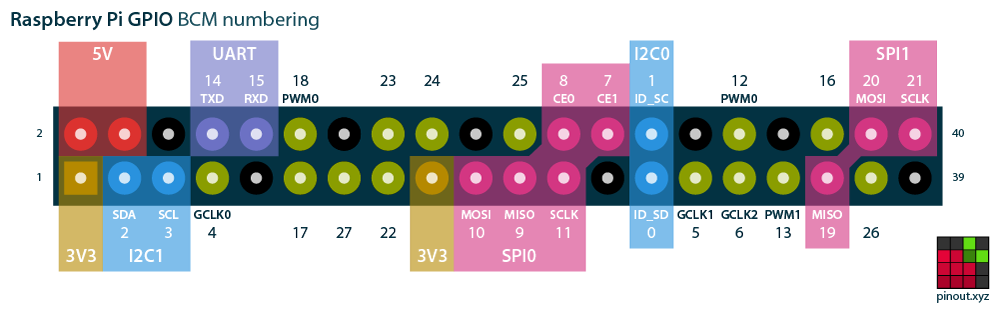
To use with a Raspberry-Pi (I used a Zero); connect the
SCL/SDA/3V3/GND pins (I used I2C1) and copy the source code to your system.

Issue the "make" command and build the application. Run the oledtest as below:
$./oledtest /dev/i2c-1
The application will run a demo showing features of the display and cycling through all of the CGROM contents.
An Arduino port of the same demo lives in the 2024_oled/ folder and has been verified on an
Arduino Uno R4 Minima (Renesas RA4M1).
It should also build unchanged on classic Uno / Nano / Mega / ESP32 / RP2040 - only the SDA/SCL header pins differ.
Wiring (Uno R4 Minima):
- SDA -> dedicated SDA pin (also exposed on A4)
- SCL -> dedicated SCL pin (also exposed on A5)
- VCC -> 3V3 or 5V per the Wide.HK module's onboard jumper
- GND -> GND
Sketch layout:
2024_oled/2024_oled.ino-setup()/loop()demo, calls only the publiclcd_*API.2024_oled/ssd13xx_20x4_oled.candssd13xx_20x4_oled.h- copies of the common driver. The Arduino IDE only compiles sources inside the sketch folder, so these are duplicated rather than referenced from the repo root.2024_oled/ssd13xx_io_arduino.cpp- Arduino-specific glue:ssd13xx_write()over theWirelibrary andms_delay()mapped todelay(). Wrapped inextern "C"so the C driver links cleanly into the C++ sketch.
The common header ssd13xx_20x4_oled.h carries extern "C" guards so the same driver
source builds verbatim under Linux (this repo's Makefile), NuttX (lcd_2004_nuttx.c),
and Arduino - only the platform glue file differs.
To build: open 2024_oled/2024_oled.ino in the Arduino IDE, select Tools -> Board -> Arduino Uno R4 Minima
(or your target), and upload. No external libraries are required - only the built-in Wire.
The OLED slave address (0x3c) is set in ssd13xx_io_arduino.cpp.
I2C clock defaults to 100 kHz to match the Linux / NuttX configuration. Uncomment
Wire.setClock(400000); in setup() for 400 kHz Fast Mode - the SSD1311 supports it.
The display is low power, small, and lightweight and may be used in a wide variety of embedded applications where a high visibility text display is required that will operate in a wide variety of lighting conditions.