
About a year ago, I started my very own home server for various services like nextcloud and jellyfin on a very old HP laptop running Debian 11 with docker containers. It had a 4-core CPU, 6GB of DDR3 RAM, and 1TB of hard drive space on a 2.5 mechanical drive. It was very simple and power-efficient.

But eventually I wanted something with more storage and power to run a hypervisor like proxmox while at the same time still being power-efficient (under 30 watts).
Why a hypervisor? It would allow me to run some services that are hard to configure perfectly inside docker containers. So taking an very old desktop case, gutting it, then putting better and power-efficient componenents inside, I present to you my server!


Most of them are pretty normal; nothing server-grade.
- Intel Quad-Core i3-10105T 3.0GBz
- Asrock H510m-HDV R2.0 Motherboard
- 2x16GB 3200MHz DDR4 RAM
- 500GB Sata SSD (Used as boot drive)
- 2x4TB Western Digital Red Plus NAS HDD
- PicoPSU-120
The only things out of the ordinary are the hard drives (NAS-grade) and the PicoPSU.
Most power supply that you see in normal computers are meant to have more power drawn from them above ~50 watts. Below that, they are not very power-efficient and since home servers tend to idle more than PCs, it makes sense to get something that is performant at lower watts. Which is where the PicoPSU comes in.
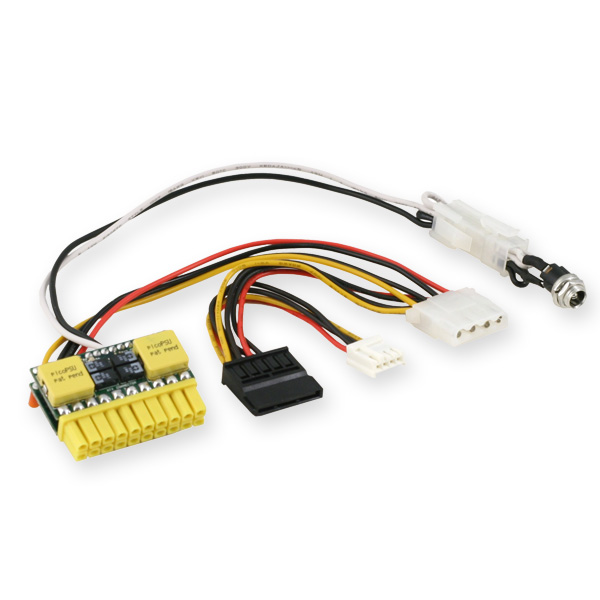
They are usually used in small-form factor computers, but this fit my use case here. Overall, the server idles at around 20 watts; just 10 more watts compared to my laptop.
For the hard drives, I'm using them for storage and other files so I wanted something that was up to the task. Plus I needed two of them to make a RAID 1 (mirror of each other) for redundancy.

A lot of the programs on server are a mixture of LXC containers, docker, and just standalone virtual machines(VMs). This gives me a lot of flexibility in how I want to deploy the services.
For example, if I wanted a service to only have one core of my CPU, I can do that. If I want or need them inside a docker container, I have a single VM where I can put them inside of.
I won't list all the services that I have on my server, but these are the few important ones to me.
- Jellyfin
- Pihole
- Nginx Proxy Manager
- Nextcloud
- Syncthing
- Portainer
- Wireguard (VPN)
- Home Assistant
Honestly, moving to Proxmox from just using docker was so easy. Dealing with only docker containers on my old server was a great learning experience for me and I wouldn't change that, but sometimes, I just wanted something installed without hassle or the instructions only showed me how to install a service or software using only a package manager. You would have to sometimes jump through hoops to get a docker container working.
This just proves that you don't need powerful hardware to get started with. So if you have a old laptop or computer kicking around, mabye it give it a try. You'll be surprised how capable something so old can still be used in many ways.
