This tool is made as a proof of concept for visualizing Docker Swarm overlay networks and showing information with regards to processes running in the container with listening ports and showing the firewall input chain status. The tool generates a graph like shown in the picture below.
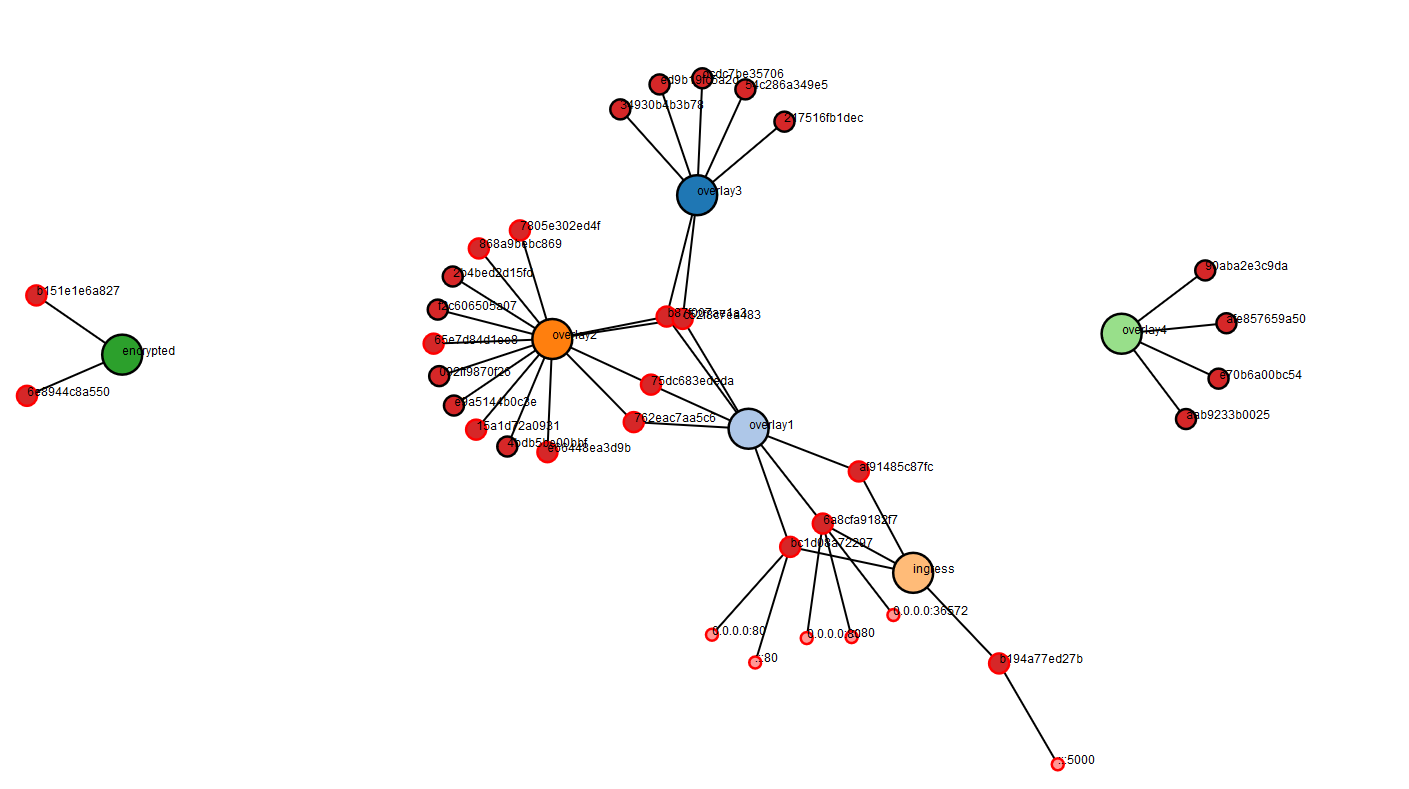
The tool shows information about the overlay network when you hover over a node representing the network.

It is also possible to hover over a node representing a container. This way you can check on which Docker host the container is running or check the status of the firewall input chain.
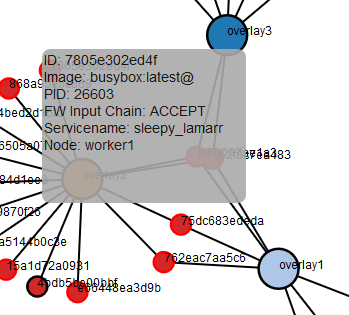
Ports on the containers that are in a listening state are also shown in the graph. You can check which processes have ports open.

The information used by the visualizer is a combination of information from the Docker Swarm API and information from a mysql database which is filled by agents running on the nodes in the Swarm runing the Docker Engine. On the Docker Swarm nodes the Python script "agent.py" can be run as cronjob reporting the process information for the containers every few minutes. The script sends the data in a json formatted way to two scripts which should run on a webserver running php and mysql. (I am aware the script is a bit hacky using the subprocess function but feel free to improve :-) )
In these installation steps I am going to assume you already have a Docker Swarm setup and have a webserver with php and mysql running.
- Enable the Docker remote API (add a firewall rule to ensure only the webserver can access the remote API)
- Copy the contents from the webserver folder to the webserver.
- Create a mysql database on your webserver and run the webserver/databasestructure.sql to create the structure of the database.
- Edit the config.php file, change the database name, username and password for the database to the one you created.
- Set the url to the Docker remote API in the same config.php file.
- Copy the agent/agent.py script to the Swarm hosts, install Python 3 and install the modules imported by the script.
- Change the webserver address in the script to your webserver address.
- Run the script to test if it works.
- Add the script to crontab and run every 5 or 10 minutes.
- If everything is set up correctly you should now be able to request the index.php file and see the visualization of your Docker Swarm.