Making multi-camera visual SLAM systems easier to set up and more robust to the environment is always one of the focuses of vision robots. Existing monocular and binocular vision SLAM systems have narrow FoV and are fragile in textureless environments with degenerated accuracy and limited robustness. Thus multi-camera SLAM systems are gaining attention because they can provide redundancy for texture degeneration with wide FoV. However, current multi-camera SLAM systems face massive data processing pressure and elaborately designed camera configurations, leading to estimation failures for arbitrarily arranged multi-camera systems. To address these problems, we propose a generic visual odometry for arbitrarily arranged multi-cameras -- MCVO, which can achieve metric-scale state estimation with high flexibility in the cameras' arrangement. Specifically, we first design a learning-based feature extraction and tracking framework to shift the pressure of CPU processing of multiple video streams. Then we use the rigid constraints between cameras to estimate the metric scale poses for robust SLAM system initialization. Finally, we fuse the features of the multi-cameras in the SLAM back-end to achieve robust pose estimation and online scale optimization. Additionally, multi-camera features help improve the loop detection for pose graph optimization. Experiments on KITTI-360 and MultiCamData datasets validate the robustness of our method over arbitrarily placed cameras. Compared with other stereo and multi-camera visual SLAM systems, our method obtains higher pose estimation accuracy with better generalization ability. This code runs on Linux, and is fully integrated with ROS.
Videos:
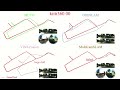
1.1 Ubuntu and ROS Ubuntu 20.04. ROS Noetic. ROS Installation additional ROS pacakge
sudo apt-get install ros-YOUR_DISTRO-cv-bridge ros-YOUR_DISTRO-tf ros-YOUR_DISTRO-message-filters ros-YOUR_DISTRO-image-transport
1.2 Ceres Solver Follow Ceres Installation, use version 2.0.0 and remember to sudo make install.
1.3 PCL Follow PCL_Installation, use version 1.10.0
1.4 OpenCV Follow OpenCV_Installation, use version 4.5.0
    sudo apt update && sudo apt install -y cmake

    mkdir ~/catkin_ws/ThirdParty && cd ~/catkin_ws/ThirdParty

    git clone https://github.com/opencv/opencv.git
    git clone https://github.com/opencv/opencv_contrib.git
    cd opencv
    git checkout 4.5.0
    cd ../opencv_contrib
    git checkout 4.5.0
    cd ../opencv
    mkdir build && cd build

    cmake -D CMAKE_BUILD_TYPE=RELEASE   -D CMAKE_INSTALL_PREFIX=../../opencv/install -D CMAKE_BUILD_TYPE=RELEASE  -D WITH_OPENGL=ON       -D OPENCV_EXTRA_MODULES_PATH=../../opencv_contrib/modules ..

    make install -j 4
Or
sudo apt-get install libopencv-dev=4.5.0*
1.5 Eigen Follow OpenCV_Installation, use version 3.3.7
    apt-get install wget unzip
    cd ~/catkin_ws/ThirdParty
    wget https://gitlab.com/libeigen/eigen/-/archive/3.3.7/eigen-3.3.7.tar.gz
    tar zxf eigen-3.3.7.tar.gz
    mv eigen-3.3.7.tar.gz eigen
Or
sudo apt-get install libeigen3-dev=3.3.7-1
Clone the repository :
    cd ~/catkin_ws/src
    git clone https://github.com/JunhaoWang615/MCVO.git
Put model and initial_image in src/MCVO/MCVO/config
Put brief_k10L6.bin in src/MCVO/support_files
catkin_make
    cd ../
    catkin_make
    source ~/catkin_ws/devel/setup.bash
Download KITTI360 Dataset. and then convert it to .bag file. The dataset has a total of 4 cameras, including two forward-looking cameras and one fisheye camera on the left and right. The system also works with MultiCamData dataset(MultiCamSLAM). We take KITTI360 sequence00 0-2277 frames as the example.
3.1 (Optional) Select the feature extraction algorithm and the cameras you wish to run in src/MCVO/MCVO/config/KITTI360/KITTI360.yaml. You can also modify KITTI360.yaml to another yaml file in src/MCVO/MCVO/launch/KITTI360.launch to fit your dataset
3.2 Open three terminals, launch the mcvo_estimator , rviz and play the bag file respectively. Take KITTI360 sequence00 0-2277 frames for example
    roslaunch mcvo KITTI360.launch
    rviz -d src/MCVO/MCVO/launch/KITTI360.rviz
    rosbag play YOUR_PATH_TO_DATASET/KITTI360_00_1.bag