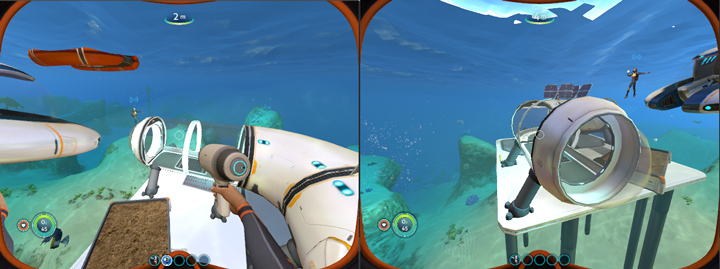
Shinkai was a co-op multiplayer mod for Subnautica based on the Nitrox project.
For technical details on the project, there is an accompanying blog post for this repository.
- Install Visual Studio Community.
- Open
Shinkai.sln. - Change solution configuration to
Release. - Build solution.
- Copy build files into your
Subnautica\Subnautica_Data\Managedfolder.
- Download DNSpy.
- Open
Assembly-CSharp.dllin DNSpy. - Navigate to
GameInput>Awake. - Right click the source, and select
Edit Method (C#).... - In the Edit Code window, press
Ctrl+Oor the folder icon toAdd Assembly Reference. - Add a reference to
ShinkaiClient.dll. - At the top of the source code for
Awake, addShinkaiClient.Main.Execute();. - Press
Compile. - From the
Filemenu, selectSave Moduleand overwrite the oldAssembly-CSharp.dll.
- Ensure you have port
33322open. - Run
ShinkaiServer.exe.
mpsave- Requests the server to save current world state.mpsync- Reconnects and resynchronizes state with the server.mpdump- Logs objects in the world to theoutput_log.txt