Self-Driving Car Engineer Nanodegree Program
The goal of this project was to build a path planning algorithm that takes into account traffic conditions and vehicle dynamics. The vehicle had to drive around the track while trying to maintain it's speed as close as possible to the speed limit (50mph). To achieve that, the vehicle had to properly switch lanes when blocked by vehicles, and keep within the following constraints:
- not exceed acceleration above 10m/s^2
- not exceed jerk of 10m/s^3
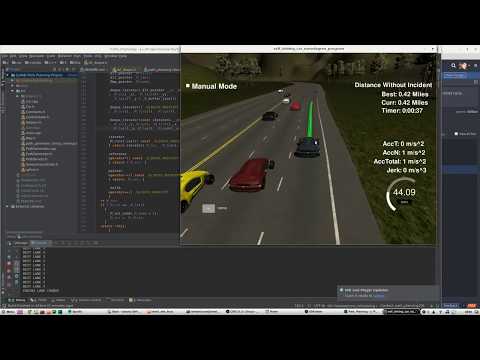
The path planning algorithm uses a finite state machine with 3 states: KEEP_LANE, PREPARE_LANE_CHANGE, and CHANGE_LANE. Initial state is KEEP_LANE.
KEEP_LANE state: Ego vehicle tries to cruise near the speed limit (50mph). If there's another vehicle in front of the ego vehicle on the same lane less than 50 meters away, it will gradually reduces vehicle speed to match the car in front of it and change state to PREPARE_LANE_CHANGE.
PREPARE_LANE_CHANGE state: Ego car asses the most appropriate lane to be at. It then tests if path is feasible by considering other vehicles on the road and vehicle dynamic constraints. If path is not feasible, stays in PREPARE_LANE_CHANGE state until a better path is found. Once a better path is found, switch state to CHANGE_LANE.
On CHANGE_LANE vehicle will start changing lane to the previously determine best lane. Once the center of the lane is achieved, state will change back to KEEP_LANE.
To make smooth lane changes and accelerations, the car tries to minimize jerk on path planning (jerk is the third derivative of position). To do that, Jerk Minimizing Trajectory is used. Before the trajectory is generated, the path in x,y coordinates are first converted into Frenet coordinates, so a polynomial can easily fitted.
Once a polynomial is fitted, the path is generated on Frenet space, and converted to vehicle local x,y coordinates. A spline is then fitted to smooth the trajectory between points fitted on the polynomial, and the results of the spline points are then converted into the global x,y coordinates.
- Clone this repo.
- Make a build directory:
mkdir build && cd build - Compile:
cmake .. && make - Run it:
./path_planning.
Here is the data provided from the Simulator to the C++ Program
- cmake >= 3.5
- All OSes: click here for installation instructions
- make >= 4.1
- Linux: make is installed by default on most Linux distros
- Mac: install Xcode command line tools to get make
- Windows: Click here for installation instructions
- gcc/g++ >= 5.4
- Linux: gcc / g++ is installed by default on most Linux distros
- Mac: same deal as make - [install Xcode command line tools]((https://developer.apple.com/xcode/features/)
- Windows: recommend using MinGW
- uWebSockets
- Run either
install-mac.shorinstall-ubuntu.sh. - If you install from source, checkout to commit
e94b6e1, i.e.git clone https://github.com/uWebSockets/uWebSockets cd uWebSockets git checkout e94b6e1
- Run either