https://allyourstuff-zibol.ondigitalocean.app/
A simple, responsive, and accessible web application for collectors to manage their collections, built with node.js, mongoDB, and pico.css.
Challenges: The most time-consuming challenges came with handling the cookies and logins. Handling accounts was intuitive, but I spent many hours figuring out how to serve different files to my login page. Also, ensuring that my CRUD functions were properly set up took a lot of debugging.
Authentication: I chose to use simple cookies because of the requirement to make a dummy account for any OAuth logins. I thought that might take longer to implement, but in the future I may transition to using passport.js
CSS: I chose to use pico.css because it was simple and highly responsive. Customizing the css file was a complicated process, as I had to understand what different variables meant and how they were being used. I added two classes to the bottom of the sheet for simple flex layouts.
Middleware
- serve-favicon: improves performance by making requests for favicon.ico occur faster
- cookie-session: stores whether a user is logged in/logged out on the client side and is used to handle access to the main page
- express-handlebars: Shows different text on the login page based on how the user tries to login/register.
- compression: Compresses all responses.
- response-time: Adds headers that give the time it takes to send a response and can be used to inform site optimization.
- Hosted site on Digital Ocean: This was much more confusing than using glitch; figuring out how environment variables worked was a long process. But the main benefit is that any time I push a change to the main branch in GitHub, the site automatically redeploys with my changes. Also my site loads faster than it would have in glitch.
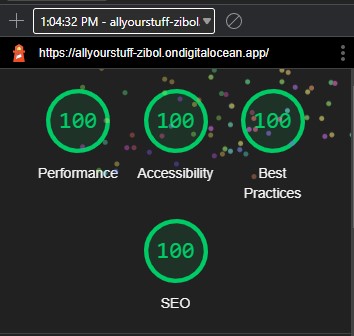
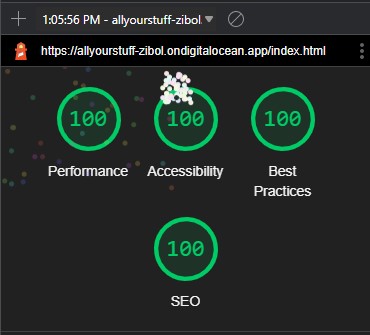
- Achieved 100% in four lighthouse tests: I accomplished this for both pages of my application. The first fix I had to make dealt with my contrast ratio being too low. The second fix was a pain: because I was serving my customized css file from my server to my login page, a large cumulative layout shift occured every time I reloaded the login page. To alleviate this I copy and pasted my css into the style section of my login page. Here are the two tests:
- Made site accessible:
- Informative and unique page titles: The name of the page comes before the name of the website and describes what the page is for.
- Meaningful link text: The links for items display the domain in their text. The logout link explains what cliking that link will do.
- Provide clear instructions: Responses to logging in or registering are descriptive and explain what went wrong if the action was not successful.
- Clear and concise content: Text is easy to read and parse. There are no long paragraphs or sentences.
- Sufficient contrast: A sufficient contrast ratio between the foreground and background is ensured for both light and dark mode. This is reflected in the lighthouse score.
- Color alone does not convey information: A simple color scheme is used to separate the interactive elements from the non-interactive elements, and all elements with color contain descriptive text.
- Interactive elements easy to identify: All interactive elements change color when hovered over or pressed, and all fields are reachable from the keyboard.
- Form elements have clearly associated lables: All input fields are labeled and the labels are close above each field.
- Easiliy identifiable feedback: For fields that are filled out incorrectly, the text in the field changes to explain how they can be correctly filled out.
- Designs for different viewport sizes: The css for the site dynamically resizes the page and rearranges elements intuitively based on the size of the screen and window.
- Identify page language: lang="en" is used on all pages to denote the primary (and only) language used on each page.
- Relfect reading order in code order: The order of content on the page aligns with the order of code in all html files. Usage of the app is sequential from top to bottom.
-
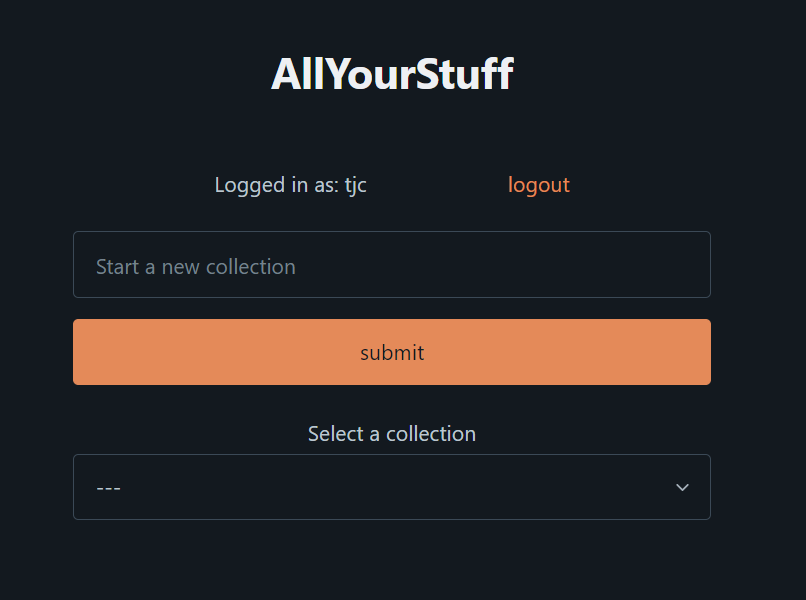
Register an account, or log in to your account
-
Submit a new collection by typing into the top bar or select an existing collection from the dropdown area
-
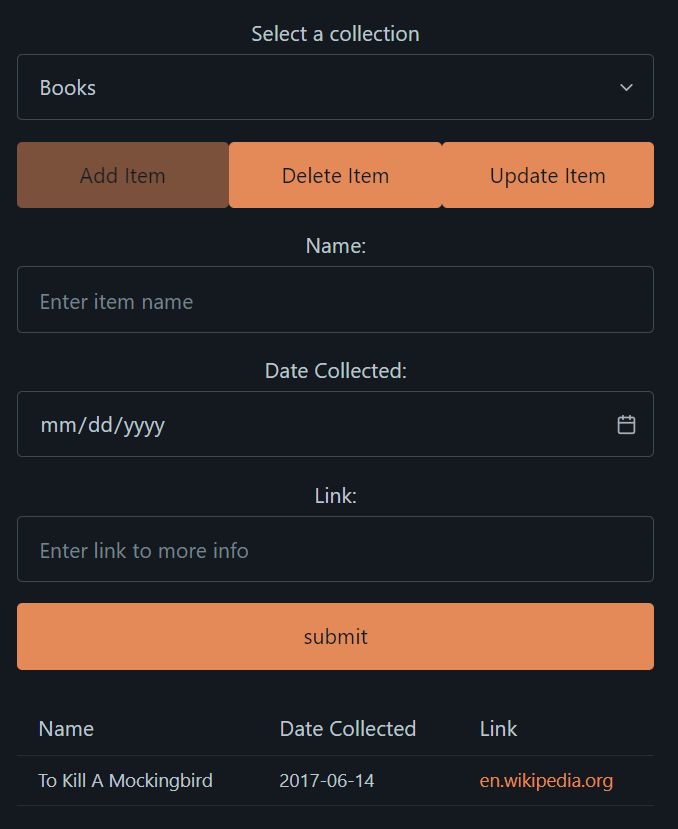
After picking a collection, view your items at the bottom of the screen. You can interact with your items by clicking:
-
Add Item: Fill in the fields and submit to add an item to the currently selected collection
-
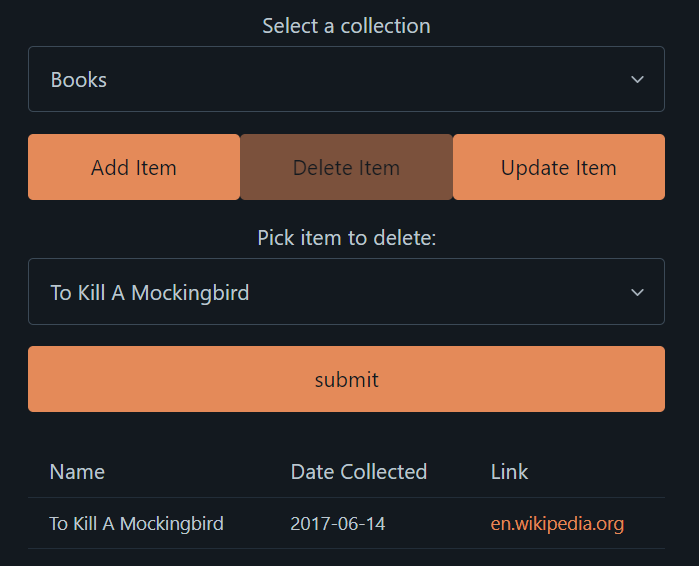
Delete Item: Pick an item in the currently selected collection and press submit to remove it from that collection
-
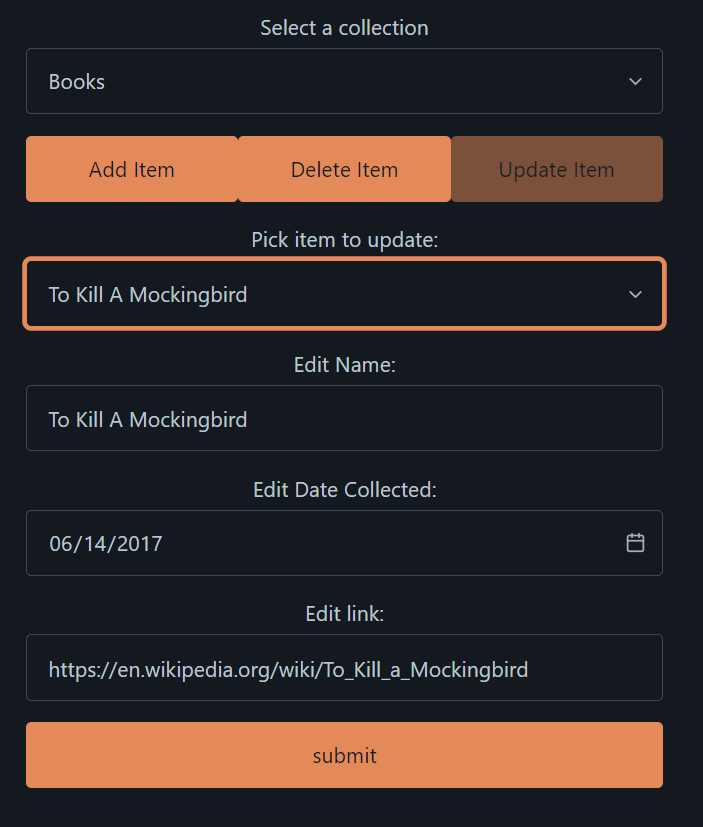
Update Item: Pick an item in the currently selected collection, fill in the fields of that item as desired, and submit to update that item
-
-
When you are done using the application, click the logout link at the top-right of the page
All collections are visible to all users. However, when a user submits a new item, the item is only visible to that user. No one else can access it.