Click here to visit Site
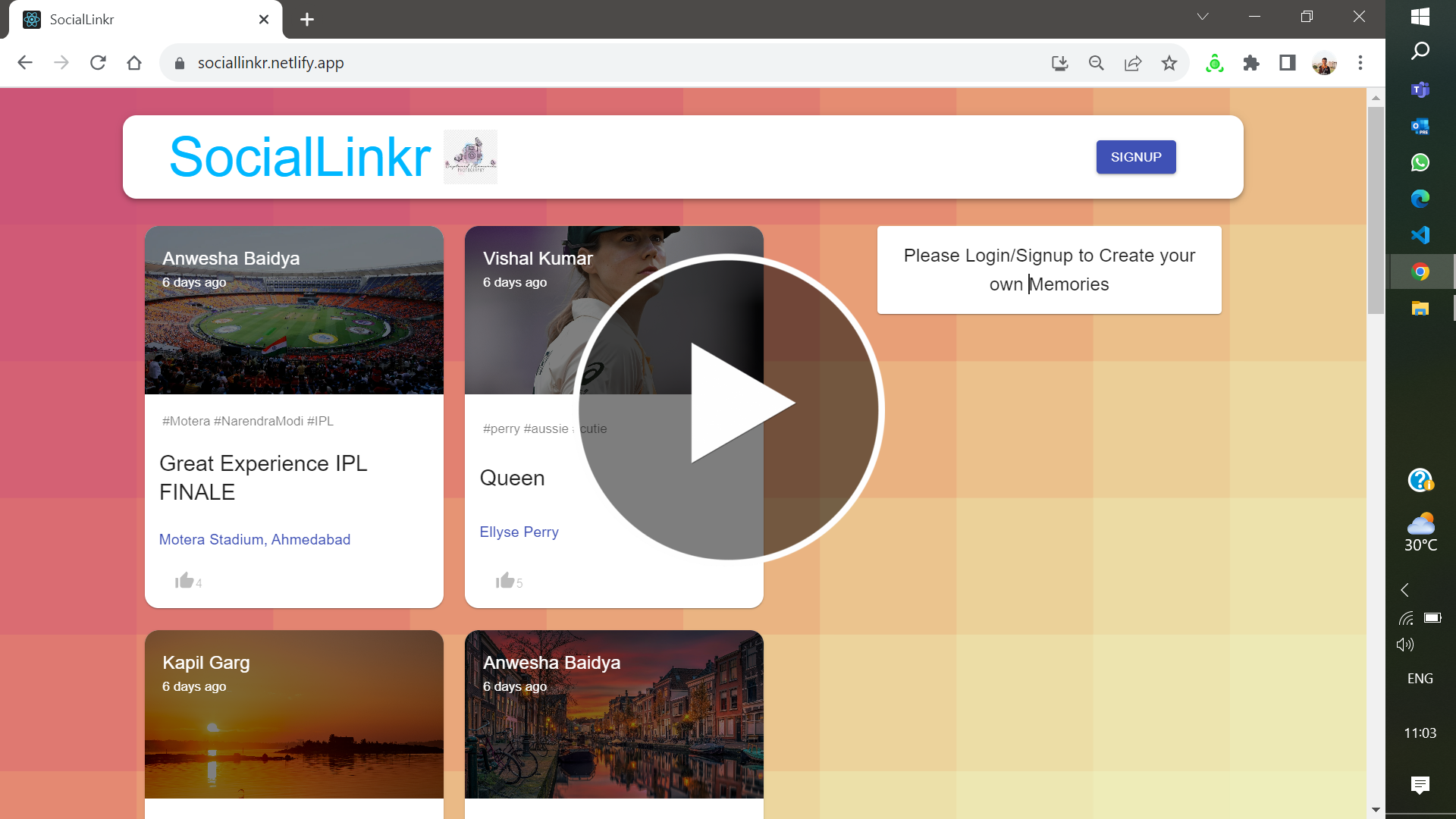
Welcome to SocialLinkr! A social media clone web application that emulates the core features of popular social platforms, enabling users to create profiles, share posts, and photos, fostering a virtual community experience.
The SocialLinkr web application is a user-friendly platform that fosters creating and sharing memories. Users can upload photos, engage with others through likes and explore a vibrant community that preserves special moments.
The SocialLinkr web application offers a rich set of features to enhance your experience:
-
Upload Photos: Easily share your cherished memories with the community by uploading photos. Our user-friendly interface makes it a breeze to contribute to the platform.
-
Like Photos: Express your appreciation for the memories of others by clicking the "Like" button on their photos. It's a simple yet meaningful way to connect and engage.
-
Search for Users: Seamlessly find and connect with friends, family, or fellow enthusiasts. Our powerful search functionality allows you to discover and follow other users.
-
User Profiles: Personalize your profile with a profile picture.
-
Discover New Memories: Explore a diverse range of memories uploaded by users worldwide. Our platform encourages discovery and inspiration.
-
Hashtags(#): Utilize hashtags to categorize your posts and explore topics of interest across the platform.
These features collectively create a vibrant and engaging platform, where users can share their memories and connect, interact, and discover new moments that matter.
To run and understand SocialLinkr, you will need the following:
Additionally, familiarity with HTML, CSS, JavaScript, Redux, Axios, Google APIs and JSONWebToken(JWT) is essential.
By following these steps, you can seamlessly navigate SocialLinkr and enjoy the features of this web application. Follow these steps to get SocialLinkr up and running:
-
Clone the repository and navigate to the project directory: $ git clone https://github.com/vissshal/SocialLinkr.git
-
Navigate to the project directory bash cd SocialLinkr
-
Add the following variables to your .env file, replacing the placeholders with actual values:
REACT_APP_CONNECTION_URL=<your_database_url> -
Don't forget to update the BACKEND_URL.js and FRONTEND_URL.js files
-
Install the required dependencies : $ npm install
-
Start by running: $ npm start
Now your project is up and running at the specified port. Access the website at http://localhost:${PORT} in your web browser
Contact: vishal200104117@iitg.ac.in