Deploying a JenkinsSlack bot using Docker Container
This bot is an implementation of CI/CD Process Integration with ChatOps and building a Slack App with Slack's Python SDK, python-slackclient.
We'll cover all the steps you'll need to configure and deploy JenkinsSlack Bot to your Slack Workspace.
JenkinsSlack Bot is designed to help DevOps engineers to execute the CI/CD Process from the chatroom. Additionally, In order to have control over unauthorized deployment of code to different application environment, there is authorization mechanism so that only approved commands can trigger the deployment.
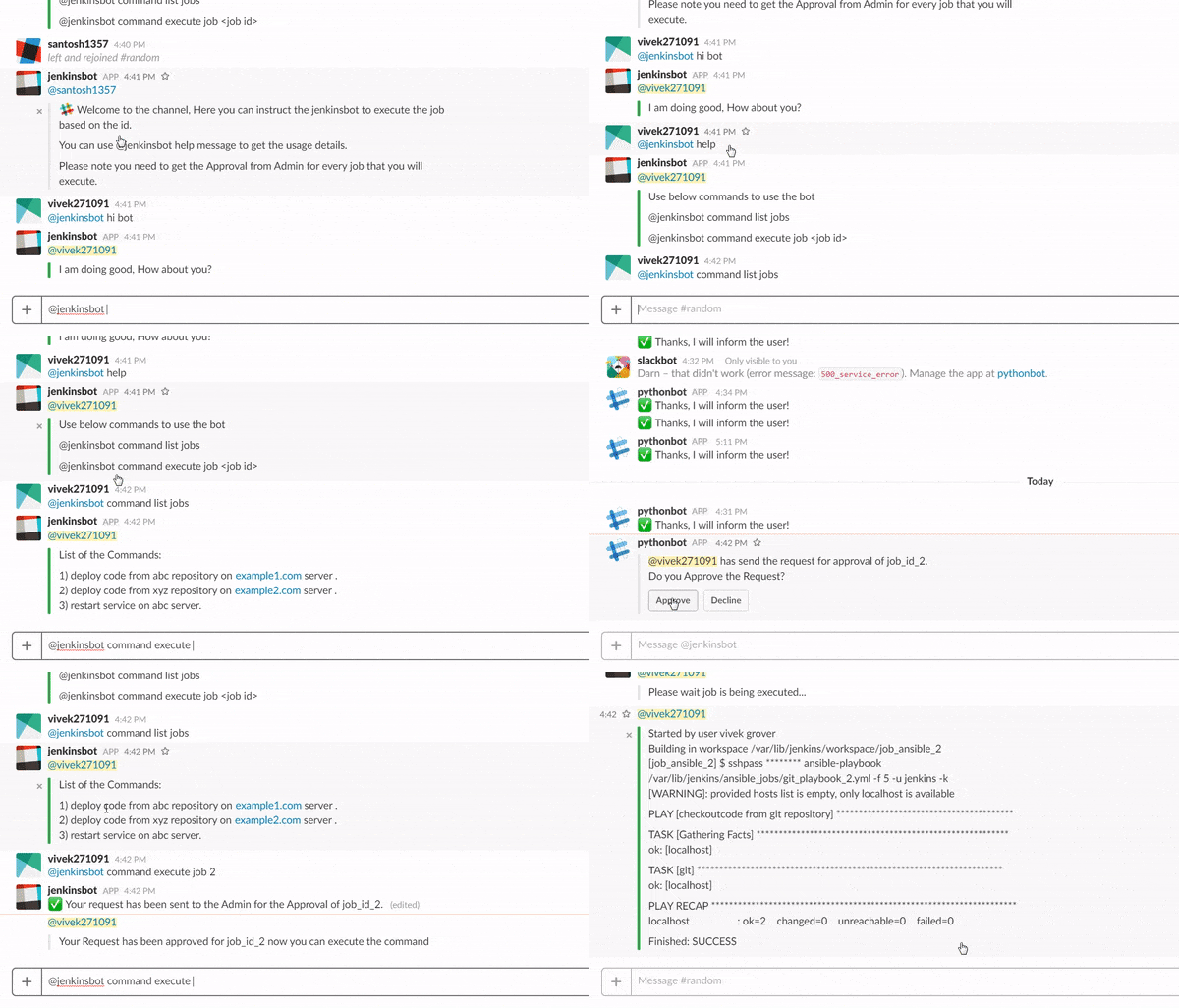
Let's start with the jenkinsSlack bot ✨
- Section 1: Create a Slack App and Bot User
- Section 2: Subscribe to Events and Enable Interactive Components
- Section 3: Install Slack App
ENV SLACK_BOT_TOKEN="slack-token" CHATBOT_NAME="your_bot_name" \
APPROVER_SLACK_NAME="SLACK_USER_ID"
docker build -t jenkinsbot .
 docker run -d -p 98:80 -it --name jenkinsbot jenkinsbot

 docker exec jenkinsbot sh /root/bot/start_bot.sh